Introduction
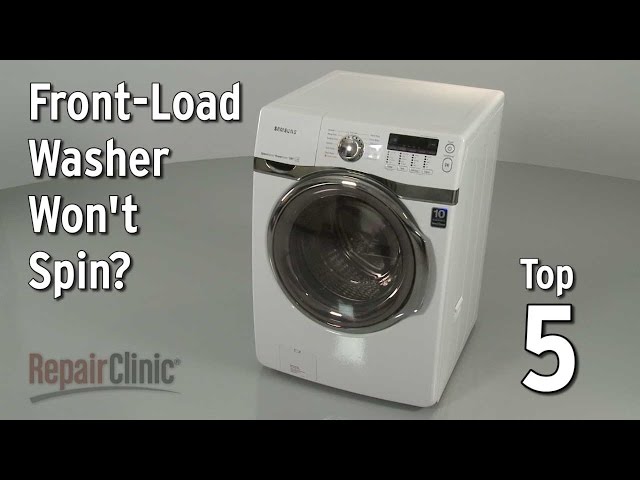
A washing machine that won’t spin is a common household problem, and it’s particularly frustrating because it leaves your clothes saturated with water. This can lead to longer drying times, potential mildew issues, and a general disruption of your laundry routine. The lack of spinning usually happens right at the end of the wash cycle when the machine should be extracting the excess water. It’s important to address this quickly to avoid damaging your clothes and the machine itself. This guide will walk you through the most likely causes and provide simple steps to try and fix the problem yourself.
Common Causes of Whirlpool Duet Won’t Spin
Here are some common reasons why your Whirlpool Duet washer might not be spinning:
- Overloaded Washer: Too many clothes in the drum can prevent it from spinning.
- Unbalanced Load: Clothes bunched on one side can throw off the spin cycle.
- Lid Switch Failure: The washer needs to know the lid is closed to spin. A faulty switch can prevent this.
- Drive Belt Issues: A broken or worn-out drive belt can stop the drum from spinning.
- Drainage Problems: If the washer can’t drain water, it won’t spin. A clogged drain pump or drain hose could be the cause.
- Motor Coupling Problems: The motor coupling connects the motor to the transmission. If it’s broken, the drum won’t spin.
- Faulty Motor: While less common, a failing motor can prevent the drum from spinning.
- Control Board Malfunction: The control board manages all the functions of the washer. A malfunction here can affect the spin cycle.
- Obstruction in the Drum: Small items like socks or coins can get lodged between the inner and outer tubs, preventing spinning.
Symptoms Checklist
Use this checklist to accurately identify the issue:
- Washer fills with water but the drum doesn’t turn during the wash cycle.
- Washer completes the wash cycle, but clothes are soaking wet.
- You hear a humming noise, but the drum doesn’t spin.
- Washer displays an error code related to spinning or draining.
- You smell a burning rubber odor during or after the wash cycle.
How to Fix Whirlpool Duet Won’t Spin Step-by-Step Guide
Follow these steps to troubleshoot and potentially fix the issue:
- Unplug the Washer: For safety, always disconnect the power before working on your appliances.
- Check for Overloading: Remove some clothes if the washer is packed too tightly. A good rule of thumb is to leave about a hand’s width of space at the top of the drum.
- Rearrange the Load: Make sure the clothes are evenly distributed in the drum. If they’re bunched on one side, redistribute them.
- Check the Drain Hose: Make sure the drain hose isn’t kinked or clogged. Straighten any kinks and remove any visible obstructions.
- Clean the Drain Pump Filter: Locate the drain pump (usually at the bottom front of the washer, behind a small access panel). Place a towel down to catch any spills, and carefully remove the filter. Clean out any lint, debris, or small objects.
- Check the Lid Switch: Locate the lid switch (usually near the lid hinge). Manually press the switch to see if you hear a click. If not, the switch might be faulty.
- Listen for Unusual Noises: During a wash cycle (after plugging back in), listen closely for any unusual humming, grinding, or clicking noises. These sounds can help pinpoint the problem.
- Run a “Drain and Spin” Cycle: Select the “Drain and Spin” cycle to see if the washer can drain the water and spin the drum independently. This helps isolate whether the problem is with the draining or the spinning mechanism.
- Check the Drive Belt (Advanced): This requires removing the back panel of the washer. Once removed, inspect the drive belt for cracks, wear, or breakage. If it’s loose or damaged, it will likely need replacement (this is for more advanced users).
- Check the Motor Coupling (Advanced): Similar to the drive belt check, inspect the motor coupling for any signs of damage or wear.
- Check for Obstructions in the Drum (Advanced): If you’re comfortable, you can try to manually rotate the drum to see if you feel any resistance. This could indicate an obstruction between the inner and outer tubs.
- Run a Calibration Cycle: Some Whirlpool Duet models have a calibration cycle that can help reset the control board and address minor issues. Check your owner’s manual for instructions on how to initiate this cycle.
- Look for Error Codes: Consult your owner’s manual or the Whirlpool website to decipher the error code, which can provide valuable clues about the source of the problem.
Fix the Issue Without Buying Parts
Before considering replacement parts, try these free methods:
- Reset the Washer: Unplug the washer for 1-2 minutes and then plug it back in. This can sometimes reset the control board and resolve minor glitches.
- Thorough Cleaning: Clean the washer’s drum, detergent dispenser, and door gasket regularly to prevent buildup that can affect performance.
- Recalibration: As mentioned above, run the calibration cycle if your model has one.
- Regular Inspection: Periodically check the hoses, belts, and other components for signs of wear or damage. Catching these issues early can prevent major problems.
When Replacement Might Be Necessary
If you’ve tried all the troubleshooting steps and your washer still won’t spin, replacement of certain parts might be necessary. Here are some common failing parts and estimated cost ranges (USD):
- Lid Switch: $20 – $50
- Drive Belt: $15 – $30
- Drain Pump: $50 – $150
- Motor Coupling: $20 – $40
- Motor: $150 – $400
- Control Board: $200 – $500
Important: These are estimated costs and can vary depending on the model and the retailer. It’s always a good idea to get a professional diagnosis before replacing expensive parts.
Safety Warning
Keep these safety warnings in mind:
- Always unplug the washer before performing any maintenance or repairs.
- Avoid working on the washer with wet hands or on a wet floor.
- Be careful when handling electrical components.
- If you’re not comfortable performing a particular repair, it’s best to call a qualified technician.
Tools You May Need
Here’s a list of tools that might be helpful for troubleshooting and repair:
- Screwdrivers (Phillips and flathead)
- Pliers
- Wrench
- Multimeter (for testing electrical components)
- Towel
- Gloves
FAQ
Here are some frequently asked questions about washers that won’t spin:
- Q: Why is my washer making a loud humming noise but not spinning? A: This could indicate a problem with the motor, motor coupling, or drive belt.
- Q: What does it mean if my washer is displaying an error code? A: Error codes can provide valuable clues about the source of the problem. Consult your owner’s manual or the Whirlpool website to decipher the code.
- Q: Can I fix a washer that won’t spin myself? A: Yes, many common issues can be resolved with basic troubleshooting and simple repairs. However, if you’re not comfortable with electrical or mechanical repairs, it’s best to call a professional.
- Q: How often should I clean my washing machine? A: It’s recommended to clean your washing machine at least once a month to prevent buildup and maintain optimal performance.
Conclusion
A washer that won’t spin can be a major inconvenience, but with a little troubleshooting, you can often resolve the issue yourself. By following the steps outlined in this guide, you can identify the most likely causes and try simple repairs. If you’re unable to fix the problem on your own, don’t hesitate to call a qualified appliance repair technician. Hopefully, you’ll have your Duet spinning smoothly again in no time!
Youtube Video:
Looking for more useful options?
Check out recommended resources that others find helpful.