Introduction
Discovering your Samsung washing machine is flooding can be a frustrating and concerning experience. Not only does it create a mess, but it can also potentially damage your floors and surrounding areas. This guide is designed to help you understand why your washing machine is flooding, identify the cause, and provide step-by-step instructions on how to fix it. Flooding typically occurs during a wash cycle, the spin cycle, or even when the machine is not in use. Addressing this issue promptly is crucial to prevent further water damage and ensure your washing machine operates correctly.
Common Causes of Samsung Washing Machine Flooding
Here are some common reasons why your Samsung washing machine might be flooding:
- Overfilling: Using too much detergent, especially non-HE (High Efficiency) detergent in an HE machine, can cause excessive suds, leading to overflow.
- Clogged Drain Hose: A blockage in the drain hose prevents water from draining properly, causing it to back up and flood.
- Drain Pump Issues: A malfunctioning drain pump may not be able to remove water from the tub effectively.
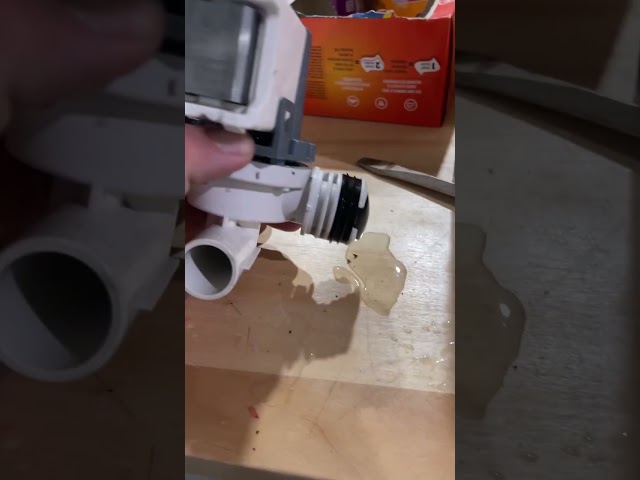
- Faulty Water Inlet Valve: A stuck or leaking water inlet valve can continuously fill the tub, even when it’s not supposed to.
- Damaged Tub Seal: The seal around the wash tub can deteriorate over time, leading to leaks during the wash or spin cycle.
- Overloaded Washing Machine: Putting too many clothes in the machine can prevent proper water circulation and cause overflow.
- Pressure Switch Malfunction: The pressure switch monitors the water level. If it fails, the machine might overfill.
- Air Dome Clog: The air dome helps the pressure switch function correctly. If it’s clogged, the water level might not be read accurately.
Symptoms Checklist
Check for these signs to accurately identify the flooding issue:
- Water overflowing from the detergent dispenser.
- Water leaking from the bottom or back of the machine.
- Excessive suds or foam inside the washing machine tub.
- Water pooling around the base of the washing machine during operation.
- The washing machine stopping mid-cycle with standing water.
- Error codes displayed on the machine’s control panel related to water levels or draining.
How to Fix Samsung Washing Machine Flooding Step-by-Step Guide
Follow these steps to troubleshoot and fix the flooding issue:
- Safety First: Unplug the washing machine from the power outlet to avoid electrical shock.
- Turn off the Water Supply: Locate the water supply valves behind the washing machine and turn them off.
- Check the Drain Hose: Inspect the drain hose for any kinks, bends, or blockages. Straighten any kinks and remove any obstructions.
- Clean the Drain Hose: Detach the drain hose from the washing machine and the drainpipe. Flush it with water to remove any sediment or debris.
- Inspect the Drain Pump Filter: Locate the drain pump access panel (usually at the bottom front of the machine). Open the panel and remove the filter. Clean any lint, hair, or debris from the filter.
- Check for Excessive Suds: If you see excessive suds, run an empty wash cycle with hot water and no detergent. This will help remove any residual detergent buildup.
- Inspect the Water Inlet Hoses: Check the water inlet hoses for any leaks or damage. Tighten the connections or replace the hoses if necessary.
- Check the Water Inlet Valve: Locate the water inlet valve (usually behind the washing machine). Inspect it for any signs of leaks or damage.
- Check the Air Dome: The air dome is a small chamber connected to the tub. Locate it (refer to your user manual) and ensure it is free from clogs. You can gently blow into the tube to check for resistance.
- Ensure Washing Machine is Level: An unbalanced machine can cause overflow. Use a level to check and adjust the feet of the washing machine until it is level.
- Reduce Load Size: Avoid overloading the washing machine. Follow the manufacturer’s recommendations for load size.
- Run a Test Cycle: After completing the above steps, plug in the washing machine, turn on the water supply, and run a test cycle to see if the flooding issue is resolved.
Fix the Issue Without Buying Parts
Often, the flooding issue can be resolved without replacing any parts. Try these free methods:
- Reset the Washing Machine: Unplug the machine for 5-10 minutes, then plug it back in. This can sometimes clear error codes and reset the system.
- Deep Clean the Washing Machine: Run a cleaning cycle with a washing machine cleaner or a mixture of vinegar and baking soda to remove buildup and odors.
- Calibrate the Washing Machine (if applicable): Some Samsung models have a calibration feature. Refer to your user manual for instructions on how to calibrate your machine.
- Regular Inspection: Regularly inspect hoses and connections for wear and tear. Catching problems early can prevent flooding later.
- Proper Detergent Usage: Always use HE detergent in HE machines, and follow the manufacturer’s instructions for the correct amount.
When Replacement Might Be Necessary
If the above steps don’t resolve the flooding issue, it might be necessary to replace a part. Common parts that fail and cause flooding include the drain pump (estimated cost: $50-$150), the water inlet valve (estimated cost: $30-$80), or the tub seal (requires professional repair, cost varies). Consider calling a qualified appliance repair technician for diagnosis and replacement if you are not comfortable doing it yourself.
Safety Warning
Take these safety precautions while troubleshooting:
- Always unplug the washing machine from the power outlet before performing any repairs or inspections.
- Avoid standing in water while working on the washing machine to prevent electric shock.
- If you are not comfortable working with electrical components, contact a qualified appliance repair technician.
- Be careful when handling tools to avoid injury.
- Wipe up any spilled water immediately to prevent slips and falls.
Tools You May Need
Here are some basic tools that might be helpful:
- Screwdrivers (Phillips and flathead)
- Pliers
- Adjustable wrench
- Bucket
- Towels
- Gloves
- Level
FAQ
Here are some frequently asked questions about washing machine flooding:
- Q: Why is my washing machine overflowing with suds? A: This is usually caused by using too much detergent or using non-HE detergent in an HE machine. Use less detergent and ensure it’s HE-compatible.
- Q: How do I clean the drain pump filter? A: Locate the drain pump access panel, open it, and remove the filter. Rinse the filter with water to remove any debris.
- Q: What should I do if water is leaking from the bottom of my washing machine? A: This could indicate a damaged tub seal or a leak in the drain pump. Inspect these components and consider calling a repair technician.
- Q: My washing machine is making a loud noise during the spin cycle and then floods. What could be the problem? A: The drum could be unbalanced or the suspension rods may be damaged, leading to excessive movement and leaks.
Conclusion
Fixing a Samsung washing machine that’s flooding can seem daunting, but by following this step-by-step guide, you can often identify and resolve the issue yourself. Remember to prioritize safety and take your time. If you’ve tried these steps and your washing machine is still flooding, it might be time to call a qualified appliance repair technician for professional assistance. Don’t give up, you can get it working again!
Youtube Video:
Looking for more useful options?
Check out recommended resources that others find helpful.