Introduction
Is your Nest thermostat showing a comfortable temperature, but your house feels like an icebox? A Nest thermostat that isnt turning on the heat is a common problem and can be incredibly frustrating, especially during cold weather. It can happen after a power outage, a software update, or seemingly for no reason at all. Getting your heat back on is a priority, not just for comfort, but to prevent pipes from freezing and causing damage. Lets get your heat working again!
Common Causes of nest thermostat heat not coming on
Here are some common reasons why your Nest thermostat might not be turning on the heat:
- Incorrect thermostat settings: The thermostat might be set to “cool” instead of “heat,” or the desired temperature might be lower than the current room temperature.
- Low battery: The Nest thermostat may have a low battery and not be able to communicate with the heating system.
- Wiring issues: Loose or incorrect wiring connections between the thermostat and the heating system can cause problems.
- Wi-Fi connectivity problems: If your Nest thermostat can’t connect to Wi-Fi, it may not be able to receive instructions to turn on the heat.
- Furnace issues: The furnace itself might have a problem, such as a tripped breaker, a faulty pilot light, or a clogged filter.
- Software glitches: Like any electronic device, the Nest thermostat can experience software glitches that prevent it from functioning correctly.
- Incorrect configuration: During setup, you may have accidentally selected the wrong type of heating system.
- Safety features: Some furnaces have safety features that shut them down if they overheat, if there’s a gas leak detected, or if the flame sensor fails.
Symptoms Checklist
Check if you’re experiencing any of these symptoms:
- The Nest thermostat display is on, but the heat isn’t running.
- The Nest thermostat displays an error message related to heating.
- The Nest thermostat is connected to Wi-Fi, but the heat still doesn’t turn on.
- The furnace blower fan runs, but no warm air comes out.
- The Nest app shows the heat is “on,” but the actual system is off.
- The display is dim or blank, possibly indicating a battery issue.
How to Fix nest thermostat heat not coming on Step-by-Step Guide
Follow these steps to troubleshoot your Nest thermostat:
- Check the thermostat settings: Make sure the thermostat is set to “heat” mode and that the desired temperature is higher than the current room temperature.
- Check the battery level: Go to the thermostat’s settings menu and check the battery level. If it’s low, charge the thermostat using a USB cable.
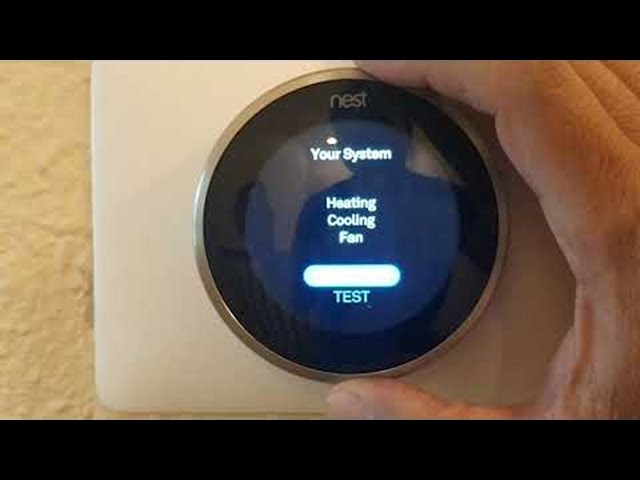
- Restart the thermostat: Restart your Nest thermostat by going to settings>equipment>restart.
- Check the wiring connections: Carefully remove the thermostat from the wall and inspect the wiring connections. Make sure the wires are securely connected to the correct terminals. Refer to the Nest thermostat’s wiring diagram for guidance.
- Check the furnace breaker: Locate your home’s electrical panel and check the breaker for the furnace. If the breaker is tripped, reset it.
- Check the furnace filter: A dirty furnace filter can restrict airflow and cause the furnace to overheat. Replace the filter if it’s dirty.
- Restart the furnace: Some furnaces have a reset button. Locate the reset button and press it to restart the furnace.
- Check for error messages: Take note of any error messages displayed on the Nest thermostat or the furnace control panel. Look up the error message in the Nest thermostat’s manual or online to find troubleshooting steps.
- Check Wi-Fi connection: Ensure your Nest is still connected to the internet by viewing the connection status in settings.
- Confirm the system type: Double check the type of heating system selected in the Nest setup. Ensure it matches your actual heating system type.
Fix the Issue Without Buying Parts
Here are some things you can try before considering replacing parts:
- Reset the thermostat: Resetting the thermostat to its factory settings can resolve software glitches.
- Clean the thermostat: Dust and debris can accumulate on the thermostat’s sensors and affect its accuracy. Clean the thermostat with a soft, dry cloth.
- Check for obstructions: Make sure there are no obstructions blocking the thermostat’s sensors.
- Inspect vents: Make sure heating vents are open and unobstructed to allow proper air flow.
When Replacement Might Be Necessary
If you’ve tried all the troubleshooting steps and your Nest thermostat still isn’t working, you may need to replace it. Common parts that fail include the internal battery ($20-$50) or the entire thermostat unit ($150-$300). Before replacing any parts, consult a qualified HVAC technician to diagnose the problem and determine the best course of action.
Safety Warning
- Always turn off the power to the furnace before working on any electrical components.
- Be careful when working with wiring and avoid touching bare wires.
- If you’re not comfortable working with electrical components, consult a qualified HVAC technician.
- Do not attempt repairs in wet environments.
- If you smell gas, evacuate the premises immediately and call your gas company.
Tools You May Need
- Screwdriver (Phillips and flathead)
- Pliers
- Wire stripper
- Multimeter (optional)
- Flashlight
FAQ
Here are some frequently asked questions about Nest thermostat heat problems:
- Q: Why is my Nest thermostat showing the correct temperature, but the heat isn’t turning on? A: This could be due to a wiring issue, a faulty furnace, or a software glitch. Try restarting the thermostat and checking the wiring connections.
- Q: How do I know if my Nest thermostat’s battery is low? A: The Nest thermostat will display a low battery warning on the screen. You can also check the battery level in the settings menu.
- Q: Can I manually turn on the heat if my Nest thermostat isn’t working? A: Some furnaces have a manual override switch that allows you to turn on the heat without the thermostat. Consult your furnace’s manual for instructions.
- Q: My Nest is showing a “delayed” message before turning on the heat. Is this normal? A: Yes, some systems implement a safety delay. Check your Nest settings for “Safety Temperature” adjustments.
Conclusion
Troubleshooting your Nest thermostat can seem daunting, but by following these steps, you can often resolve the problem yourself. Remember to prioritize safety and consult a professional if you’re not comfortable performing any of these tasks. Don’t give up! You can often fix your “nest thermostat heat not coming on” issue and get your heat back on without calling a technician. Good luck!
Youtube Video:
Looking for more useful options?
Check out recommended resources that others find helpful.