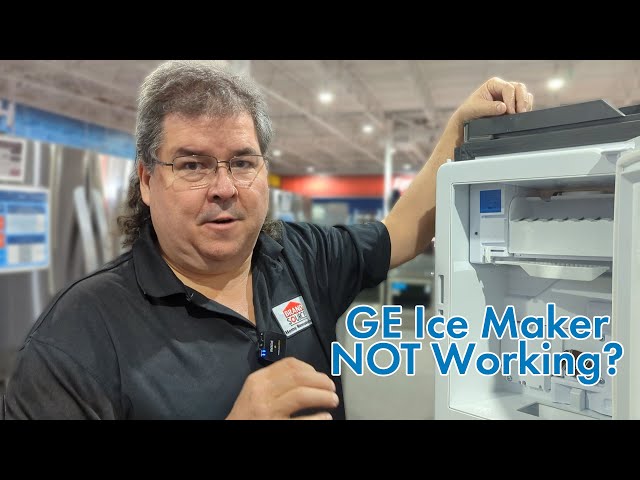
Introduction
Is your Samsung refrigerator’s ice machine on the fritz? It’s a common problem, and it can be a real inconvenience, especially during hot weather or when you’re entertaining guests. Imagine planning a party only to find out your ice maker has decided to take a vacation! Don’t panic; often, the issue is something simple that you can fix yourself. We’ll walk you through the troubleshooting process step-by-step. Explore more in our Refrigerator Problems category.
💡 Technical Key Takeaways:
- Core Focus: Diagnostic schematic and terminal connection layout for Ice Machine Not Working Samsung.
- Target Scope: Field technicians, automotive DIYers, and residential/commercial electricians.
- Safety Rule: Always disconnect the primary power source/battery terminal and verify zero voltage with a multimeter before touching wires.
Common Causes of ice machine not working samsung
Here are some of the most frequent reasons why your Samsung ice maker might not be making ice:. Related guide: Ice Maker Working But Not Water Dispenser.
- Frozen Water Line: The water line supplying the ice maker can freeze, blocking water flow.
- Clogged Water Filter: A dirty water filter restricts water flow, impacting ice production.
- Ice Maker Jammed: Ice cubes can clump together, jamming the ice maker mechanism.
- Low Freezer Temperature: If the freezer isn’t cold enough, ice won’t form properly.
- Faulty Water Inlet Valve: This valve controls water flow to the ice maker; if it fails, no water, no ice.
- Defective Ice Maker Module: The module controls the entire ice-making process; if it’s broken, the ice maker won’t work.
- Ice Level Sensor Issues: If the sensor is blocked or malfunctioning, it may incorrectly indicate that the ice bin is full, stopping ice production.
- Power Outage/Interruption: A recent power outage can sometimes reset the ice maker and prevent it from starting up again.
- Improper Installation: Issues with the water line or the refrigerator’s leveling can cause problems.
- Unit is in Demo Mode: The ice maker and cooling are turned off so unit can be displayed with lights on.
Symptoms Checklist
Here’s how to accurately identify the problem:
- No ice production at all.
- Ice cubes are small or misshapen.
- Ice maker is making strange noises (grinding, clicking).
- Water dispenser is also not working.
- Ice maker is overflowing with ice.
- Ice maker is producing ice very slowly.
- Water is leaking from the ice maker area.
- Freezer temperature seems warmer than usual.
How to Fix ice machine not working samsung Step-by-Step Guide
Follow these steps to troubleshoot your Samsung ice maker:
- Check the Freezer Temperature: Ensure your freezer is set to 0F (-18C). Too warm, and the ice won’t freeze.
- Inspect the Water Line: Look for any kinks or bends in the water line behind the refrigerator. Straighten them out.
- Check for a Frozen Water Line: If you suspect a frozen line, unplug the refrigerator and allow it to thaw for several hours.
- Replace the Water Filter: A clogged water filter is a common culprit. Replace it according to the manufacturer’s instructions.
- Listen for the Water Valve: After replacing the filter, listen for the water inlet valve to open and fill the ice maker. You should hear a slight humming or buzzing sound.
- Manually Dump the Ice: Sometimes, ice clumps together and jams the ice maker. Empty the ice bin and see if it starts making ice again.
- Check the Ice Level Sensor: Make sure nothing is blocking the ice level sensor (a small arm or light beam inside the ice maker).
- Reset the Ice Maker: Most Samsung refrigerators have a reset button on the ice maker. Press and hold it for a few seconds (usually around 8-10 seconds).
- Defrost the Ice Maker: If you suspect ice buildup, manually defrost the ice maker. You can use a hairdryer on a low setting to melt the ice.
- Power Cycle the Refrigerator: Unplug the refrigerator from the wall outlet for 5 minutes, then plug it back in. This can sometimes reset the ice maker.
- Check for Leaks: Carefully inspect the water line connections and the ice maker itself for any signs of leaks.
- Check to ensure unit is not in Demo Mode: Locate the manual for your unit and turn off demo mode.
Fix the Issue Without Buying Parts
Before rushing to buy new parts, try these free methods:
- Reset: Use the reset button on the ice maker itself.
- Cleaning: Thoroughly clean the ice bin and the ice maker area to remove any debris.
- Recalibration: Unplug the refrigerator and plug back in to reset.
- Inspection Tips: Carefully examine the water line, ice maker components, and sensor for any obvious issues.
- Maintenance Basics: Regularly replace the water filter (every 6 months) and keep the freezer clean.
When Replacement Might Be Necessary
If you’ve tried all the troubleshooting steps and the ice maker still isn’t working, a replacement part might be needed. Common parts that fail include the water inlet valve (estimated cost: $30-$70), the ice maker module ($50-$150), or the water filter housing ($20-$50). However, it’s best to consult with a qualified appliance repair technician before replacing any parts, as they can accurately diagnose the problem and ensure you’re replacing the correct component. Browse more guides on smartacfix.com.
Safety Warning
- Always unplug the refrigerator from the electrical outlet before performing any maintenance or repairs.
- Avoid working on electrical components with wet hands.
- Be careful when using a hairdryer to defrost the ice maker to avoid overheating and damaging the components.
- If you’re not comfortable working with electrical appliances, it’s best to call a qualified technician.
Tools You May Need
- Screwdrivers (Phillips and flathead)
- Pliers
- Adjustable wrench
- Towel or sponge
- Hairdryer (optional)
FAQ
-
Q: Why is my Samsung ice maker making ice so slowly?
A: The most common cause is a clogged water filter. Replacing the filter usually solves the problem. -
Q: How do I reset my Samsung ice maker?
A: Look for a reset button on the ice maker itself, usually located on the side or bottom. Press and hold it for 8-10 seconds. -
Q: My ice maker is overflowing with ice. What should I do?
A: This could be due to a faulty water inlet valve or a problem with the ice level sensor. Try cleaning the sensor and making sure nothing is blocking it. -
Q: How often should I replace my Samsung refrigerator’s water filter?
A: It’s recommended to replace the water filter every 6 months, or sooner if you notice a decrease in water flow or ice production.
Conclusion
Troubleshooting a Samsung ice maker that isn’t working can seem daunting, but by following these steps, you can often identify and fix the problem yourself. Remember to always prioritize safety and consult with a qualified technician if you’re unsure about any aspect of the repair. Don’t give up on your DIY journey before exploring all options. Save money and enjoy the satisfaction of resolving the issue independently before calling for professional assistance.
Youtube Video:

Quick Wiring Specifications & Terminal Guide
| Component / Circuit | Standard Wire Gauge | Recommended Protection |
|---|---|---|
| Control & Trigger Signals | 18 – 20 AWG | 5A – 7.5A Inline Fuse |
| Standard Auxiliary Load | 14 – 16 AWG | 15A – 20A Circuit Breaker |
| Main Power Feed / Supply | 10 – 12 AWG | 30A – 40A Heavy-Duty Relay |
Images References