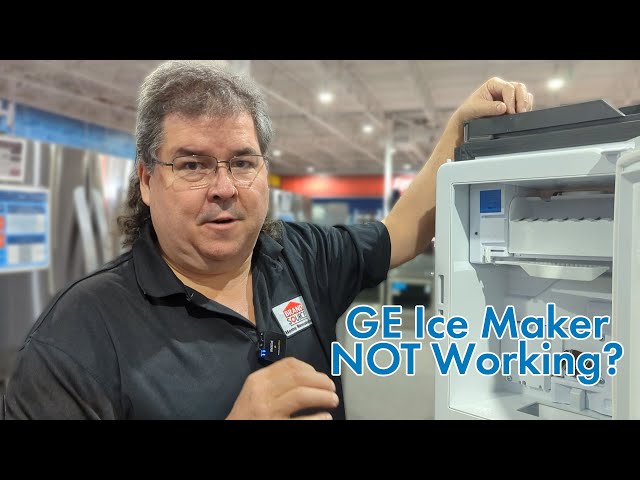
Introduction
Discovering your GE Adora refrigerator isn’t making ice can be a major inconvenience, especially on a hot day or when you’re hosting guests. This issue can stem from several simple causes, some of which you can easily address yourself. A fridge that’s not producing ice can lead to warm drinks and wasted food if the temperature isn’t properly maintained. Let’s troubleshoot this problem together, step by step, to get your ice maker up and running again.
Common Causes of ge adora fridge not making ice
Here are some common reasons why your GE Adora refrigerator might not be making ice:
- Freezer Temperature Too High: If the freezer isn’t cold enough (ideally around 0F or -18C), the ice maker won’t function correctly.
- Ice Maker is Turned Off: Sometimes the ice maker is simply switched off.
- Water Supply Issue: A kinked or frozen water line can prevent water from reaching the ice maker.
- Water Filter Clogged: A dirty or clogged water filter restricts water flow.
- Ice Jam: Ice cubes can become stuck in the ice maker, preventing it from cycling properly.
- Faulty Water Inlet Valve: This valve controls the flow of water to the ice maker. If it’s defective, no water will enter.
- Defective Ice Maker Module: The ice maker module is the control center; if it fails, the ice maker won’t work.
- Freezer Door Not Closing Properly: Warm air entering the freezer can prevent ice formation.
Symptoms Checklist
Use this checklist to help pinpoint the problem:
- The ice maker is completely empty.
- The ice maker is making small or hollow ice cubes.
- The ice maker is making ice very slowly.
- No water is flowing to the ice maker.
- The freezer temperature is above 10F (-12C).
- You hear unusual noises coming from the ice maker.
How to Fix ge adora fridge not making ice Step-by-Step Guide
- Check the Freezer Temperature: Ensure the freezer is set to 0F (-18C). Use a thermometer to verify the temperature. Adjust the setting if necessary.
- Turn On the Ice Maker: Locate the ice maker’s on/off switch. Its usually a wire arm or a button inside the freezer. Make sure it’s in the “on” position.
- Check the Water Supply Line: Locate the water supply line behind the refrigerator. Make sure it’s not kinked or bent. If it is, gently straighten it out.
- Inspect for Frozen Water Lines: If you suspect a frozen water line, try thawing it with a hairdryer on a low setting (avoid direct contact with the refrigerator). You can also try wrapping the line with warm towels.
- Replace the Water Filter: Locate the water filter (usually in the upper right corner of the fridge compartment or behind the kickplate at the bottom). Replace it with a new filter. Consult your owner’s manual for the correct filter type.
- Clear Any Ice Jams: Check for ice jams in the ice maker. Use a plastic utensil (never metal) to carefully dislodge any stuck ice cubes.
- Reset the Ice Maker: Some GE Adora refrigerators have a reset button on the ice maker module. Press and hold this button for a few seconds. Refer to your owner’s manual for specific instructions.
- Check the Freezer Door Seal: Make sure the freezer door seal is clean and intact. A damaged seal can allow warm air to enter, affecting ice production. Clean the seal with a damp cloth.
- Listen for the Water Valve: When the ice maker calls for water, you should hear a buzzing sound from the water inlet valve at the back of the fridge. If you don’t hear anything, the valve might be faulty.
- Check Water Pressure: Low water pressure can prevent the ice maker from filling properly. Ensure your home’s water pressure is adequate (typically 30-100 psi).
- Give It Time: After making any changes, give the ice maker 24 hours to start producing ice.
Fix the Issue Without Buying Parts
Many ice maker issues can be resolved without spending money:
- Resetting the ice maker can often resolve minor software glitches.
- Cleaning the ice maker and surrounding area removes potential obstructions.
- Ensuring the correct temperature settings are crucial for proper operation.
- Visually inspect all components for obvious signs of damage.
- Regular maintenance, such as filter replacement, prevents future problems.
When Replacement Might Be Necessary
If troubleshooting steps don’t resolve the issue, a faulty component might be the culprit. Replacement of the ice maker module ($100-$300), water inlet valve ($50-$150), or water filter housing ($30-$100) might be necessary. Consider contacting a qualified appliance repair technician for diagnosis and repair.
Safety Warning
- Always unplug the refrigerator before performing any maintenance or repairs.
- Avoid working on electrical components with wet hands.
- Be careful when handling sharp objects or tools.
- If you’re uncomfortable performing any of these steps, contact a qualified appliance repair technician.
Tools You May Need
- Screwdriver (Phillips and flathead)
- Pliers
- Adjustable wrench
- Thermometer
- Clean cloth or sponge
- Plastic utensil (for clearing ice jams)
FAQ
Q: How long does it take for a new GE Adora refrigerator to start making ice?
A: It can take up to 24 hours for a new refrigerator to start producing ice.
Q: Why is my ice maker making small or hollow ice cubes?
A: This is usually caused by low water pressure or a clogged water filter.
Q: How often should I replace the water filter in my GE Adora refrigerator?
A: It’s recommended to replace the water filter every six months, or sooner if you notice a decrease in water flow.
Q: Can I use a generic water filter in my GE Adora refrigerator?
A: It’s best to use a genuine GE water filter or a filter specifically designed to be compatible with your refrigerator model.
Conclusion
Troubleshooting a GE Adora refrigerator that isn’t making ice can seem daunting, but by following these steps, you can often resolve the issue yourself. Remember to take your time, follow the safety precautions, and don’t hesitate to consult your owner’s manual. If you’ve exhausted these troubleshooting steps and the problem persists, it’s time to call a qualified appliance repair technician. Good luck!
Youtube Video:
Looking for more useful options?
Check out recommended resources that others find helpful.