Introduction
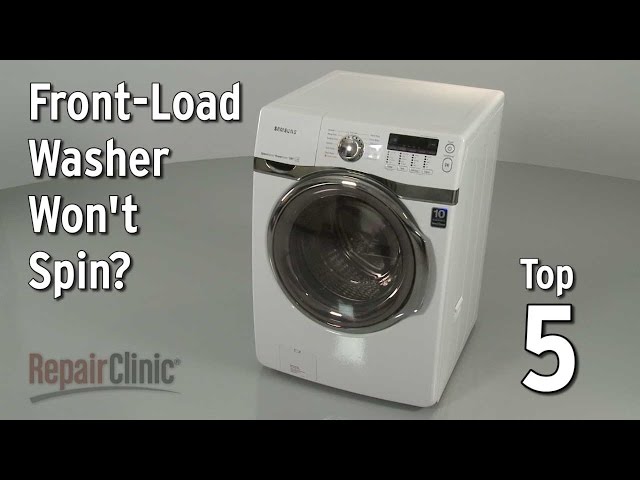
Finding your front load washer not spinning after a wash cycle can be incredibly frustrating. You’re left with soaking wet clothes, and the immediate thought is often that something expensive is broken. A washer not spinning can happen for various reasons, from a simple imbalance to a more complex mechanical issue. Addressing this problem promptly is important to prevent mold and mildew growth in your clothes and your washing machine. Let’s explore some common causes and how to troubleshoot them before calling a repair technician.
Common Causes of Front Load Washer Not Spinning
Here are some common reasons why your front load washer might not be spinning:
- Overloaded Washer: Too many clothes in the drum can prevent the motor from effectively spinning.
- Unbalanced Load: A load with heavy items on one side can cause the washer to stop spinning to prevent damage.
- Blocked Drain Hose: If the water can’t drain, the washer won’t spin.
- Clogged Drain Pump Filter: Debris can block the drain pump, preventing water from being pumped out.
- Faulty Lid Switch/Door Lock: Most front load washers have a safety mechanism that prevents spinning if the door isn’t properly closed.
- Worn Drive Belt: The belt that connects the motor to the drum might be worn or broken.
- Motor Issues: The motor itself might be failing or have a problem.
- Control Board Malfunction: The electronic control board that manages the washer’s functions could be malfunctioning.
- Damaged or Broken Washer Tub A damaged tub or a broken spring could prevent the washer from spinning.
Symptoms Checklist
Check these indicators to help identify the problem:
- Washer makes a humming noise but the drum doesn’t spin.
- Washer fills with water but doesn’t drain.
- Washer door won’t unlock after the cycle.
- Error code displayed on the washer’s control panel.
- Washer shakes violently during the spin cycle (before it stops).
- Clothes are soaking wet at the end of the cycle.
- You can smell a burning rubber smell.
- Drum does not spin freely when pushed by hand.
How to Fix Front Load Washer Not Spinning Step-by-Step Guide
Follow these steps to troubleshoot your washer:
- Unplug the Washer: Always disconnect the power before working on any appliance.
- Check for Overloading: Remove some clothes if the drum is packed too tightly.
- Rearrange the Load: Make sure the load is balanced. Redistribute clothes evenly in the drum.
- Check the Drain Hose: Ensure the drain hose isn’t kinked, clogged, or bent.
- Clean the Drain Pump Filter: Locate the drain pump filter (usually at the bottom front of the washer behind a small access panel). Unscrew it and clean out any lint, hair, or debris. Remember to have a towel handy to catch any water that might spill.
- Inspect the Door Lock/Lid Switch: Make sure the door is closing properly and the latch engages securely. Try opening and closing the door firmly.
- Check the Drive Belt (Advanced): This requires removing the washer’s back panel. Inspect the belt for wear, cracks, or breakage. If it’s loose, you might be able to tighten it; if it’s damaged, it will need to be replaced (but lets hold off on that for now).
- Check the Motor (Advanced): Look for visual signs of damage, burning smell, or loose wires.
- Look for Error Codes: Consult your washer’s manual for specific error code troubleshooting.
- Manually Turn the Drum: Try to turn the drum by hand (when the washer is unplugged!). If it doesn’t turn freely, there might be an obstruction.
- Check for Foreign Objects: Check the rubber seal around the door for objects that may have been trapped, such as socks or small toys.
- Level the Washer: Use a level to ensure the washer is sitting evenly on the floor. Adjust the legs as needed.
- Run a Rinse and Spin Cycle: After checking these basic items, try running a rinse and spin cycle to see if the washer spins normally.
- Reset the Washer: Some washers can be reset by unplugging them for a few minutes and then plugging them back in.
Fix the Issue Without Buying Parts
Here are a few things you can try before considering replacing any parts:
- Reset the Washer: Unplug your washer for 10-15 minutes. This can sometimes reset the computer and clear errors.
- Clean the Washer: Run an empty cycle with a washer cleaner or a cup of vinegar to remove buildup.
- Recalibrate the Washer: Refer to your owner’s manual for recalibration instructions. This is specific to each model.
- Inspect the Drum for Obstructions: Use a flashlight to look for any obstructions inside the drum.
- Regular Maintenance: Clean the drain pump filter regularly and avoid overloading the washer.
When Replacement Might Be Necessary
If you’ve tried all the troubleshooting steps and your washer still isn’t spinning, the following might need replacing:
- Drive Belt: Can cost around $20-$50 USD.
- Drain Pump: Can cost around $50-$150 USD.
- Lid Switch/Door Lock: Can cost around $30-$80 USD.
- Motor: Can cost around $100-$300 USD.
- Control Board: Can cost around $150-$400 USD.
If you suspect any of these need replacement, its generally recommended to call a qualified technician for diagnosis and repair.
Safety Warning
- Always unplug the washer before performing any maintenance or repairs.
- Be careful when handling water to avoid slips and falls.
- Do not attempt to repair the washer if you are not comfortable working with electrical appliances.
- If you’re unsure about any step, consult a qualified technician.
- Keep children and pets away from the washer during troubleshooting.
Tools You May Need
- Screwdrivers (Phillips and flathead)
- Pliers
- Adjustable wrench
- Towels
- Bucket
- Flashlight
- Level
FAQ
- Q: Why is my washer making a humming noise but not spinning? A: This could indicate a problem with the motor, the drive belt, or an obstruction in the drum.
- Q: How do I know if the drain pump filter is clogged? A: If the washer isn’t draining properly, or if you hear a gurgling noise, the drain pump filter might be clogged.
- Q: What does it mean when the washer displays an error code? A: Error codes indicate specific problems. Consult your washer’s manual for the meaning of the code and possible solutions.
- Q: Can overloading the washer cause it not to spin? A: Yes, overloading can prevent the motor from spinning effectively.
- Q: How often should I clean the drain pump filter? A: Clean the drain pump filter every 1-3 months, depending on usage.
- Q: What if my washer won’t unlock the door? A: Unplug the washer for a few minutes to reset the door lock mechanism. If that doesn’t work, consult your owner’s manual.
Conclusion
A front load washer not spinning can be a headache, but often, the problem is something you can fix yourself with a little troubleshooting. By following these steps, you can often resolve the issue without the expense of calling a repair technician. Always prioritize safety, and don’t hesitate to seek professional help if you’re uncomfortable performing any of these tasks. Good luck, and happy washing!
Youtube Video:
Looking for more useful options?
Check out recommended resources that others find helpful.