Introduction
Is your Daikin air conditioner refusing to turn on? This is a common problem that can be frustrating, especially on a hot day. When your aircon won’t power up, it can cause discomfort and potentially lead to further issues if left unaddressed. This guide will walk you through simple troubleshooting steps to get your Daikin AC back up and running. Don’t worry, you don’t need to be an expert to follow along!
Common Causes of Daikin Aircon Won’t Turn On
Here are some of the most frequent reasons why your Daikin aircon might not be turning on:
- No Power: The simplest, but often overlooked, cause. Check the power outlet and circuit breaker.
- Remote Control Issues: Dead batteries or a malfunctioning remote can prevent the aircon from turning on.
- Tripped Circuit Breaker: An overloaded circuit can cause the breaker to trip, cutting power to the unit.
- Dirty Air Filters: Clogged filters restrict airflow, causing the unit to overheat and potentially shut down.
- Thermostat Settings: Incorrect thermostat settings (e.g., set too high, or in “off” mode) will prevent the unit from starting.
- Condensate Drain Clog: A blocked drain line can trigger a safety switch that prevents the unit from operating.
- Faulty Capacitor: The capacitor helps start the compressor and fan motors. A failing capacitor is a common issue.
- Locked Compressor: A locked compressor prevents the AC from starting and is a more serious issue.
Symptoms Checklist
Use this checklist to help identify the problem:
- The aircon doesn’t respond at all when you press the power button.
- The remote control display is blank or unresponsive.
- The circuit breaker for the aircon has tripped.
- You hear a humming sound but the unit doesn’t start.
- The aircon turns on briefly and then shuts off.
- The display panel shows an error code.
How to Fix Daikin Aircon Won’t Turn On Step-by-Step Guide
- Check the Power Outlet: Plug another device into the same outlet to ensure it’s working.
- Inspect the Circuit Breaker: Locate the circuit breaker for the aircon in your electrical panel. If it’s tripped (switched to the “off” position), flip it to the “off” position fully, then back to the “on” position.
- Replace Remote Batteries: Ensure the remote has fresh batteries and is pointed directly at the aircon’s receiver.
- Check the Thermostat Settings: Make sure the thermostat is set to “cool” mode and the temperature is lower than the current room temperature.
- Clean or Replace Air Filters: Remove the air filters and clean them with water and mild soap, or replace them with new ones if they are heavily soiled.
- Reset the Aircon: Turn off the aircon at the circuit breaker for 5-10 minutes, then turn it back on. This can sometimes reset the system.
- Inspect the Condensate Drain Line: Look for the drain line (usually a PVC pipe) near the outdoor unit. Check for any clogs or blockages. You can try using a wet/dry vacuum to clear any obstructions.
- Check the Emergency Shut-Off Switch: Some air conditioners have an emergency shut-off switch, often located near the indoor unit. Make sure it’s in the “on” position.
- Visually Inspect Wiring: Turn off the power! Then, carefully check the wiring around the indoor and outdoor units for any loose connections or damaged wires. If you see anything suspect, call a professional.
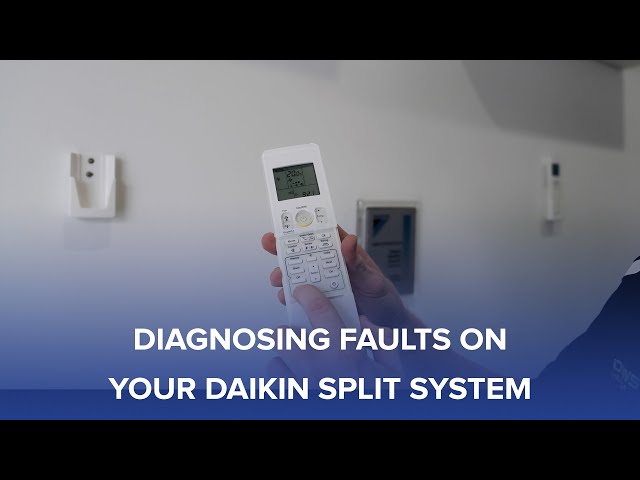
- Look for Error Codes: Check the air conditioner’s display panel for any error codes. Consult your owner’s manual to understand what the code means and how to troubleshoot it.
Fix the Issue Without Buying Parts
Before you start thinking about replacing parts, try these free methods:
- Reset: As mentioned, turning off the circuit breaker for a few minutes can sometimes reset the system and resolve minor issues.
- Cleaning: Regularly cleaning the air filters and the outdoor unit’s fins can improve airflow and prevent overheating.
- Inspection: Visually inspect the unit for any obvious signs of damage or loose connections.
- Maintenance: Regular maintenance, such as cleaning the filters and checking the drain line, can prevent future problems.
When Replacement Might Be Necessary
If you’ve tried all the troubleshooting steps and your aircon still won’t turn on, it might be time to consider replacement. Common parts that fail include the capacitor (estimated cost: $50-$150), the compressor (expensive, often making replacement of the entire unit more economical), or the circuit board (estimated cost: $200-$400). Getting a technician to assess the issue and provide a quote is advisable. Complete unit replacement can range from $2,000 to $6,000 depending on the size and efficiency of the unit.
Safety Warning
- Always turn off the power to the aircon at the circuit breaker before attempting any repairs or inspections.
- Avoid working on electrical components if you are not comfortable or experienced. Call a qualified technician.
- Do not work on the aircon while standing in water or on a wet floor.
Tools You May Need
- Screwdriver (Phillips and flathead)
- Flashlight
- Wet/Dry Vacuum
- Multimeter (for testing voltage, if you’re comfortable and know how)
FAQ
Here are some frequently asked questions:
- Q: Why is my aircon blowing warm air? A: This could be due to a refrigerant leak, a dirty air filter, or a malfunctioning compressor.
- Q: How often should I clean my air filters? A: Ideally, you should clean or replace your air filters every 1-3 months, depending on usage and air quality.
- Q: What does it mean when my aircon is making a loud noise? A: Loud noises could indicate a problem with the fan motor, compressor, or other internal components. Contact a technician.
- Q: My aircon is leaking water. What should I do? A: This is likely due to a clogged condensate drain line. Try clearing the blockage or call a professional.
Conclusion
Troubleshooting a Daikin aircon that won’t turn on can seem daunting, but by following these steps, you can often identify and resolve the issue yourself. Remember to prioritize safety and, when in doubt, consult a qualified HVAC technician. Hopefully, you’ll have your cool air back in no time!
Youtube Video:
Looking for more useful options?
Check out recommended resources that others find helpful.