
Introduction
Your AC wall unit compressor is the heart of your cooling system. When it’s not turning on, you’re left with just a fan blowing warm air. This is a common problem, especially during peak summer months when the unit is working overtime. Ignoring this issue can lead to discomfort, sleepless nights, and potentially more expensive repairs down the line. It’s important to address this quickly to restore your comfort and prevent further damage to your AC unit.
💡 Technical Key Takeaways:
- Core Focus: Diagnostic schematic and terminal connection layout for Ac Wall Unit Compressor Not Turning On.
- Target Scope: Field technicians, automotive DIYers, and residential/commercial electricians.
- Safety Rule: Always disconnect the primary power source/battery terminal and verify zero voltage with a multimeter before touching wires.
Common Causes of AC Wall Unit Compressor Not Turning On
Here are some common reasons why your AC wall unit compressor might not be kicking on:
- Power Issues: The unit might not be receiving power due to a tripped breaker or a blown fuse.
- Thermostat Problems: The thermostat might not be set correctly or may be malfunctioning, preventing it from signaling the compressor to turn on.
- Dirty Air Filter: A clogged air filter restricts airflow, causing the unit to overheat and the compressor to shut down as a safety measure.
- Overload Protection: The compressor might be overheating, triggering its overload protection switch to prevent damage.
- Capacitor Failure: The capacitor helps start the compressor. If it’s weak or failing, the compressor won’t start.
- Dirty Condenser Coils: Dirty coils prevent proper heat exchange, causing the compressor to work harder and potentially overheat.
- Refrigerant Leak: Low refrigerant levels can prevent the compressor from turning on as a safety precaution.
- Faulty Compressor: In rare cases, the compressor itself may be faulty and require professional repair or replacement.
Symptoms Checklist
Check if you observe the following signs:
- The AC unit is blowing warm air, even when set to cool.
- You hear the fan running, but no humming or clicking sound from the compressor.
- The circuit breaker for the AC unit has tripped.
- The AC unit cycles on and off very quickly (short cycling).
- The AC unit is making unusual noises, such as buzzing or clicking, but the compressor doesn’t start.
How to Fix AC Wall Unit Compressor Not Turning On Step-by-Step Guide
Follow these steps to troubleshoot the problem:
- Check the Power: Make sure the AC unit is plugged in securely. Check the circuit breaker in your electrical panel and reset it if it has tripped.
- Inspect the Thermostat: Ensure the thermostat is set to “Cool” and the temperature is set lower than the current room temperature. Try replacing the batteries in the thermostat.
- Clean or Replace the Air Filter: Remove the air filter and inspect it. If it’s dirty, clean it (if reusable) or replace it with a new one.
- Inspect the Outdoor Condenser Coils: If accessible, check the outdoor condenser coils for dirt and debris. Gently clean them with a soft brush or vacuum cleaner attachment. Important: unplug the unit first!
- Wait for Overload Reset: If you suspect the compressor overheated, turn off the AC unit and let it sit for at least 30 minutes. This allows the overload protection switch to reset.
- Check the Capacitor: Warning: This step involves working with electricity. If you are not comfortable, skip this and call a professional. The capacitor is a cylindrical component usually located near the compressor. Visually inspect it for bulging or leaking. If you see either of these signs, the capacitor is likely faulty.
- Listen for Unusual Noises: Turn on the AC unit and listen carefully for any unusual noises coming from the compressor. Buzzing or clicking sounds might indicate a capacitor problem.
- Check the Condenser Fan: Ensure the condenser fan (if applicable) is spinning freely. If it’s blocked by debris or not turning, the compressor might overheat.
- Test the Voltage (Advanced): Warning: This step requires a multimeter and knowledge of electrical safety. If you are not comfortable, skip this and call a professional. Use a multimeter to check the voltage going to the compressor. Refer to your AC unit’s wiring diagram for the correct voltage.
- Inspect the Wiring: Check the wiring connections to the compressor and capacitor for any loose or corroded connections.
- Observe the Unit: Turn the unit on and carefully observe it for a few minutes. Does the fan start? Is there any sound from the compressor even if it isn’t blowing cold? Any abnormal smells? This helps narrow down the problem.
Fix the Issue Without Buying Parts
Here are some free methods to try before considering replacement parts:
- Reset: Unplug the unit for 15 minutes, then plug it back in and try turning it on.
- Cleaning: Regularly clean the air filter and condenser coils to maintain proper airflow.
- Inspection Tips: Regularly inspect the unit for any signs of damage or wear, such as leaks or loose connections.
- Maintenance Basics: Keep the area around the AC unit clear of obstructions to ensure proper ventilation.
When Replacement Might Be Necessary
If you’ve tried all the troubleshooting steps and the compressor still isn’t working, a replacement of components might be necessary. The most common parts to fail are the capacitor and, less frequently, the compressor itself. Capacitor replacement typically costs between $50 and $150 (USD) including labor. Compressor replacement is a more significant repair, ranging from $300 to $800 (USD) depending on the unit and labor costs. At this point, consider getting a professional quote.
Safety Warning
- Always disconnect the AC unit from the power source before performing any maintenance or repairs.
- Avoid working on electrical components with wet hands or in damp environments.
- If you are not comfortable working with electricity, consult a qualified HVAC technician.
- Never attempt to repair refrigerant leaks yourself. Refrigerant is harmful and requires specialized equipment to handle safely.
Tools You May Need
- Screwdrivers (Phillips and flathead)
- Vacuum cleaner with brush attachment
- Soft brush
- Multimeter (optional, for advanced troubleshooting)
- Work gloves
- Flashlight
FAQ
Here are some frequently asked questions:
- Q: Why is my AC blowing warm air even though the fan is running?
- A: This usually indicates that the compressor is not turning on. Check the power, thermostat, and air filter.
- Q: How often should I clean my AC filter?
- A: You should clean or replace your AC filter every 1-3 months, depending on usage and air quality.
- Q: What does a bad capacitor look like?
- A: A bad capacitor may be bulging, leaking, or have burn marks.
- Q: Is it worth repairing an old AC unit, or should I just replace it?
- A: If the repair cost is more than half the price of a new unit, it might be better to replace it.
Conclusion
Troubleshooting an AC wall unit compressor can seem daunting, but by following these steps, you can often identify and fix the problem yourself. Remember to prioritize safety and, when in doubt, consult a qualified HVAC technician. With a little effort, you can get your AC unit back up and running and stay cool and comfortable. Don’t hesitate to explore DIY solutions first to potentially save money before calling a professional.
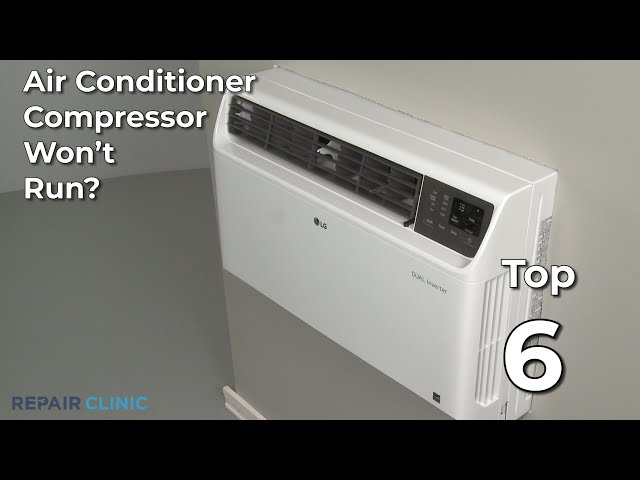
Youtube Video:
Quick Wiring Specifications & Terminal Guide
| Component / Circuit | Standard Wire Gauge | Recommended Protection |
|---|---|---|
| Control & Trigger Signals | 18 – 20 AWG | 5A – 7.5A Inline Fuse |
| Standard Auxiliary Load | 14 – 16 AWG | 15A – 20A Circuit Breaker |
| Main Power Feed / Supply | 10 – 12 AWG | 30A – 40A Heavy-Duty Relay |
Images References
Looking for more diagnostic guides? Explore our complete Air Conditioner Troubleshooting 3 section for step-by-step troubleshooting solutions.
