Introduction
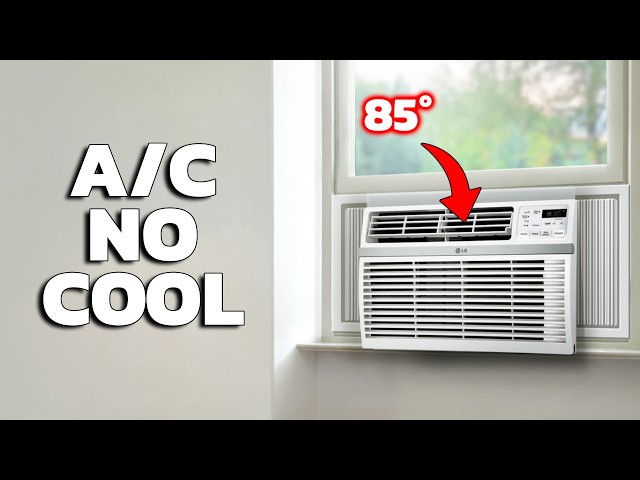
Is your window AC unit failing to turn on? This can be a frustrating issue, especially during hot weather. A non-functional AC unit can make your home uncomfortable and can also lead to concerns about indoor air quality. This guide provides a step-by-step approach to diagnose and potentially fix the problem yourself before calling a technician. We’ll cover common causes, troubleshooting steps, and when it might be time to consider a replacement.
Common Causes of Window AC Unit Not Turning On
Here are some of the most frequent reasons why your window AC unit might not be turning on:
- No Power: The unit isn’t receiving any electricity.
- Tripped Circuit Breaker: The circuit breaker supplying power to the AC unit has tripped.
- Blown Fuse: A fuse in the AC unit itself might have blown.
- Faulty Power Cord: The power cord is damaged or not properly connected.
- Remote Control Issues: The remote control batteries are dead, or the remote is malfunctioning.
- Thermostat Setting: The thermostat isn’t set low enough to trigger the AC to turn on.
- Dirty Air Filter: A clogged air filter can cause the unit to overheat and shut down.
- Internal Overload Protection: The unit has overheated and the overload protection has kicked in.
- Capacitor Failure: A failing capacitor can prevent the motor from starting.
- Damaged On/Off Switch: A physical problem with the power button.
Symptoms Checklist
Use this checklist to help pinpoint the problem:
- The AC unit is completely unresponsive no lights, no sounds.
- The unit makes a clicking sound but doesn’t start.
- The unit starts briefly and then shuts off.
- The remote control doesn’t seem to be working.
- Other appliances on the same circuit are also not working.
- The AC unit’s display is showing an error code.
- The air filter is visibly dirty.
How to Fix Window AC Unit Not Turning On Step-by-Step Guide
Follow these steps to troubleshoot and potentially fix your AC unit:
- Check the Power Cord: Ensure the power cord is securely plugged into the outlet and into the AC unit itself. Look for any signs of damage to the cord.
- Check the Outlet: Plug another device into the outlet to verify it’s working. If it’s not, the problem is with the outlet, not the AC unit.
- Check the Circuit Breaker: Locate the circuit breaker that controls the AC unit. Make sure it’s in the “ON” position. If it’s tripped (in the “OFF” or middle position), flip it to “OFF” and then back to “ON”.
- Check the Fuse (if applicable): Some older units have a fuse. Consult your owner’s manual to locate and inspect it. If the fuse is blown, it will need to be replaced.
- Replace Remote Batteries: Try replacing the batteries in the remote control. Ensure the batteries are installed correctly (+/-).
- Test the Remote: Point the remote at a digital camera (like on your phone) and press a button. If you see a light flashing on the camera’s screen, the remote is likely working.
- Adjust the Thermostat: Make sure the thermostat is set to a temperature lower than the current room temperature. Also, ensure the mode is set to “Cool” or “AC.”
- Clean the Air Filter: A dirty air filter restricts airflow and can cause the unit to overheat. Remove the filter and wash it with mild soap and water. Allow it to dry completely before reinstalling.
- Reset the AC Unit: Some AC units have a reset button. Consult your owner’s manual for the location. Press and hold the reset button for a few seconds. If there’s no button, unplug the unit for 15 minutes, then plug it back in.
- Check for Obstructions: Ensure nothing is blocking the vents on the inside or outside of the unit.
- Listen for Sounds: Pay attention to any unusual sounds coming from the unit when you try to turn it on. Clicking or humming can indicate a specific problem.
- Allow Cooling Time: If the unit overheated, give it ample time to cool down before trying again.
Fix the Issue Without Buying Parts
Many common AC problems can be resolved without replacing any parts:
- Regular Cleaning: Clean the air filter regularly (every 2-4 weeks) to prevent overheating.
- External Cleaning: Occasionally wipe down the exterior of the unit to remove dust and debris.
- Proper Ventilation: Ensure adequate ventilation around the unit to prevent overheating.
- Correct Thermostat Settings: Double-check thermostat settings to ensure the unit is set to cool properly.
- Power Cycling:Unplugging the unit for 15 minutes can sometimes reset the system and resolve minor issues.
When Replacement Might Be Necessary
If you’ve tried all the troubleshooting steps and your AC unit still isn’t working, it might be time to consider a replacement. Common components that fail include the capacitor, compressor, or motor. A new window AC unit can cost anywhere from $150 to $500 USD, depending on the size and features. If the repairs are estimated to cost more than half the price of a new unit, replacement is generally the better option.
Safety Warning
- Always unplug the AC unit before performing any maintenance or repairs.
- Never work on electrical appliances with wet hands or while standing on a wet floor.
- If you’re uncomfortable working with electricity, consult a qualified technician.
- Do not attempt to bypass any safety features, such as the fuse or circuit breaker.
Tools You May Need
- Screwdriver (Phillips and flathead)
- Multimeter (optional, for testing voltage)
- Flashlight
- Clean cloth or rags
- Air filter cleaner (or mild soap and water)
FAQ
Here are some frequently asked questions about AC units not turning on:
- Q: Why does my AC unit turn on and then immediately turn off? A: This can be caused by a dirty air filter, a frozen evaporator coil, or a faulty capacitor.
- Q: My AC unit is making a humming noise but not turning on. What does that mean? A: This could indicate a problem with the capacitor or the motor.
- Q: How often should I clean my AC unit’s air filter? A: Ideally, you should clean the air filter every 2-4 weeks, depending on usage and air quality.
- Q: Is it normal for my AC unit to drip water? A: Yes, it’s normal for an AC unit to produce condensation, which will drip. However, excessive dripping could indicate a drainage problem.
Conclusion
Troubleshooting a window AC unit that won’t turn on can seem daunting, but by following these steps, you can often identify and fix the problem yourself. Always prioritize safety and remember to unplug the unit before performing any maintenance. If you’ve exhausted all troubleshooting options and the unit still isn’t working, it’s best to consult with a qualified technician before considering to replace it.
Youtube Video:
Looking for more useful options?
Check out recommended resources that others find helpful.