
Introduction
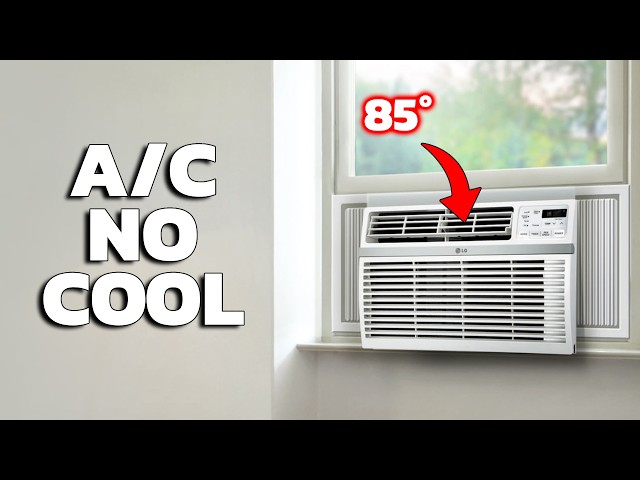
Is your window air conditioner refusing to turn on? It’s a common problem that can be incredibly frustrating, especially on a hot day. A non-responsive AC unit can quickly turn a comfortable home into an unbearable space. Addressing this issue promptly is important, not just for your comfort, but also to prevent potential damage to the unit or, in rare cases, pose a safety risk. Let’s explore common reasons why your window type aircon is not turning on and how you can troubleshoot the problem yourself.
💡 Technical Key Takeaways:
- Core Focus: Diagnostic schematic and terminal connection layout for Window Type Aircon Not Turning On.
- Target Scope: Field technicians, automotive DIYers, and residential/commercial electricians.
- Safety Rule: Always disconnect the primary power source/battery terminal and verify zero voltage with a multimeter before touching wires.
Common Causes of window type aircon not turning on
Here are some of the most frequent reasons why your window AC might be refusing to start:
- No Power: The unit isn’t receiving electricity due to a tripped breaker, a faulty outlet, or a loose power cord.
- Power Cord Issues: A damaged or frayed power cord can interrupt the flow of electricity.
- Blown Fuse or Tripped Breaker: The AC unit’s fuse or the circuit breaker it’s connected to might have tripped due to an overload.
- Thermostat Setting: The thermostat might be set too high, preventing the AC from kicking on, or might be faulty.
- Dirty Air Filter: A clogged air filter restricts airflow, which can cause the unit to overheat and shut down.
- Capacitor Problems: The capacitor, which helps start the compressor and fan motor, might be failing.
- Faulty On/Off Switch: The power switch itself may be defective.
- Remote Control Issues: If you’re using a remote, the batteries may be dead, or the remote may be malfunctioning.
- Overheating Protection: Some models have overheat sensors that disable operation.
- Locked Compressor: Compressor is the heart of the AC. If its locked, it is unlikely to turn on.
Symptoms Checklist
Use this checklist to help identify the source of the problem:
- No lights or sounds when you press the power button.
- The power light turns on, but the fan doesn’t start.
- The fan starts, but no cold air is blowing.
- The unit makes a humming noise but doesn’t start.
- The circuit breaker trips when you turn on the AC.
- The remote control doesn’t seem to be working.
- The AC was running, then abruptly shut off.
How to Fix window type aircon not turning on Step-by-Step Guide
Follow these steps to troubleshoot your window AC unit:
- Check the Power Cord: Make sure the power cord is securely plugged into both the AC unit and the wall outlet.
- Inspect the Outlet: Test the outlet with another device (like a lamp) to confirm it’s working. If not, check the breaker.
- Check the Circuit Breaker: Locate the circuit breaker that controls the AC unit. If it’s tripped, reset it by switching it off and then back on.
- Examine the Fuse (If Applicable): Some older models have a fuse. Inspect it for any breaks or signs of damage.
- Check the Thermostat: Make sure the thermostat is set to a cool enough temperature and that it’s not in “Fan Only” mode. Try lowering the thermostat several degrees below the current room temperature.
- Clean the Air Filter: Remove the air filter and clean it thoroughly with water and mild detergent. Let it dry completely before reinserting it.
- Inspect the Power Cord for Damage: Look closely at the power cord for any cuts, frays, or exposed wires.
- Try the Remote (If Applicable): Replace the batteries in the remote control and try turning on the AC unit again. If possible, test the remote sensor on the AC unit with your smartphone camera (the sensor will usually glow purple).
- Listen for Sounds: When you try to turn on the AC, listen for any unusual sounds, such as humming, buzzing, or clicking. These sounds can provide clues about the problem.
- Let it Rest (Overheat): If the AC has been running for a very long time, it might have overheated. Turn it off, unplug it, and let it sit for a few hours before trying again.
- Check the Condenser Coils: Remove any debris or dirt that may be obstructing the condenser coils (the coils on the outside of the unit). Use a soft brush or vacuum cleaner.
- Restart the AC Unplug the AC for one minute. Plug back in and see if it starts.
Fix the Issue Without Buying Parts
Before you consider replacing any parts, try these free fixes:
- Reset the Unit: Unplug the AC unit for at least 15 minutes. This can sometimes reset the internal components.
- Clean the Unit Thoroughly: Remove dust and debris from all parts of the AC unit, especially the coils and fan blades.
- Inspect the Installation: Ensure the AC unit is properly installed in the window frame. It should be level and secure to prevent vibrations and potential damage.
- Proper AC maintenance: Regular cleaning of the filter can drastically increase life span.
When Replacement Might Be Necessary
If you’ve tried all the troubleshooting steps and your AC unit still won’t turn on, a component may have failed. A capacitor replacement might cost between $50 and $150, while a new compressor could range from $200 to $500. Sometimes, the cost of repair exceeds the cost of a new unit. If your AC unit is more than 8-10 years old, it might be more economical to replace it entirely. Consider getting a professional estimate for repairs before making a decision.
Safety Warning
- Always unplug the AC unit before performing any maintenance or repairs.
- Avoid working on electrical components while standing on a wet floor or with wet hands.
- If you’re not comfortable working with electricity, consult a qualified electrician or appliance repair technician.
- Never attempt to repair the compressor yourself, as it contains pressurized refrigerant that can be dangerous.
Tools You May Need
- Screwdrivers (Phillips and flathead)
- Pliers
- Vacuum cleaner with brush attachment
- Soft brush
- Multimeter (optional, for testing electrical components)
FAQ
Here are some frequently asked questions:
- Q: My AC turns on but blows warm air. What’s wrong? A: Check the air filter first. A dirty filter can restrict airflow. If the filter is clean, the problem could be a refrigerant leak or a malfunctioning compressor.
- Q: Why does my AC keep tripping the circuit breaker? A: This could be due to an overloaded circuit, a faulty compressor, or a short circuit in the AC unit. Try plugging the AC into a different outlet on a different circuit.
- Q: How often should I clean the air filter? A: Ideally, you should clean the air filter every 2-4 weeks, depending on how often you use the AC.
- Q: My remote isn’t working. What should I do? A: First, replace the batteries. If that doesn’t work, try cleaning the remote’s sensor and the AC unit’s receiver with a soft cloth.
- Q: Can I use an extension cord with my window AC? A: It’s generally not recommended to use an extension cord with a window AC, as it can overload the circuit. If you must use one, make sure it’s a heavy-duty extension cord that is rated for the AC unit’s amperage.
Conclusion
Don’t sweat it! Getting your window AC back up and running can often be achieved with a few simple troubleshooting steps. By following this guide, you can identify and address common issues without immediately resorting to expensive repairs or replacements. If you’ve exhausted all the DIY options and your AC still won’t turn on, don’t hesitate to call a qualified appliance repair technician. They have the expertise to diagnose and fix more complex problems.
Youtube Video:
Quick Wiring Specifications & Terminal Guide
| Component / Circuit | Standard Wire Gauge | Recommended Protection |
|---|---|---|
| Control & Trigger Signals | 18 – 20 AWG | 5A – 7.5A Inline Fuse |
| Standard Auxiliary Load | 14 – 16 AWG | 15A – 20A Circuit Breaker |
| Main Power Feed / Supply | 10 – 12 AWG | 30A – 40A Heavy-Duty Relay |
Images References
Looking for more diagnostic guides? Explore our complete Air Conditioner Troubleshooting 6 section for step-by-step troubleshooting solutions.
