Introduction
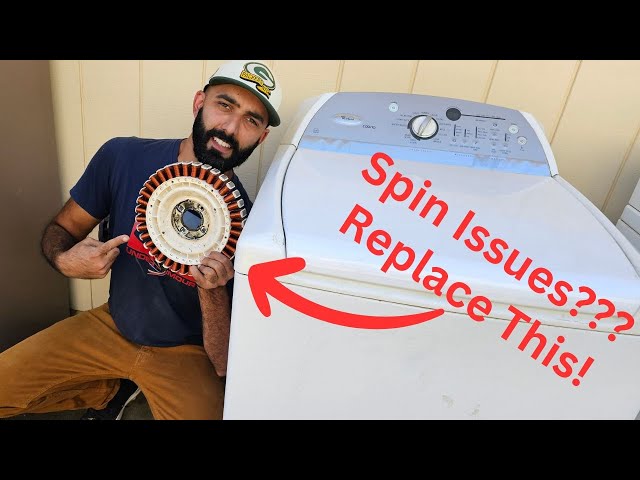
Discovering your Whirlpool Cabrio washer isn’t spinning out water can be frustrating. Clothes remain soaking wet, leading to longer drying times and potential mildew growth. This problem usually occurs at the end of the wash cycle when the machine attempts to remove excess water. Addressing this issue promptly is essential to prevent damage to your clothing, your washer, and even your home.
Common Causes of Whirlpool Cabrio Not Spinning Out Water
Here are some of the most frequent culprits behind a Cabrio washer failing to spin out water:
- Overloading the Washer: Too many clothes can prevent the washer from spinning effectively.
- Unbalanced Load: Clothes bunched on one side can disrupt the spin cycle.
- Drain Hose Issues: A kinked, clogged, or improperly positioned drain hose can restrict water flow.
- Clogged Drain Pump Filter: Debris like lint, coins, or buttons can block the filter, hindering water drainage.
- Faulty Drain Pump: If the drain pump is malfunctioning, it won’t be able to expel the water.
- Lid Switch Problem: The lid switch ensures the washer only spins when the lid is closed. A faulty switch may prevent spinning.
- Drive Belt Issues: (Less common on direct-drive Cabrio models, but possible) A worn or broken drive belt (if applicable) can affect the spin cycle.
- Control Board Malfunction: In rare cases, the electronic control board might be sending incorrect signals, preventing the spin cycle.
- Air Lock in Drain Hose: Air trapped in the drain hose can prevent proper draining.
Symptoms Checklist
Confirm the issue by checking these indicators:
- Clothes are soaking wet after the wash cycle.
- Water remains in the washer drum.
- The washer makes unusual noises during the spin cycle (or doesn’t make any noise at all).
- The washer displays an error code related to draining or spinning.
- The spin cycle doesn’t seem to start at all.
- The washer fills with water correctly, but doesn’t drain after washing.
How to Fix Whirlpool Cabrio Not Spinning Out Water Step-by-Step Guide
Follow these steps to troubleshoot the problem:
- Unplug the Washer: Always disconnect the power before inspecting or working on your appliance.
- Check for Overloading: Remove some clothes if the washer is packed too tightly. Aim for a load size that fills about three-quarters of the drum.
- Rearrange the Load: Redistribute the clothes evenly inside the drum to balance the load.
- Inspect the Drain Hose: Locate the drain hose (usually at the back of the washer). Ensure it’s not kinked, crushed, or bent sharply. Straighten any kinks.
- Check Drain Hose Height: The drain hose should be properly inserted into the standpipe (drainpipe) and should not be pushed in too far. It typically needs to be less than 8 feet above the ground.
- Check for Air Lock: Ensure the drain hose isn’t creating a siphon effect. Air trapped can prevent draining. Create a small loop at the highest point of the hose.
- Access the Drain Pump Filter: Typically located at the front bottom corner of the washer (behind a small access panel). Consult your owner’s manual for the exact location.
- Clean the Drain Pump Filter: Place a shallow pan or towels to catch any water. Carefully unscrew and remove the drain pump filter. Clean away any lint, debris, or foreign objects. Rinse the filter thoroughly before reinserting it.
- Check the Drain Pump (If accessible): With the filter removed, visually inspect the drain pump impeller (fan blades) for any obstructions. You might be able to carefully turn the impeller by hand to check for free movement.
- Check the Lid Switch: (Use caution) With the washer unplugged, try to manually activate the lid switch with a pen or similar object. If the washer doesn’t start when you close the lid, this may be the problem. (Note: This requires safely bypassing the switch only for testing purposes.)
- Run a Rinse and Spin Cycle: After checking these components, plug the washer back in and run a rinse and spin cycle to see if the problem is resolved.
- Check for Error Codes: Consult your owner’s manual to decode any error codes displayed on the washer’s control panel. These codes can provide valuable clues about the problem.
- Reset the Washer: Unplug the washer for 1-2 minutes. This allows the electronics to reset. Then, plug it back in and try again.
Fix the Issue Without Buying Parts
Many times, the issue is simple to resolve without spending any money. Regularly clean the drain pump filter (every 1-3 months), avoid overloading the washer, and ensure the drain hose is free of kinks. Recalibrating the washer (refer to your owner’s manual for the specific procedure) can sometimes resolve electronic glitches.
When Replacement Might Be Necessary
If the drain pump is demonstrably faulty (e.g., impeller is broken, motor is dead), or the control board is malfunctioning, replacement may be necessary. A new drain pump typically costs between $50-$150 USD. Control boards are more expensive, ranging from $100-$300 USD. The lid switch can be replaced for around $20-50.
Safety Warning
- Always unplug the washer before attempting any repairs or inspections.
- Avoid working on the washer with wet hands or standing in water.
- Be careful when removing the drain pump filter, as water may spill out.
- If you are uncomfortable performing any of these steps, consult a qualified appliance repair technician.
Tools You May Need
- Screwdrivers (Phillips and flathead)
- Pliers
- Shallow pan or towels
- Gloves
- Flashlight
- Owner’s Manual
FAQ
Here are some frequently asked questions:
- Why is my washer humming but not spinning? This often indicates a blocked drain pump or a faulty motor. Check the drain pump filter first.
- What does an “LF” error code mean? This usually indicates a slow or no fill issue, which could be related to the water inlet valve, but can also cause drainage problems eventually.
- Can I use a snake to clear a drain hose clog? Yes, carefully. Be gentle to avoid damaging the hose.
- How often should I clean the drain pump filter? Every 1-3 months, depending on how frequently you use your washer.
- My washer is still under warranty. What should I do? Contact Whirlpool or the retailer where you purchased the washer to arrange for warranty service.
Conclusion
Don’t immediately assume the worst if your Whirlpool Cabrio isn’t spinning out water. Often, the issue is a simple clog or imbalance that you can fix yourself. By following these steps, you can often resolve the problem without the expense of a service call. However, if you are uncomfortable performing these repairs, don’t hesitate to contact a qualified appliance repair technician for assistance.
Youtube Video:
Looking for more useful options?
Check out recommended resources that others find helpful.