
Introduction
A washing machine that skips the spin cycle is a common headache for homeowners. Imagine pulling out sopping wet clothes after expecting them to be ready for the dryer! This problem means your clothes aren’t being properly dried, which can lead to longer drying times, mold growth in your washer, and even damage to your clothing. Addressing this issue quickly is important to avoid further complications and ensure your laundry routine runs smoothly.
💡 Technical Key Takeaways:
- Core Focus: Diagnostic schematic and terminal connection layout for Washing Machine Skips Spin Cycle.
- Target Scope: Field technicians, automotive DIYers, and residential/commercial electricians.
- Safety Rule: Always disconnect the primary power source/battery terminal and verify zero voltage with a multimeter before touching wires.
Common Causes of washing machine skips spin cycle
Here are some common reasons why your washing machine might be skipping the spin cycle:
- Overloaded Washer: Too many clothes can prevent the machine from spinning correctly.
- Unbalanced Load: Clothes clumped on one side can disrupt the spinning process.
- Clogged Drain Hose: If water can’t drain, the washer won’t spin.
- Faulty Lid Switch/Sensor: The washer won’t spin if it doesn’t detect that the lid is closed.
- Worn Drive Belt: The belt that powers the spinning motion might be worn or broken.
- Motor Problems: Issues with the motor itself can prevent spinning.
- Blocked Drain Pump Filter: Debris can clog the filter, stopping water from draining.
- Software Glitch: Modern machines with electronic controls can sometimes experience glitches.
Symptoms Checklist
Here’s how to identify if your washing machine is skipping the spin cycle:
- Clothes are soaking wet after the wash cycle.
- The washing machine makes unusual noises during the spin cycle (or lack thereof).
- Water remains in the drum after the cycle is complete.
- The washing machine stops before the spin cycle should begin.
- Error codes related to draining or spinning appear on the display panel (if applicable).
How to Fix washing machine skips spin cycle Step-by-Step Guide
Follow these steps to troubleshoot your washing machine:
- Check for Overloading: Remove some clothes to reduce the load size. A good rule of thumb is to fill the drum about three-quarters full.
- Rearrange the Load: Manually redistribute the clothes in the drum to balance the load. Make sure items aren’t bunched up on one side.
- Inspect the Drain Hose: Ensure the drain hose isn’t kinked or blocked. Straighten any kinks and detach the hose to check for obstructions.
- Clean the Drain Hose: If the hose is blocked, flush it with water to remove any debris.
- Locate and Clean the Drain Pump Filter: Consult your washer’s manual to find the filter’s location. It’s usually at the front, near the bottom. Remove the filter and clean out any lint, hair, or small objects.
- Check the Lid Switch/Sensor: Make sure the lid is closing properly and engaging the switch. Sometimes the switch can become loose or damaged. (Be careful! Never bypass the safety switch).
- Try a Reset: Unplug the washing machine for 1-2 minutes, then plug it back in. This can sometimes clear minor software glitches.
- Check the Washing Machine’s Settings: Ensure you’ve selected the correct wash cycle and spin speed settings. A delicate cycle might have a lower spin speed, which could seem like it’s not spinning properly.
- Run an Empty Cycle: Run an empty cycle with hot water and a cup of white vinegar to help clean the washer and remove any buildup that might be affecting its performance.
- Listen for Motor Noises: During the spin cycle (even if its weak), listen for any unusual grinding or whining noises from the motor area. This could indicate a motor problem.
- Check the Drive Belt (If Accessible): If you’re comfortable and can safely access the drive belt (consult your manual), inspect it for wear, cracks, or breakage.
- Level the Washing Machine: Ensure the washing machine is level. Use a level tool and adjust the feet on the bottom of the machine until it’s stable. An unlevel machine can vibrate excessively and prevent proper spinning.
Fix the Issue Without Buying Parts
Before you think about replacing parts, try these cost-free fixes:
- Reset the Machine: As mentioned before, unplugging it can resolve temporary software issues.
- Deep Cleaning: Regularly clean the washer to prevent buildup in the drain pump or hoses.
- Load Management: Be mindful of load sizes and balance.
- Visual Inspection: Carefully check hoses, the lid switch, and the overall condition of the machine.
When Replacement Might Be Necessary
If you’ve tried all the troubleshooting steps and your washing machine still isn’t spinning, replacement of certain parts may be needed. A common culprit is the drive belt (estimated cost: $10-$30 USD), the lid switch ($15-$40 USD), or the drain pump ($30-$75 USD). In rare cases, the motor itself may be failing, which can be a more costly repair (around $100-$300 USD). Before replacing any parts, consider getting a professional diagnosis.
Safety Warning
- Always unplug the washing machine from the power outlet before attempting any repairs.
- Be careful when working with water and electricity to avoid electric shock.
- Avoid standing in water while working on the washing machine.
- Consult your owner’s manual before attempting any repairs.
Tools You May Need
- Screwdrivers (Phillips and flathead)
- Pliers
- Adjustable wrench
- Bucket
- Towels
- Level
FAQ
Here are some frequently asked questions about washing machine spin cycle problems:
- Q: Why is my washing machine making a loud noise during the spin cycle?
- A: This could be due to an unbalanced load, a worn drive belt, or a problem with the motor bearings.
- Q: How do I know if my washing machine’s drain pump is clogged?
- A: If water isn’t draining properly and you hear a humming noise, the drain pump is likely clogged.
- Q: Can I bypass the lid switch to make the washer spin?
- A: No, bypassing the lid switch is dangerous and could result in injury.
- Q: How often should I clean my washing machine?
- A: You should clean your washing machine at least once a month to prevent buildup and maintain its performance.
Conclusion
A washing machine that won’t spin can be a frustrating issue, but often it can be resolved with some basic troubleshooting. Start with the simple steps outlined in this guide, and you might be able to get your washer spinning again without calling a technician. However, if you’re uncomfortable working with appliances or if the problem persists after trying these fixes, it’s always best to consult a qualified appliance repair professional.
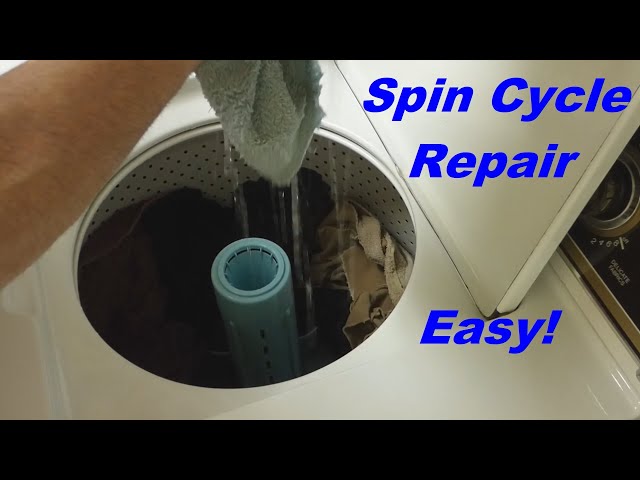
Youtube Video:
Quick Wiring Specifications & Terminal Guide
| Component / Circuit | Standard Wire Gauge | Recommended Protection |
|---|---|---|
| Control & Trigger Signals | 18 – 20 AWG | 5A – 7.5A Inline Fuse |
| Standard Auxiliary Load | 14 – 16 AWG | 15A – 20A Circuit Breaker |
| Main Power Feed / Supply | 10 – 12 AWG | 30A – 40A Heavy-Duty Relay |
Images References
Looking for more diagnostic guides? Explore our complete Washing Machine Problems 6 section for step-by-step troubleshooting solutions.
