Introduction
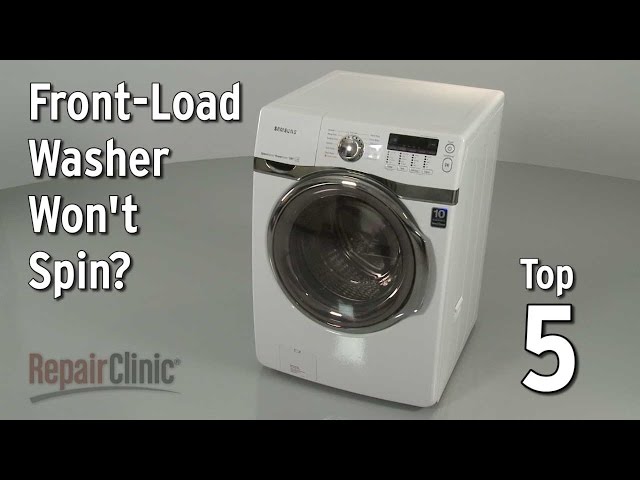
A washing machine that won’t spin, especially a front loader, can be a real headache. Not only are your clothes left sopping wet, but the washing cycle is incomplete, leading to potential mold and mildew issues. This problem often arises suddenly, leaving you frustrated and unsure of what to do. Addressing this quickly is important to prevent further damage to your clothes, the machine itself, and to avoid unpleasant odors. We’ll guide you through common causes and simple troubleshooting steps to get your washer spinning again.
Common Causes of Washer Won’t Spin Front Loader
Here are some of the most frequent reasons why your front-loading washing machine isn’t spinning:
- Overloading: Too many clothes in the drum can prevent the motor from spinning properly.
- Unbalanced Load: If clothes are clumped on one side, the machine may detect an imbalance and stop the spin cycle.
- Clogged Drain Hose: A blockage in the drain hose prevents water from being pumped out, which is necessary for spinning.
- Faulty Lid Switch/Door Lock: Front loaders have a door lock mechanism for safety. If it’s faulty, the machine won’t spin.
- Broken Drive Belt: The drive belt connects the motor to the drum. If it’s broken, the drum won’t rotate.
- Motor Problems: A failing motor can struggle to provide the power needed for the spin cycle.
- Clogged Drain Pump Filter: The filter protects the drain pump from debris. If it’s clogged, the pump can’t remove the water.
- Control Board Issues: In rare cases, the electronic control board might be malfunctioning.
Symptoms Checklist
Use this checklist to accurately identify the problem:
- Washer fills with water but doesn’t spin.
- Washer drains water, but doesn’t spin.
- Washer makes a humming noise but doesn’t spin.
- Washer displays an error code on the screen.
- Washer spins slowly or erratically.
- Washer completes the wash cycle but clothes are soaking wet.
How to Fix Washer Won’t Spin Front Loader Step-by-Step Guide
Follow these steps to troubleshoot your front-loading washer:
- Unplug the Washer: For safety, always unplug the washer from the power outlet before starting any repairs.
- Check for Overloading: Remove some clothes if the drum is packed tightly. Aim for a drum that’s about 3/4 full.
- Rearrange the Load: Make sure the clothes are evenly distributed in the drum. Manually untangle any large clumps.
- Check the Drain Hose: Disconnect the drain hose from the back of the washer and inspect it for kinks or blockages. Straighten any kinks and clear any obstructions.
- Clean the Drain Pump Filter: Locate the drain pump filter (usually at the bottom front of the washer behind a small access panel). Remove the filter and clean out any lint, hair, or debris.
- Inspect the Door Lock/Lid Switch: Check if the door lock engages properly. If it seems loose or broken, it might be the issue. Visual inspection can reveal obvious damage.
- Run a Rinse and Spin Cycle: After making these checks, try running a rinse and spin cycle to see if the washer spins.
- Listen for Unusual Noises: Pay attention to any unusual noises during the cycle. A loud grinding or squealing sound could indicate a problem with the motor or drive belt.
- Check Error Codes: Consult your washer’s manual for the meaning of any error codes displayed on the control panel. Error codes can provide clues about the cause of the problem.
- Perform a Washer Reset Some washers can be reset by unplugging them for 1-2 minutes, then plugging them back in. Others have reset procedures outlined in their manuals.
- Check for excessive suds Excessive suds can confuse the washer and cause it not to spin. If you suspect this is the issue, try running an empty cycle with no detergent.
Fix the Issue Without Buying Parts
Before you consider replacing any parts, try these free methods:
- Reset the Washer: Unplug the washer for 5-10 minutes and then plug it back in. This can sometimes clear minor electrical glitches.
- Clean the Washer: Run an empty cycle with a washing machine cleaner to remove any buildup of detergent or fabric softener.
- Recalibrate the Washer: Some washers have a recalibration cycle. Consult your owner’s manual for instructions.
- Inspect for Obstructions: Carefully inspect the drum and the area around the agitator for any trapped objects (e.g., socks, coins).
- Regular Maintenance: Clean the door seal regularly to prevent mold and mildew buildup.
When Replacement Might Be Necessary
If the above steps don’t resolve the issue, you may need to consider replacing a part. Here are some common failing parts and estimated cost ranges (USD):
- Drive Belt: $15 – $40
- Door Lock/Lid Switch: $20 – $50
- Drain Pump: $40 – $100
- Motor: $100 – $300
If the motor is the issue, it may be worth considering a new machine, especially if your current one is old.
Safety Warning
- Always unplug the washing machine before performing any repairs.
- Avoid working on the washer near water to prevent electric shock.
- Be careful when handling the drain pump filter, as there may be water inside.
- If you are not comfortable performing repairs, consult a qualified appliance repair technician.
Tools You May Need
- Screwdrivers (Phillips and flathead)
- Pliers
- Towels (to absorb spills)
- Bucket (to catch water)
- Flashlight
FAQ
Here are some frequently asked questions about washers that won’t spin:
- Q: Why is my washer not spinning after filling with water? A: The drain pump or drain hose might be clogged, preventing the water from being removed.
- Q: What does an error code mean? A: Error codes provide specific information about the problem. Consult your owner’s manual for details.
- Q: How do I know if the drive belt is broken? A: If the drum doesn’t spin at all and you hear a squealing noise, the drive belt might be broken.
- Q: Is it safe to use the washer if it’s not spinning properly? A: No, it’s best to avoid using the washer until the problem is resolved to prevent further damage.
- Q: How often should I clean my washing machine? A: Ideally, clean your washing machine monthly to prevent buildup and odors.
- Q: The washer won’t drain. What should I do? A: Start by checking the drain hose for kinks or clogs, and then clean the drain pump filter.
Conclusion
Troubleshooting a front-loading washer that won’t spin can seem daunting, but by following these steps, you can often identify and fix the problem yourself. Remember to start with the simplest solutions, like checking for overloading or clogs, before moving on to more complex repairs. If you’ve tried all the troubleshooting steps and your washer still isn’t spinning, it might be time to call a qualified appliance repair technician. However, with a little patience and effort, you can often save yourself time and money by tackling the problem yourself!
Youtube Video:
Looking for more useful options?
Check out recommended resources that others find helpful.