Introduction
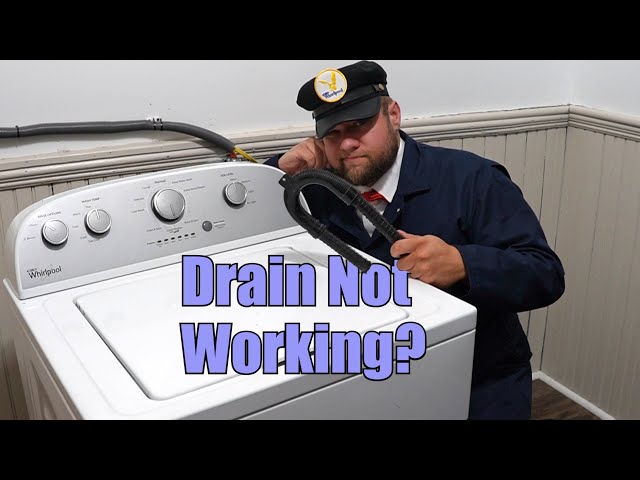
A washing machine that won’t drain is a common and frustrating problem for homeowners. It means your laundry is stuck, and you can’t start a new load. Standing water in your washer can also lead to unpleasant odors and potential mold growth. Addressing this issue promptly is important to prevent further damage and get your laundry routine back on track. Don’t panic; often, the fix is simpler than you think!
Common Causes of Washer Doesn’t Drain
Here are some of the most frequent reasons why your washing machine might not be draining:
- Clogged Drain Hose: This is the most common culprit. Lint, socks, or other small items can block the hose.
- Blocked Drain Pump: The drain pump removes water from the washer. If it’s clogged with debris, it won’t work properly.
- Kinked or Bent Drain Hose: A bend in the hose restricts water flow.
- Faulty Drain Pump: The drain pump motor may be damaged.
- Clogged Drainpipe: The drainpipe where the washer empties could be blocked.
- Lid Switch Problems: Some washers won’t drain if the lid switch isn’t working, as it prevents the spin cycle from starting.
- Belt Issues (for belt-driven models): A broken or loose belt connecting the motor to the drain pump may be the issue.
- Air Lock in Drain Hose: An air bubble trapped in the drain hose can prevent the water from flowing.
Symptoms Checklist
Use this checklist to help diagnose the problem:
- Washer fills with water but doesn’t empty after the wash cycle.
- Washer makes a humming or buzzing sound during the drain cycle but doesn’t drain.
- Error code displayed on the washer’s control panel related to draining or pump failure.
- Water drains very slowly.
- Water doesn’t drain at all.
- Clothes are soaking wet after the wash cycle.
How to Fix Washer Doesn’t Drain Step-by-Step Guide
Follow these steps to troubleshoot and fix your washer:
- Unplug the Washer: Safety first! Disconnect the washer from the power outlet.
- Locate the Drain Hose: This is usually at the back of the washing machine.
- Inspect the Drain Hose for Kinks: Straighten out any bends or kinks in the hose.
- Detach the Drain Hose: Carefully remove the drain hose from the drainpipe or standpipe. Have a bucket ready to catch any remaining water.
- Check the Drain Hose for Clogs: Look inside the hose for any visible obstructions. You can use a long, flexible object like a straightened coat hanger or a plumber’s snake to dislodge clogs.
- Flush the Drain Hose: Connect a garden hose to the drain hose and flush it with water to remove any remaining debris.
- Check the Drainpipe for Clogs: Shine a flashlight into the drainpipe and look for any blockages. A plumber’s snake can be used to clear this too.
- Locate the Drain Pump: This is usually located at the bottom of the washing machine, behind a panel. Consult your owner’s manual for the exact location.
- Access the Drain Pump Filter: Some washers have an access panel to clean out the drain pump filter. Remove the panel and unscrew the filter cap (have a towel ready, as some water will spill).
- Clean the Drain Pump Filter: Remove any lint, hair, or debris from the filter.
- Inspect the Drain Pump Impeller: Reach into the drain pump housing and check if the impeller (the small fan-like part) is free to rotate. Remove any obstructions.
- Reassemble and Test: Reattach the drain hose to the drainpipe and plug the washer back in. Run a short wash cycle to see if the problem is resolved.
- Check the Lid Switch (if applicable): The lid switch may be defective on some models. Inspect the switch for physical damage. Test by carefully manually depressing the switch while attempting to start a spin cycle. Warning be extremely careful doing this.
- Look for an Air Lock: Place the end of the drain hose as low as possible in your drain to let gravity help it prime and get any trapped air out.
Fix the Issue Without Buying Parts
Before considering replacements, try these free methods:
- Reset the Washer: Unplug the washer for 1-2 minutes, then plug it back in. This can sometimes reset the control panel and resolve minor issues.
- Deep Clean the Washer: Run an empty wash cycle with a washing machine cleaner to remove buildup and potential clogs.
- Check for Error Codes: Consult your owner’s manual for specific troubleshooting steps related to any error codes displayed.
- Regular Maintenance: Regularly clean the lint trap and inspect hoses to prevent future clogs.
When Replacement Might Be Necessary
If you’ve tried all the troubleshooting steps and the washer still won’t drain, the drain pump might be faulty. A replacement drain pump typically costs between $50 and $150, plus labor if you hire a technician. Other less common issues are a damaged control board that is not signaling for it to drain, this may be a much more expensive replacement. The drain hose may also have a tear, but this will likely result in a puddle rather than a complete non-drain situation.
Safety Warning
- Always unplug the washing machine before performing any repairs or inspections.
- Be careful when handling water to avoid slips and falls. Wipe up any spills immediately.
- If you’re not comfortable working with electrical appliances, consult a qualified technician.
Tools You May Need
- Screwdrivers (Phillips and flathead)
- Pliers
- Bucket
- Towels
- Flashlight
- Plumber’s snake or straightened coat hanger
- Garden hose
FAQ
Here are some frequently asked questions:
- Q: Why is my washer draining slowly?A: A partial clog in the drain hose or drainpipe is the most likely cause. Follow the steps above to clear any obstructions.
- Q: How often should I clean my washing machine?A: It’s recommended to clean your washing machine at least once a month to prevent buildup and odors.
- Q: Can I use bleach to clean my washing machine?A: Yes, you can use bleach in an empty wash cycle to disinfect and clean the washer. Be sure to follow the manufacturer’s instructions.
- Q: My washer is making a loud noise when trying to drain. What could it be?A: This could indicate a problem with the drain pump, such as a clog or a worn-out impeller.
- Q: What does it mean when the washer displays a drain error code?A: An error code indicates a problem with the drain cycle. Check your owner’s manual for the specific code and troubleshooting steps.
- Q: Can I use CLR to clean my washer?A: Check your manufacturers instructions. In general you will want to use a washer cleaner that is designed for your washing machine, as CLR may be too harsh.
Conclusion
Don’t let a washer that won’t drain ruin your day! By following these troubleshooting steps, you can often fix the problem yourself without the expense of calling a technician. Remember to always prioritize safety and consult your owner’s manual for specific instructions for your washing machine model. If you’ve exhausted all options and the issue persists, it might be time to call a professional. Good luck!
Youtube Video:
Looking for more useful options?
Check out recommended resources that others find helpful.