Introduction
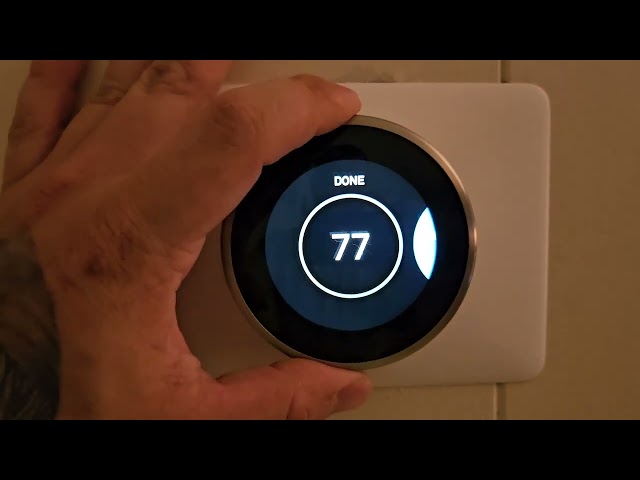
Is your Nest thermostat displaying the temperature but not actually cooling your home? This is a frustrating problem, especially during hot weather. It means your air conditioner isn’t responding to the Nest thermostat’s commands. Ignoring this can lead to discomfort, wasted energy, and potentially even damage to your AC unit. It’s important to address this issue promptly to restore comfort and efficiency to your home.
Common Causes of Nest Troubleshooting Not Cooling
Here are some of the most common reasons why your Nest might not be cooling:
- Incorrect Wiring: A loose or incorrectly connected wire can prevent the Nest from communicating with your AC unit.
- Nest Thermostat Configuration: The settings on your Nest might not be properly configured for your cooling system.
- Dead or Low Batteries: A Nest thermostat needs power to operate; if the batteries are low, it may not control your AC properly.
- AC Unit is Turned Off: Seems simple, but make sure the main power switch to your outdoor AC unit isn’t turned off.
- Tripped Circuit Breaker: A tripped circuit breaker can cut power to your AC unit or the Nest thermostat.
- Air Filter is Clogged: A dirty air filter restricts airflow, causing your AC to work harder and potentially shut down.
- Blocked Condenser Unit: Debris like leaves, grass, or snow can block the outdoor condenser unit, preventing it from cooling efficiently.
- Nest Software Issues: Occasionally, software glitches can cause the Nest to malfunction.
- HVAC System Compatibility: Some older or less common HVAC systems might not be fully compatible with Nest thermostats.
- Overheating Protection: If your AC unit has been running for a long time without properly cooling, it might have engaged its overheat protection feature.
Symptoms Checklist
Check if you experience any of these symptoms:
- Nest thermostat displays “Cooling” but the AC unit isn’t running.
- Air blowing from vents is warm or room temperature, not cold.
- The AC unit cycles on and off frequently.
- Error messages appear on the Nest thermostat screen.
- The Nest thermostat doesn’t respond to temperature changes.
- The outdoor AC unit fan is not spinning.
How to Fix Nest Troubleshooting Not Cooling Step-by-Step Guide
Follow these steps to troubleshoot your Nest thermostat:
- Check the Nest Thermostat’s Power: Ensure the Nest is properly charged. If it has batteries, replace them with new ones.
- Restart Your Nest Thermostat: Go to Settings > Technical Info > Restart.
- Verify the Wiring: Turn off the power at the breaker. Carefully remove the Nest from the wall plate and check that all wires are securely connected to the correct terminals. Refer to your Nest’s wiring diagram.
- Check the Thermostat Settings: Confirm that the thermostat is set to “Cool” mode and that the desired temperature is lower than the current room temperature.
- Inspect the Air Filter: Replace a dirty air filter with a new one.
- Check the Circuit Breaker: Locate the circuit breaker for your AC unit and make sure it hasn’t tripped. Reset it if necessary.
- Examine the Outdoor Condenser Unit: Clear any debris blocking the condenser unit, such as leaves, grass, or snow.
- Check the AC Unit’s Power Switch: Many outdoor units have a disconnect switch nearby. Make sure it is in the “On” position.
- Nest App Check: Ensure the Nest app on your phone is properly connected to your thermostat and that there are no error messages.
- Check your HVAC system compatibility: Go to Nests official webpage, and check if your system is compatible with Nests products.
- Reset Nest to Factory Settings: As a last resort, reset the Nest to factory settings (Settings > Reset > All Settings). This will erase your settings, so you’ll need to reconfigure it.
- Check the Emergency Heat: If your thermostat is accidentally set to emergency heat, it may disable cooling. Turn the emergency heat off.
- Check for Error Codes: Pay attention to any error codes displayed on the Nest thermostat and research their meaning on the Nest support website.
Fix the Issue Without Buying Parts
Before you buy any parts, try these free methods:
- Reset Your Nest: Restarting the Nest often resolves temporary glitches.
- Clean the Condenser Unit: Use a garden hose to gently clean the outdoor condenser unit, removing any dirt or debris.
- Recalibrate Your Nest: Calibrating the thermostats temperature settings ensures accurate readings and proper function.
- Inspect Wiring Connections: Gently tug on wires connected to the Nest and AC unit to ensure they are secure.
- Regular Maintenance: Replace your air filter regularly (every 1-3 months) to maintain optimal airflow.
When Replacement Might Be Necessary
If you’ve tried all the troubleshooting steps and your Nest still isn’t cooling, you might need to consider replacing a component. The Nest thermostat itself is a possibility, but often the problem lies with the AC unit. A failing compressor or a refrigerant leak can prevent cooling. Replacing a Nest thermostat typically costs between $200 and $300. Repairing or replacing AC unit components can range from $150 (for a capacitor) to $2000+ for a compressor. Common failing parts in the AC unit include the capacitor, fan motor, or compressor.
Safety Warning
Follow these safety precautions when troubleshooting your Nest and AC unit:
- Always turn off the power at the circuit breaker before working on electrical components.
- Avoid touching any wires or components with wet hands.
- If you’re uncomfortable working with electricity, call a qualified HVAC technician.
- Do not attempt to repair a refrigerant leak yourself; this requires specialized equipment and training.
Tools You May Need
Here are some tools that might be helpful:
- Screwdriver (Phillips and flathead)
- Wire stripper/cutter
- Multimeter (for testing voltage use with caution)
- Flashlight
- Vacuum cleaner or brush (for cleaning debris)
FAQ
Here are some frequently asked questions:
- Q: My Nest says “Delayed,” what does that mean? A: This means the Nest is delaying turning on the AC to protect your compressor from damage. Wait a few minutes and see if it starts.
- Q: Can a bad Nest thermostat damage my AC unit? A: Yes, if it’s sending incorrect signals or causing the AC to cycle on and off rapidly, it could potentially damage the compressor.
- Q: How often should I replace my air filter? A: Typically, every 1-3 months, depending on how often you use your AC and the type of filter.
- Q: Why is my AC blowing warm air even when the Nest is set to cool? A: This could be due to a refrigerant leak, a faulty compressor, or a clogged air filter. Check the filter first, and if the problem persists, call a technician.
Conclusion
Troubleshooting your Nest thermostat and AC unit can seem daunting, but by following these steps, you can often resolve the issue yourself. Start with the simple checks, like the power supply and air filter, and gradually move towards more complex troubleshooting. If you’ve exhausted all options and your Nest still isn’t cooling, don’t hesitate to call a qualified HVAC technician. They can diagnose and repair any underlying issues with your AC system.
Youtube Video:
Looking for more useful options?
Check out recommended resources that others find helpful.