Introduction
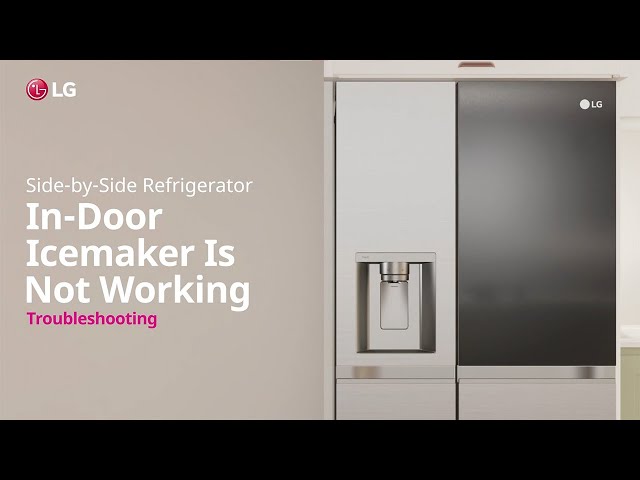
Is your LG ThinQ refrigerator ice maker on the fritz? It’s a common problem! A working ice maker is a convenience we often take for granted, but when it stops producing ice, it can be a real headache, especially during hot weather or when you’re entertaining guests. Luckily, many ice maker issues can be resolved with a bit of troubleshooting. This guide will walk you through the most common causes and simple steps you can take to get your ice maker back in action.
Common Causes of lg thinq refrigerator ice maker not working
Here are some of the most frequent reasons why your LG ThinQ refrigerator ice maker might not be working:
- Ice Maker is Turned Off: It sounds simple, but it’s easily overlooked! The ice maker might be accidentally switched off.
- Water Supply Issues: A kinked, frozen, or disconnected water line can prevent water from reaching the ice maker.
- Water Filter Clogged: A dirty water filter restricts water flow, impacting ice production.
- Freezer Temperature Too High: The freezer needs to be cold enough (around 0-5F) for the ice maker to function correctly.
- Ice Jam in the Ejector Arm: Ice can build up and block the ice ejector mechanism.
- Faulty Water Inlet Valve: This valve controls the flow of water to the ice maker and can fail over time.
- Defective Ice Maker Module: The ice maker module controls the entire ice-making process, and a malfunction here can stop production.
- Damper Control Issues: If the damper that controls airflow between the freezer and refrigerator is stuck closed, the freezer may not get cold enough.
Symptoms Checklist
Use this checklist to help pinpoint the problem:
- No ice production at all.
- Ice cubes are small or hollow.
- Ice maker is making clicking sounds but no ice is produced.
- Ice maker produces ice very slowly.
- Water dispenser also isn’t working (indicates a water supply problem).
- The ice maker is overflowing.
- Freezer temperature seems warmer than usual.
How to Fix lg thinq refrigerator ice maker not working Step-by-Step Guide
Follow these steps to troubleshoot your LG ThinQ refrigerator ice maker:
- Check the Ice Maker Switch: Ensure the ice maker is turned “ON.” Look for a power switch or button near the ice maker.
- Inspect the Freezer Temperature: Verify that the freezer temperature is set between 0-5F (-18 to -15C). Adjust if needed and wait a few hours.
- Listen for the Water Valve: After adjusting the temp. Press the ice maker reset button (usually red or white) listen to the water fill the ice maker. If you don’t hear water, move to step 4.
- Check the Water Supply Line: Locate the water line behind the refrigerator. Make sure it’s not kinked or crushed.
- Inspect the Water Filter: Locate the water filter (usually inside the refrigerator or at the bottom front). Replace it if it’s been longer than 6 months.
- Check for Ice Jams: Remove the ice bin. Look for any ice obstructions in the ice ejector mechanism. Gently remove any ice buildup.
- Test the Water Pressure: If you have low water pressure in your home, it can affect the ice maker. Check the water pressure to the refrigerator.
- Defrost the Ice Maker: If ice is built up significantly, manually defrost the ice maker. Turn off the ice maker, and let it thaw for a few hours. You can use a hairdryer on low heat to speed up the process, but be careful not to melt any plastic parts.
- Check the Fill Tube: The tube that fills the ice maker tray can sometimes freeze. Empty the ice bin and inspect the fill tube for ice buildup. If you see ice, use a hairdryer on low heat to carefully thaw it.
- Reset the Ice Maker: Most LG refrigerators have a reset button (usually red or white) located on the ice maker. Press and hold it for 3-5 seconds. This can sometimes restart the ice-making cycle.
- Check Door Seals: Make sure the freezer door seals are clean and airtight. Gaps in the seals can cause the freezer to warm up, impacting ice production.
- Check the Damper Control: Locate the damper control (usually inside the refrigerator compartment near the top). Make sure it’s open and not blocked.
Fix the Issue Without Buying Parts
Before considering replacement parts, try these free fixes:
- Reset the ice maker: As mentioned, the reset button can often resolve minor glitches.
- Thorough cleaning: Clean the ice bin, ice maker components, and any visible ice buildup.
- Check settings: Verify the freezer temperature and ice maker settings in your refrigerator’s control panel.
- Maintenance: Replace the water filter every 6 months to prevent clogging.
When Replacement Might Be Necessary
If you’ve tried all the troubleshooting steps and the ice maker still isn’t working, a replacement part might be needed. The most common parts to fail are the water inlet valve (estimated cost: $50-$100 USD), the ice maker module (estimated cost: $100-$200 USD), or potentially the water filter housing if it’s damaged. It’s often wise to consult a qualified appliance repair technician before replacing any parts.
Safety Warning
- Always unplug the refrigerator before performing any repairs or maintenance.
- Avoid working with water near electrical components.
- Be careful when using a hairdryer to thaw ice; do not overheat any plastic parts.
- If you are uncomfortable performing any of these steps, contact a qualified appliance repair technician.
Tools You May Need
- Screwdriver (Phillips head and flat head)
- Pliers
- Towel or rag
- Hairdryer (optional)
- New water filter (if needed)
FAQ
Here are some frequently asked questions about LG ThinQ refrigerator ice makers:
-
Q: How long does it take for an ice maker to make ice after being turned on?
A: It usually takes about 24 hours for an ice maker to produce its first batch of ice. -
Q: Why are my ice cubes small or hollow?
A: This is usually caused by low water pressure or a clogged water filter. -
Q: How often should I replace the water filter?
A: It’s recommended to replace the water filter every 6 months. -
Q: What does the red light on my ice maker mean?
A: The red light usually indicates that the ice maker is turned off or there is an issue. Try pressing the reset button.
Conclusion
Don’t give up on your ice maker just yet! By following these troubleshooting steps, you may be able to fix the problem yourself and avoid the cost of a service call. Remember to take your time and be careful. If you’re not comfortable with any of these steps, it’s always best to call a qualified appliance repair technician. Good luck!
Youtube Video:
Looking for more useful options?
Check out recommended resources that others find helpful.