Introduction
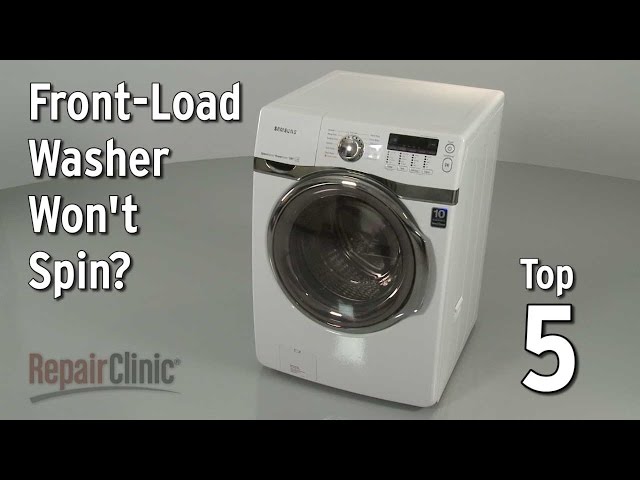
A washer that won’t spin is a major headache. It means clothes are dripping wet, taking forever to dry, and can even lead to mold or mildew growth if left unattended. If your Kenmore front loader washer isn’t spinning, it’s crucial to address the problem quickly. This guide walks you through common causes and simple troubleshooting steps to get your washer back in action.
Common Causes of Kenmore Front Loader Washer Not Spinning
Here are some common reasons why your Kenmore front loader washer might not be spinning:
- Overloaded Washer: Too many clothes can prevent the drum from spinning properly.
- Unbalanced Load: Clothes clumped to one side can trigger a safety mechanism that stops the spin cycle.
- Blocked Drain: If water can’t drain, the washer won’t spin.
- Clogged Drain Pump Filter: Debris like lint, coins, or buttons can clog the filter, preventing drainage.
- Faulty Lid Switch/Door Lock: Front loaders rely on a secure door lock to operate. A broken switch can prevent spinning.
- Worn Drive Belt: The drive belt connects the motor to the drum. If it’s worn or broken, the drum won’t spin.
- Motor Problems: A failing motor can prevent the washer from spinning.
- Control Board Issues: The control board governs all washer functions. A faulty board can disrupt the spin cycle.
- Kinked or Blocked Drain Hose: A kinked or blocked drain hose stops the water from draining.
Symptoms Checklist
Use this checklist to help pinpoint the problem:
- Washer fills with water but doesn’t spin or drain.
- Washer makes a humming noise but doesn’t spin.
- Washer spins slowly or weakly.
- Washer stops mid-cycle.
- Error code displayed on the washer’s control panel.
- Clothes are soaking wet after the cycle.
- Washer drains but doesn’t spin.
How to Fix Kenmore Front Loader Washer Not Spinning Step-by-Step Guide
Follow these steps to troubleshoot your Kenmore front loader washer:
- Check the Load Size: Remove some clothes to reduce the load and try running a spin cycle.
- Rearrange the Load: Manually redistribute clothes in the drum to balance the load.
- Check the Drain Hose: Inspect the drain hose for kinks or blockages. Straighten any kinks and remove any obstructions.
-
Clean the Drain Pump Filter:
- Locate the drain pump filter (usually at the bottom front of the washer, behind a small access panel).
- Place a shallow pan or towel beneath the access panel to catch any water.
- Carefully unscrew the filter cap and remove it.
- Clean the filter thoroughly under running water, removing any lint, coins, or other debris.
- Reinstall the filter cap securely.
-
Check the Door Lock/Lid Switch:
- Inspect the door lock mechanism for any damage or obstructions.
- Make sure the door closes and latches securely.
- Run a Drain and Spin Cycle: Select the “Drain and Spin” cycle on your washer and start it. Observe if the washer drains and spins.
- Listen for Unusual Noises: Pay attention to any unusual noises during the spin cycle. Grinding or squealing sounds could indicate a problem with the motor or drive belt.
- Check the Error Code (If Applicable): If your washer displays an error code, consult your owner’s manual or the Kenmore website to identify the meaning of the code and possible solutions.
- Check for a Stuck Item: Occasionally, an item can get lodged between the inner drum and the outer tub, preventing the drum from spinning freely. Try manually rotating the drum to see if you feel any resistance.
- Try a Washer Cleaner: Run an empty wash cycle with a washer cleaner to remove buildup that could be affecting performance.
- Unplug and Reset: Unplug the washer from the power outlet for 10 minutes. This can sometimes reset the control board and resolve minor glitches.
Fix the Issue Without Buying Parts
Before considering replacement parts, try these free methods:
- Reset the Washer: Unplug the washer for 10 minutes to reset the control board.
- Clean the Washer: Run a cleaning cycle with a washer cleaner or a mixture of vinegar and baking soda.
- Recalibrate the Washer (If Possible): Some Kenmore models have a recalibration function. Consult your owner’s manual for instructions.
- Inspect the Washer: Visually inspect the drain hose, door lock, and other accessible components for any obvious damage or obstructions.
- Regular Maintenance: Regularly clean the drain pump filter and wipe down the door seal to prevent future problems.
When Replacement Might Be Necessary
If you’ve tried all the troubleshooting steps and your washer still isn’t spinning, a replacement part might be necessary. Common parts that fail include the drive belt, motor, or control board. Replacement costs can range from $50 to $300+ USD depending on the part and your model. Consider calling a qualified appliance repair technician for diagnosis and repair.
Safety Warning
- Always unplug the washer from the power outlet before attempting any repairs.
- Be careful when handling water, as wet floors can be slippery.
- Do not attempt to repair the washer if you are not comfortable working with electrical appliances.
Tools You May Need
- Screwdrivers (Phillips and flathead)
- Pliers
- Shallow pan or towels
- Gloves
- Wrench (for removing drain hose)
FAQ
Here are some frequently asked questions:
- Q: Why is my washer humming but not spinning? A: This could indicate a problem with the motor or drive belt.
- Q: How do I know if my drive belt is broken? A: If the drum doesn’t spin at all and you hear a squealing or slipping noise, the drive belt may be broken.
- Q: What does an error code mean? A: An error code indicates a specific problem with the washer. Consult your owner’s manual for the code’s meaning and possible solutions.
- Q: How often should I clean the drain pump filter? A: Clean the drain pump filter every 1-3 months, or more often if you wash heavily soiled items.
- Q: Can I use regular detergent in a front loader? A: No, you should only use HE (High Efficiency) detergent in a front loader.
Conclusion
Troubleshooting a Kenmore front loader washer that won’t spin can be frustrating, but by following these steps, you can often identify and fix the problem yourself. Remember to prioritize safety and consult your owner’s manual for specific information about your model. If you’re not comfortable performing the repairs yourself, don’t hesitate to call a qualified appliance repair technician for assistance. Good luck getting your washer spinning again!
Youtube Video:
Looking for more useful options?
Check out recommended resources that others find helpful.