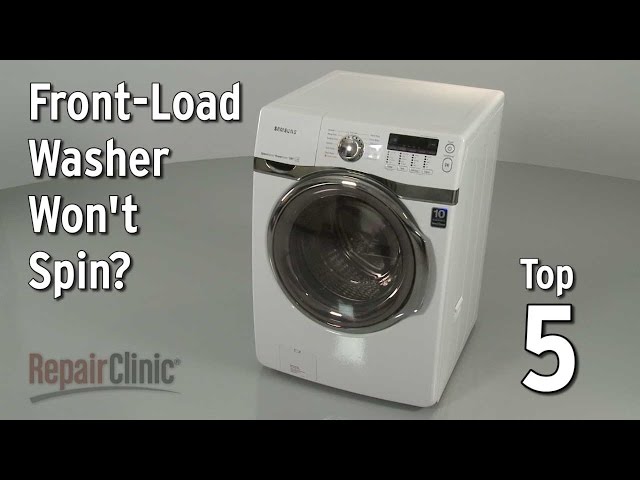
Introduction
A Kenmore front load washer that won’t spin is a frustrating problem. It means your clothes are sopping wet after a wash cycle, and you’re left scrambling to figure out what’s wrong. This issue often surfaces after washing a particularly heavy load, or when the machine is nearing the end of its lifespan. Addressing it promptly prevents potential damage to your clothes and the washer itself. Plus, avoiding excess moisture buildup is key to preventing mold and mildew inside your machine.
Common Causes of Kenmore Front Load Washer Doesn’t Spin
Several factors can stop your Kenmore front load washer from spinning:
- Overloaded Washer: Too many clothes can prevent the drum from spinning correctly.
- Unbalanced Load: Clothes clumped on one side can trigger a safety mechanism that stops the spin cycle.
- Blocked Drain Hose: A clogged drain hose prevents water from draining, which is essential for the spin cycle to start.
- Faulty Lid Switch/Door Lock: The washer won’t spin if it doesn’t detect that the door is securely closed.
- Worn Drive Belt: The drive belt connects the motor to the drum. If it’s worn or broken, the drum won’t spin.
- Motor Problems: A failing motor can lack the power needed to spin the drum.
- Clogged Drain Pump Filter: Debris trapped in the drain pump filter can hinder water drainage and spin function.
- Defective Motor Control Board: The control board regulates the motor, and a malfunction can prevent spinning.
Symptoms Checklist
Use this checklist to confirm the issue:
- Clothes are soaking wet after the wash cycle.
- The washer makes a humming noise but the drum doesn’t move.
- The washer displays an error code related to spinning or draining.
- The drum spins freely by hand when the washer is off.
- The washer drains slowly or not at all.
How to Fix Kenmore Front Load Washer Doesn’t Spin Step-by-Step Guide
- Unplug the Washer: For safety, always unplug the washer before troubleshooting.
- Check for Overloading: Remove some clothes if the washer is overloaded. A good rule of thumb is to fill the drum about 3/4 full.
- Re-arrange the Load: Open the washer and redistribute clothes to ensure an even balance.
- Check the Drain Hose: Disconnect the drain hose from the drainpipe and inspect it for kinks or blockages. Straighten any kinks and remove any visible obstructions.
- Clean the Drain Pump Filter: Locate the drain pump access panel (usually at the bottom front of the washer). Place a shallow pan underneath to catch any water. Carefully unscrew the filter cap and remove any debris. Rinse the filter thoroughly and replace it.
- Inspect the Door Lock/Lid Switch: Examine the door lock mechanism for damage or obstructions. Ensure the door closes securely.
- Run a “Drain and Spin” Cycle: Select the “Drain and Spin” cycle on your washer and see if it works. This helps isolate draining issues.
- Listen for Unusual Noises: Pay attention to any unusual noises during the wash cycle, such as grinding or squealing, which could indicate a motor or belt problem.
- Check the Drive Belt (If Accessible): Some Kenmore models allow access to the drive belt from the back. If you can safely access it, inspect the belt for wear, cracks, or breaks. (Note: this often requires removing panels and some mechanical knowledge.)
- Check for Error Codes: Consult your washer’s manual for error codes. These codes can provide specific clues about the problem.
- Power Cycle the Washer: Unplug the washer for 5 minutes, then plug it back in. This can sometimes reset the control board and resolve minor glitches.
- Level the Washer: An unlevel washer can cause imbalances. Use a level to check and adjust the leveling feet at the bottom of the washer.
Fix the Issue Without Buying Parts
Before rushing to buy replacement parts, try these free methods:
- Reset the Washer: Unplug the washer for 5 minutes to reset the control board.
- Run a Cleaning Cycle: Many Kenmore washers have a self-cleaning cycle. Use this cycle with a washing machine cleaner to remove buildup.
- Recalibrate the Washer (If Applicable): Some models have a calibration cycle, consult your owner’s manual.
- Regular Inspection: Regularly check the drain hose and pump filter for debris to prevent future clogs.
- Proper Loading: Avoid overloading the washer and ensure clothes are evenly distributed in the drum.
When Replacement Might Be Necessary
If the above steps don’t resolve the issue, more serious problems might be at play. A faulty motor or a severely damaged motor control board might require replacement. Replacing a motor typically costs between $150-$400, while a control board replacement can range from $100-$300 (USD), depending on the model. The drive belt is a cheaper part ($20-$50), but often requires skill to replace it.
Safety Warning
- Always unplug the washer before attempting any repairs.
- Be careful when handling water to avoid electric shock.
- Avoid working on the washer if the floor is wet.
- If you are uncomfortable with electrical or mechanical repairs, consult a qualified technician.
Tools You May Need
- Screwdrivers (Phillips and flathead)
- Pliers
- Adjustable wrench
- Shallow pan or bucket
- Level
- Gloves
- Flashlight
FAQ
Here are some frequently asked questions:
- Q: Why is my washer making a humming noise but not spinning? A: This could indicate a motor problem or a blocked drain pump. Check the drain pump filter first.
- Q: My washer displays an error code. What should I do? A: Consult your washer’s manual to interpret the error code. It will provide valuable clues.
- Q: How often should I clean my washer’s drain pump filter? A: It’s recommended to clean the drain pump filter every 1-3 months, depending on usage.
- Q: Can I use regular bleach to clean my washer? A: Yes, you can use regular bleach in the designated bleach dispenser, but always follow the manufacturer’s instructions.
Conclusion
A Kenmore front load washer that doesn’t spin can be a headache, but often the problem is something you can fix yourself. By following these troubleshooting steps, you can diagnose the issue and potentially save yourself the cost of a repair bill. Remember to prioritize safety and, if you’re uncomfortable with any of these steps, don’t hesitate to call a qualified appliance technician.
Youtube Video:
Looking for more useful options?
Check out recommended resources that others find helpful.