Introduction
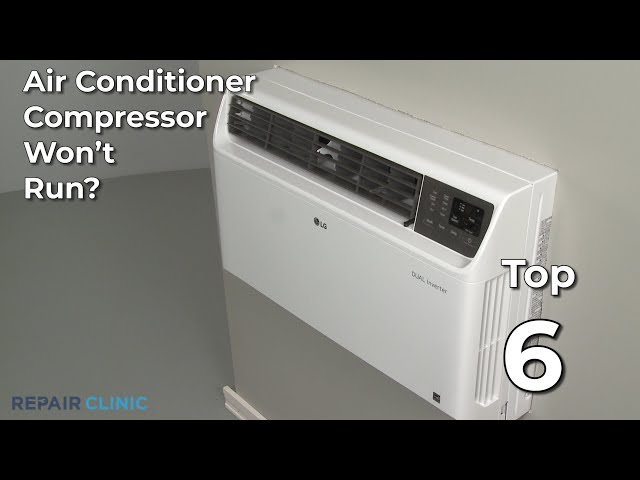
Is your window air conditioner blowing warm air instead of that refreshing cool breeze? A common culprit is a compressor that isn’t turning on. The compressor is the heart of your AC unit; it’s responsible for circulating the refrigerant that cools the air. When it fails to start, your AC basically becomes an expensive fan. This issue can be frustrating, especially during hot weather, and addressing it promptly can prevent further damage and more costly repairs. Don’t sweat it let’s walk through some easy steps to diagnose and potentially fix the problem yourself before calling a technician.
Common Causes of Compressor Not Turning On
Here are some frequent reasons why your window AC compressor might refuse to start:
- Power Issues: The AC isn’t receiving enough power. Could be a tripped breaker or a faulty outlet.
- Thermostat Problems: The thermostat isn’t signaling the compressor to turn on.
- Dirty Air Filter: A clogged filter restricts airflow, causing the unit to overheat and shut down the compressor.
- Overheating: The compressor has overheated due to poor ventilation or a dirty condenser coil.
- Capacitor Failure: The capacitor, a small electrical component, provides the initial jolt needed to start the compressor motor.
- Frozen Evaporator Coil: Ice buildup on the evaporator coil can prevent the compressor from running.
- Refrigerant Leak: Low refrigerant levels can sometimes prevent the compressor from engaging.
- Compressor Overload Protector: This safety device trips when the compressor gets too hot, preventing it from starting.
- Wiring Issues: Loose or damaged wiring can interrupt the power supply to the compressor.
- Compressor Failure: In the worst case, the compressor itself has failed.
Symptoms Checklist
Look for these indicators to pinpoint the compressor issue:
- The AC unit turns on, but blows only warm air.
- You hear a humming sound, but the AC doesn’t cool.
- The AC unit cycles on and off frequently.
- The fan is running, but the compressor is silent.
- The AC unit trips the circuit breaker.
- Ice is visible on the evaporator coils (inside the unit).
How to Fix Compressor Not Turning On Step-by-Step Guide
Follow these steps to troubleshoot the issue:
- Check the Power Supply: Make sure the AC unit is properly plugged into a working outlet. Test the outlet with another device to confirm it’s providing power.
- Inspect the Circuit Breaker: Check the circuit breaker in your electrical panel. If it’s tripped, reset it. If it trips again immediately, there might be a short circuit.
- Examine the Thermostat Setting: Ensure the thermostat is set to “Cool” and the temperature is set lower than the current room temperature.
- Clean the Air Filter: Remove and clean or replace the air filter. A dirty filter restricts airflow and can cause the unit to overheat.
- Inspect the Condenser Coils: The condenser coils are located on the outside of the unit. Clean them with a soft brush or vacuum cleaner to remove any dirt or debris. Important: Unplug the AC first.
- Allow Unit to Rest (Overheating): If you suspect overheating, turn off the AC and let it sit for a few hours to cool down.
- Check for Ice Buildup: If you see ice on the evaporator coils (usually visible by removing the front panel), turn off the AC and let the ice melt completely. This can take several hours. A dirty air filter often causes this.
- Inspect Wiring (Visually): Look for any loose or damaged wires inside the AC unit (after unplugging it, of course!). If you see anything obvious, like a disconnected wire, try to reattach it carefully. If you are uncomfortable doing this, skip this step.
- Reset the Overload Protector: Some AC units have a reset button on the compressor overload protector. It’s usually a small button near the compressor. If you find one, press it.
- Test the Capacitor (Advanced – proceed with caution, unplug AC!): This is a more advanced step. Capacitors store electricity and can give you a nasty shock even after the AC is unplugged. Only attempt this if you are comfortable working with electrical components and know how to safely discharge a capacitor. Otherwise, skip this step. You’ll need a multimeter. Discharge the capacitor and then test it for continuity. If it shows no continuity, it’s likely bad.
- Check for Proper Ventilation: Make sure the back of the unit has adequate space for ventilation. Don’t obstruct the airflow with curtains or other objects.
Fix the Issue Without Buying Parts
Many compressor problems can be resolved with simple maintenance:
- Regular Cleaning: Clean the air filter and condenser coils regularly (every 1-3 months, depending on usage).
- Proper Ventilation: Ensure the unit has adequate space for ventilation.
- Resetting: Simply unplugging the AC for 15 minutes and plugging it back in can sometimes reset the system and resolve minor issues.
- Visual Inspection: Frequently check for ice buildup or other obvious problems.
When Replacement Might Be Necessary
If you’ve tried all the troubleshooting steps and the compressor still isn’t working, the compressor itself or major electrical components could be faulty. Replacing the compressor is usually costly ($200 – $500 including labor) and might not be worth it for an older window AC unit. A frequently failing part is the capacitor, which typically costs $10-$30 (plus labor if you have a technician install it). Consider the age and overall condition of your AC unit when deciding whether to repair or replace it.
Safety Warning
- Always unplug the AC unit before performing any maintenance or repairs.
- Never work on electrical appliances with wet hands or on a wet floor.
- If you are uncomfortable working with electrical components, call a qualified technician.
- Discharge capacitors before handling them to avoid electric shock.
Tools You May Need
- Screwdriver (Phillips and flathead)
- Vacuum cleaner with brush attachment
- Soft brush
- Multimeter (for advanced testing)
- Gloves
FAQ
- Q: Why is my AC blowing warm air even though it’s turned on? A: The compressor might not be running, often due to a dirty filter, overheating, or a faulty capacitor.
- Q: How do I know if the capacitor is bad? A: A bad capacitor often appears swollen or cracked. Use a multimeter to test it for continuity (after discharging it!).
- Q: Can a dirty air filter really cause the compressor to fail? A: Yes, a dirty filter restricts airflow, causing the unit to overheat and potentially damage the compressor.
- Q: How often should I clean my window AC unit? A: Clean the air filter every 1-3 months and the condenser coils at least once a year.
- Q: My AC trips the circuit breaker. What does that mean? A: It indicates a short circuit or an overload. Check the wiring and the amperage rating of the AC unit.
- Q: How long should a window AC unit last? A: With proper maintenance, a window AC unit can last 5-10 years.
Conclusion
Troubleshooting a window AC compressor issue can seem daunting, but by following these steps, you can often identify and fix the problem yourself. Remember to prioritize safety and, when in doubt, consult with a qualified technician. Don’t give up on your unit without a fighta little DIY effort can save you money and keep you cool!
Youtube Video:
Looking for more useful options?
Check out recommended resources that others find helpful.