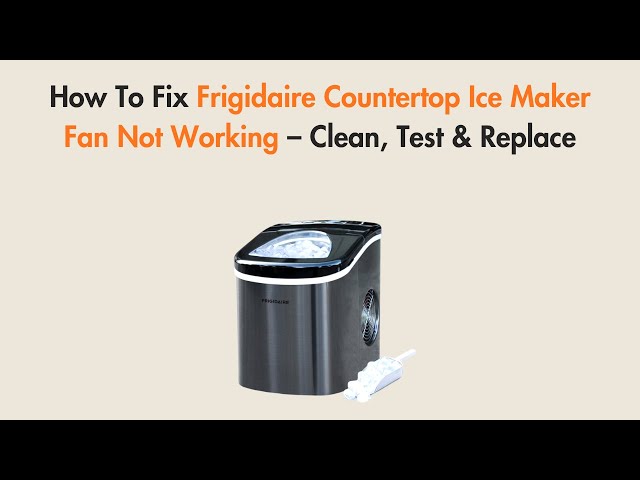
Introduction
Is your ice machine making less ice than usual, or perhaps none at all? A common culprit behind this problem is a fan that isn’t working properly. The fan is crucial because it circulates air to cool the refrigerant and freeze the water into ice. When the fan stops working, the machine can overheat, ice production slows down or stops completely, and internal components can be damaged. Addressing this issue promptly can prevent more serious problems and costly repairs down the line. Let’s walk through some simple troubleshooting steps to get your ice machine back up and running.
Common Causes of ice machine fan not working
Here are some of the most common reasons why your ice machine fan might not be working:
- Power Supply Issues: The machine might not be receiving power due to a tripped breaker or a faulty power cord.
- Fan Obstruction: Ice buildup, debris, or physical obstructions can prevent the fan blades from spinning.
- Faulty Fan Motor: The motor that powers the fan could be burned out or otherwise malfunctioning.
- Wiring Problems: Loose or damaged wires connecting the fan motor to the control board can interrupt the power supply.
- Control Board Malfunction: A problem with the control board can prevent it from sending the signal to power the fan.
- Overheating: The machine might be overheating, causing a safety shut-off that also affects the fan.
- Capacitor Failure: A capacitor helps start the fan motor, and if it fails, the fan won’t start.
- Thermal Overload Protector: The thermal overload protector may trip to protect the fan motor.
Symptoms Checklist
Here’s how you can confirm if a non-functional fan is the source of your ice machine’s problems:
- Ice production is significantly reduced or has stopped completely.
- You hear no fan noise coming from the ice machine during operation.
- The ice machine feels warmer than usual, especially near the condenser coils (if accessible).
- Error lights or codes on the machine’s display indicate a fan motor problem (check your user manual).
- Ice cubes are smaller than usual or have a slushy consistency.
How to Fix ice machine fan not working Step-by-Step Guide
Follow these steps to diagnose and hopefully fix your ice machine fan problem:
- Unplug the Ice Machine: Safety first! Always disconnect the machine from the power outlet before attempting any repairs.
- Check the Power Supply: Make sure the ice machine is plugged into a working outlet. Test the outlet with another appliance to confirm it’s supplying power. Check the circuit breaker for the outlet and reset it if necessary.
- Inspect the Fan for Obstructions: Open the access panel to the fan. Look for ice buildup, debris, or anything else that might be blocking the fan blades. Carefully remove any obstructions.
- Manually Spin the Fan Blade: Gently try to spin the fan blades by hand. If they feel stiff or don’t move freely, there’s likely an obstruction or a motor problem.
- Check the Wiring Connections: Examine the wires connected to the fan motor. Look for loose connections, frayed wires, or any signs of damage. Reconnect any loose wires securely.
- Locate and Reset the Thermal Overload Protector: Consult your ice machine’s manual to find the thermal overload protector (usually a small button on or near the motor). Press the button to reset it.
- Allow the Machine to Cool Down: If you suspect overheating, give the ice machine a few hours to cool down completely before trying to restart it.
- Test the Fan Motor (Advanced): If you’re comfortable using a multimeter, you can test the fan motor for continuity. Disconnect the wires from the motor and use the multimeter to check if there’s continuity between the motor terminals. A lack of continuity indicates a faulty motor. This step requires safety precautions and familiarity with electrical testing.
- Check the Capacitor: Some ice machines use a capacitor to help start the fan motor. Inspect the capacitor for any signs of bulging or leaking. If you see any damage, the capacitor likely needs to be replaced. This step requires safety precautions and familiarity with electrical testing.
- Consult the User Manual: Your ice machine’s user manual may have specific troubleshooting steps or error codes related to the fan motor. Refer to the manual for further guidance.
- Listen Carefully When Restarting: After completing the above steps, plug the ice machine back in and listen carefully when it starts up. Do you hear any unusual noises coming from the fan motor? If so, it could indicate a problem with the motor bearings.
- Monitor Ice Production: Give the ice machine some time to produce ice after performing the troubleshooting steps. Monitor the ice production to see if the fan is now working and the machine is functioning properly.
Fix the Issue Without Buying Parts
Before considering replacing parts, try these free methods:
- Reset the Machine: Unplug the ice machine for 15-20 minutes, then plug it back in. This can sometimes reset the control board and resolve minor issues.
- Thorough Cleaning: Clean the entire ice machine, paying special attention to the area around the fan and condenser coils. Remove any dust, dirt, or ice buildup.
- Recalibration (if applicable): Some ice machines have a calibration function. Check your user manual for instructions on how to recalibrate the machine.
- Inspect Ventilation: Ensure the ice machine has adequate ventilation. Blocked vents can cause overheating and affect fan performance.
- Regular Maintenance: Regularly clean your ice machine and check for any signs of problems to prevent future fan issues.
When Replacement Might Be Necessary
If you’ve tried all the troubleshooting steps and the fan still isn’t working, it might be time to consider a replacement. The most common parts to fail are the fan motor and the capacitor. A replacement fan motor typically costs between $50 and $150, while a capacitor is usually much cheaper, around $10-$30. However, it’s generally advisable to consult with a qualified appliance repair technician before replacing any parts to ensure the correct diagnosis and proper installation.
Safety Warning
- Always unplug the ice machine before attempting any repairs.
- Avoid working on electrical components with wet hands or on a wet floor.
- If you’re not comfortable working with electrical wiring, consult a qualified electrician or appliance repair technician.
- Be careful when handling sharp objects or tools.
- If you’re unsure about any step, stop and seek professional assistance.
Tools You May Need
- Screwdriver (Phillips and flathead)
- Pliers
- Multimeter (for advanced testing)
- Wrench (for removing fan motor, if necessary)
- Cleaning cloths
FAQ
Here are some frequently asked questions about ice machine fan problems:
- Q: Why is my ice machine making ice slowly even after I cleaned it? A: The fan might still be partially blocked or the motor might be weak. Double-check for any remaining obstructions and consider having the motor tested.
- Q: How can I prevent the fan from freezing up? A: Ensure the machine is properly sealed and that the defrost cycle is working correctly. Regular cleaning also helps prevent ice buildup.
- Q: Is it safe to use the ice machine if the fan is making a loud noise? A: No, a loud noise usually indicates a problem with the fan motor or bearings. Continuing to use the machine could cause further damage.
- Q: How often should I clean my ice machine? A: It depends on usage, but generally, cleaning your ice machine every 3-6 months is recommended.
- Q: What should I do if I reset the thermal overload protector and it keeps tripping? A: This indicates a serious problem, such as a faulty motor or overheating. You should consult a qualified appliance repair technician.
Conclusion
Troubleshooting a non-working ice machine fan can seem daunting, but by following these simple steps, you can often diagnose and resolve the problem yourself. Remember to prioritize safety and take your time. If you’re uncomfortable with any of the steps, or if the problem persists, don’t hesitate to call a qualified appliance repair technician. Often, the fix is straightforward, and you’ll be enjoying fresh ice again in no time!
Youtube Video:
Looking for more useful options?
Check out recommended resources that others find helpful.