
Introduction
A Daikin air conditioner that isn’t blowing cold air is a common and frustrating problem. Often, the issue stems from a fan that refuses to spin. This is important because the fan is responsible for circulating air across the cooling coils and pushing the cool air into your home. Without a working fan, your AC unit can’t effectively cool the room, leading to discomfort and potentially higher energy bills. This problem is most noticeable during hot weather when your AC is working hard, or when you’ve recently switched from heating to cooling. It’s best to address this issue quickly to avoid further damage to your unit and ensure a comfortable indoor environment. Explore more in our Air Conditioner Troubleshooting 4 collection.
💡 Technical Key Takeaways:
- Core Focus: Diagnostic schematic and terminal connection layout for Daikin Air Conditioner Fan Not Working.
- Target Scope: Field technicians, automotive DIYers, and residential/commercial electricians.
- Safety Rule: Always disconnect the primary power source/battery terminal and verify zero voltage with a multimeter before touching wires.
Common Causes of Daikin Air Conditioner Fan Not Working
Here are some of the most common reasons why your Daikin air conditioner fan might not be working:. For more related activities, check out our Car Aircon Stinks.
- Power Issue: The unit may not be receiving power due to a tripped breaker or a blown fuse.
- Faulty Capacitor: The capacitor helps start the fan motor. If it’s weak or damaged, the fan won’t spin.
- Stuck Fan Blade: Debris, dirt, or even a small object can obstruct the fan blades, preventing them from moving.
- Motor Overload: The fan motor might be overheating and shutting down as a safety measure.
- Wiring Problems: Loose or damaged wiring connections can interrupt the power supply to the fan motor.
- Dirty Fan Blades: A buildup of dust and grime can add weight to the blades, making it harder for the motor to turn them.
- Faulty Fan Motor: The fan motor itself could be worn out or damaged.
- Thermostat Settings: If the thermostat isn’t set correctly to “Cool” and the fan to “Auto” or “On”, the fan might not engage.
- Contactor Problems: The contactor is an electrical relay that sends power to the fan motor. A faulty contactor can prevent the fan from starting.
Symptoms Checklist
Use this checklist to confirm that the fan is the source of your AC problem:
- The air conditioner turns on, but the fan doesn’t spin.
- The air coming from the vents is warm, not cold.
- You hear a humming sound from the unit, but the fan isn’t moving.
- The fan blades are visibly obstructed by debris.
- The unit cycles on and off frequently.
- The fan starts intermittently, then stops working.
How to Fix Daikin Air Conditioner Fan Not Working Step-by-Step Guide
Follow these steps to troubleshoot and potentially fix your Daikin air conditioner fan:
- Turn Off the Power: Locate the breaker for your AC unit in the electrical panel and switch it off. This is crucial for your safety.
- Inspect the Breaker: Check the breaker for any signs of damage or burning. If it looks okay, try resetting it by switching it completely off and then back on.
- Check the Power Switch: Ensure the power switch on the AC unit itself is in the “On” position. Sometimes it can be accidentally switched off.
- Access the Fan: Depending on your Daikin model, you may need to remove an access panel to reach the fan. Consult your owner’s manual for specific instructions.
- Visually Inspect the Fan Blades: Look for any obstructions such as leaves, twigs, or other debris that might be preventing the fan from spinning.
- Manually Spin the Fan: Carefully try to spin the fan blades by hand. If they spin freely, the motor might be the issue. If they’re stiff, there’s likely an obstruction.
- Clean the Fan Blades: Use a soft brush or cloth to gently clean the fan blades, removing any dust or grime buildup.
- Check Wiring Connections: Visually inspect the wiring connections near the fan motor. Look for any loose wires, corrosion, or signs of damage. Gently wiggle the wires to see if any are loose.
- Inspect the Capacitor: The capacitor is a cylindrical component near the fan motor. Look for any signs of bulging, leaking, or physical damage. Do not touch the capacitor without discharging it; it can hold a dangerous electrical charge.
- Thermostat Settings: Double-check your thermostat settings. Ensure it’s set to “Cool” and the fan is set to “Auto” or “On.”
- Run the AC and Observe: Turn the power back on at the breaker and observe the fan. Does it start spinning? If not, proceed to the next steps.
- Listen for Humming: If you hear a humming sound, but the fan isn’t spinning, the capacitor might be failing to provide enough power to start the motor.
Fix the Issue Without Buying Parts
Before considering replacement parts, try these free methods:
- Resetting: Sometimes simply turning off the AC unit at the breaker for 30 minutes can reset any internal errors.
- Cleaning: Regularly cleaning the fan blades and surrounding area can prevent future issues.
- Inspection Tips: Check for any visible signs of damage or wear on the fan blades, motor, and wiring.
- Maintenance Basics: Schedule regular maintenance for your AC unit to prevent problems before they arise. Clean or replace filters regularly.
When Replacement Might Be Necessary
If the troubleshooting steps above don’t resolve the issue, you might need to replace a part. Common parts that fail are the capacitor and the fan motor itself. A replacement capacitor can cost between $20 and $50, while a new fan motor can range from $100 to $300, depending on the model and brand. Its often best to have a qualified technician perform these replacements to ensure proper installation and safety. Discover more free resources across our collection library.
Safety Warning
- Always turn off the power to the AC unit at the breaker before attempting any repairs.
- Be cautious when working with electrical components. If you’re not comfortable, hire a qualified technician.
- Avoid working on the unit in wet conditions.
- Do not touch the capacitor without discharging it first, as it can hold a dangerous electrical charge.
Tools You May Need
Here’s a list of tools that may be helpful for troubleshooting:
- Screwdriver (Phillips and flathead)
- Soft brush or cloth
- Multimeter (for testing electrical components – use with caution!)
- Work gloves
- Owners manual for your Daikin AC unit
FAQ
Here are some frequently asked questions about Daikin AC fan problems:
- Q: Why is my AC blowing warm air? A: The fan might not be working, preventing proper cooling. Check the troubleshooting steps outlined above.
- Q: How do I know if the capacitor is bad? A: Look for signs of bulging, leaking, or physical damage. A multimeter can also be used to test its capacitance (but only if you know how to do so safely).
- Q: Can I replace the fan motor myself? A: If you have experience with electrical repairs, you can attempt it. However, it’s recommended to hire a professional for safety and proper installation.
- Q: How often should I clean my AC unit? A: It’s recommended to clean your AC unit at least once a year, or more frequently if you live in a dusty environment.
Conclusion
Don’t let a non-working fan ruin your comfort! By following these troubleshooting steps, you can often identify and resolve the issue yourself, saving time and money. If you’re uncomfortable with any of these steps, or if the problem persists, don’t hesitate to call a qualified HVAC technician. They have the expertise and tools to diagnose and repair the problem quickly and safely.
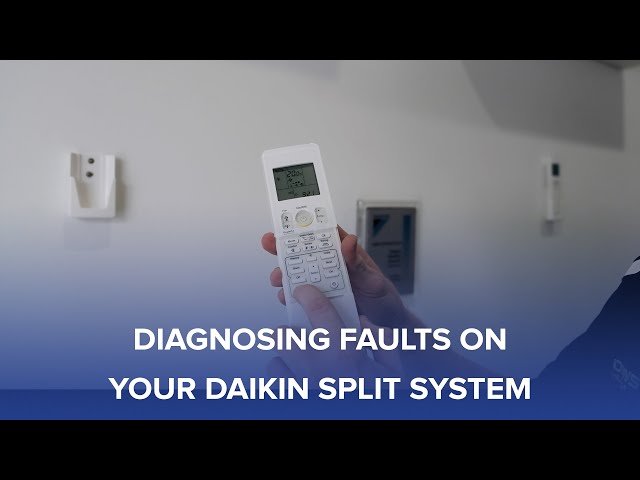
Youtube Video:
Quick Wiring Specifications & Terminal Guide
| Component / Circuit | Standard Wire Gauge | Recommended Protection |
|---|---|---|
| Control & Trigger Signals | 18 – 20 AWG | 5A – 7.5A Inline Fuse |
| Standard Auxiliary Load | 14 – 16 AWG | 15A – 20A Circuit Breaker |
| Main Power Feed / Supply | 10 – 12 AWG | 30A – 40A Heavy-Duty Relay |
