
Introduction
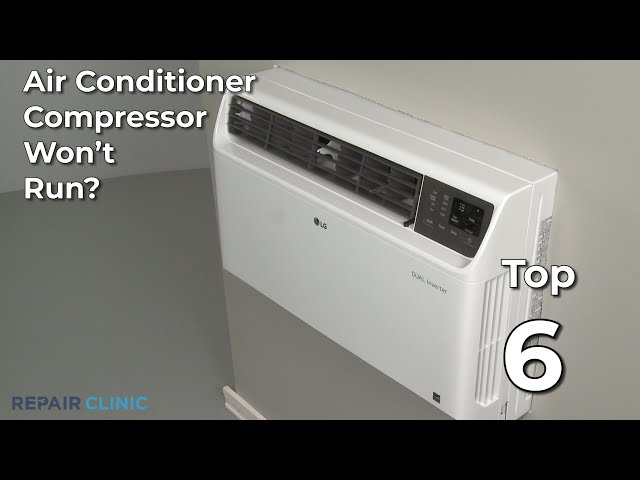
Is your window AC unit blowing warm air instead of a refreshing chill? The culprit could be a compressor that refuses to start. The compressor is the heart of your AC, responsible for circulating the refrigerant that cools your room. When it fails, your AC is basically just a fan. This is a common problem, especially during the hottest months when AC units are working overtime. Getting this fixed is important not just for comfort, but also to prevent further damage to your AC unit. Don’t sweat it; this guide will walk you through troubleshooting steps before you call a professional!
💡 Technical Key Takeaways:
- Core Focus: Diagnostic schematic and terminal connection layout for Window Ac Unit Compressor Wont Come On.
- Target Scope: Field technicians, automotive DIYers, and residential/commercial electricians.
- Safety Rule: Always disconnect the primary power source/battery terminal and verify zero voltage with a multimeter before touching wires.
Common Causes of window ac unit compressor wont come on
Here are some common reasons why your window AC compressor might not be turning on:
- Power Issues: The unit isn’t getting enough power due to a tripped breaker, blown fuse, or a faulty outlet.
- Thermostat Settings: The thermostat might be set too high, or in “fan only” mode, preventing the compressor from activating.
- Dirty Air Filter: A clogged air filter restricts airflow, causing the AC to overheat and the compressor to shut down.
- Frozen Evaporator Coils: Restricted airflow or low refrigerant can cause the evaporator coils to freeze, disabling the compressor.
- Overload Protector Tripped: The overload protector is a safety device that shuts down the compressor if it overheats.
- Capacitor Failure: The capacitor helps start and run the compressor. A weak or failed capacitor can prevent the compressor from starting.
- Wiring Problems: Loose or damaged wiring can interrupt the power supply to the compressor.
- Compressor Overheating: The compressor itself may be overheating due to excessive use or lack of maintenance.
Symptoms Checklist
Use this checklist to help identify if the compressor is truly the issue:
- The AC unit turns on, but blows warm air.
- You hear the fan running, but no humming or buzzing sound from the compressor.
- The overload protector repeatedly trips, shutting down the unit.
- The unit makes a clicking sound, but the compressor doesn’t start.
- The air filter is visibly dirty or clogged.
- Ice is forming on the evaporator coils inside the unit.
How to Fix window ac unit compressor wont come on Step-by-Step Guide
Follow these steps to troubleshoot your window AC unit:
- Check the Power: Make sure the AC unit is plugged into a working outlet. Test the outlet with another device (like a lamp) to confirm it’s supplying power.
- Inspect the Breaker: Go to your electrical panel and check the breaker for the AC unit. If it’s tripped, reset it. If it trips again immediately, there might be a short circuit.
- Verify Thermostat Settings: Ensure the thermostat is set to “cool” and the temperature is set low enough to trigger the compressor.
- Clean the Air Filter: Remove the air filter and clean it thoroughly with soap and water. Let it dry completely before replacing it. A dirty filter restricts airflow and can cause the compressor to overheat.
- Check for Ice on the Coils: If you see ice forming on the evaporator coils (usually behind the filter), turn off the unit and let the ice melt completely. This can take several hours. Once melted, clean the air filter and check for any airflow obstructions.
- Reset the Overload Protector: Some AC units have a reset button on the overload protector, usually located near the compressor. Press this button to reset it.
- Inspect the Capacitor (Advanced): Caution: Unplug the AC unit before attempting this step. The capacitor is a cylindrical component, usually located in the control box. Visually inspect it for bulges, leaks, or cracks. If it looks damaged, it likely needs replacement. This step might require more technical expertise.
- Check the Wiring: Caution: Unplug the AC unit before attempting this step. Inspect the wiring connections inside the unit for any loose or corroded connections. Gently wiggle the wires to see if any are loose. Tighten any loose connections.
- Allow the Unit to Cool Down: If the compressor has overheated, turn off the unit and let it cool down for several hours before attempting to restart it.
- Clean the Condenser Coils: The condenser coils are located on the outside of the unit. Use a brush or vacuum to remove any dirt or debris that may be blocking airflow.
- Listen for Unusual Noises: When you turn the AC on, listen carefully for any unusual noises coming from the compressor area. Grinding, rattling, or buzzing sounds can indicate a serious problem.
Fix the Issue Without Buying Parts
Before you rush out to buy replacement parts, try these free methods:
- Regular Cleaning: Keep the air filter clean and the coils free of debris. This improves airflow and prevents overheating.
- Proper Thermostat Use: Avoid setting the thermostat too low. This overworks the compressor and can shorten its lifespan.
- Check for Obstructions: Make sure nothing is blocking the airflow around the AC unit, both inside and outside.
- Periodic Inspection: Regularly inspect the unit for any signs of damage or wear and tear.
When Replacement Might Be Necessary
If you’ve tried all the troubleshooting steps and the compressor still won’t start, the compressor itself or the capacitor may be faulty and need replacing. A new capacitor typically costs between $20-$50. A compressor replacement is more involved and can cost between $150-$400 depending on the model and labor costs. Common failing parts include the start capacitor and the compressor motor itself. If you’re not comfortable with electrical repairs, it’s best to call a qualified technician.
Safety Warning
Please take these safety precautions seriously:
- Always unplug the AC unit before performing any maintenance or repairs.
- Avoid working on electrical components if you are not comfortable or experienced.
- Keep the area around the AC unit dry to prevent electric shock.
- If you suspect a major electrical problem, call a qualified electrician.
Tools You May Need
Here are some basic tools that may be helpful:
- Screwdrivers (Phillips and flathead)
- Pliers
- Vacuum cleaner or brush
- Multimeter (for testing electrical components advanced)
- Work gloves
FAQ
Here are some frequently asked questions:
- Q: Why is my AC blowing warm air even though the fan is running? A: This usually indicates the compressor is not working, preventing the refrigerant from cooling the air.
- Q: How do I know if the capacitor is bad? A: Look for visual signs like bulging, leaking, or cracking. You can also use a multimeter to test its capacitance (advanced).
- Q: Can a dirty air filter really cause the compressor to fail? A: Yes! A dirty filter restricts airflow, causing the compressor to overheat and potentially fail.
- Q: How often should I clean my AC unit’s air filter? A: At least once a month, or more often if you have pets or live in a dusty environment.
Conclusion
Troubleshooting a window AC unit can seem daunting, but by following these steps, you can often identify and fix the problem yourself. Remember to prioritize safety and don’t hesitate to call a qualified technician if you’re uncomfortable with any of the repairs. With a little effort, you can get your AC unit back up and running, keeping you cool and comfortable all summer long!
Youtube Video:
Quick Wiring Specifications & Terminal Guide
| Component / Circuit | Standard Wire Gauge | Recommended Protection |
|---|---|---|
| Control & Trigger Signals | 18 – 20 AWG | 5A – 7.5A Inline Fuse |
| Standard Auxiliary Load | 14 – 16 AWG | 15A – 20A Circuit Breaker |
| Main Power Feed / Supply | 10 – 12 AWG | 30A – 40A Heavy-Duty Relay |
Images References
Looking for more diagnostic guides? Explore our complete Air Conditioner Troubleshooting 6 section for step-by-step troubleshooting solutions.
