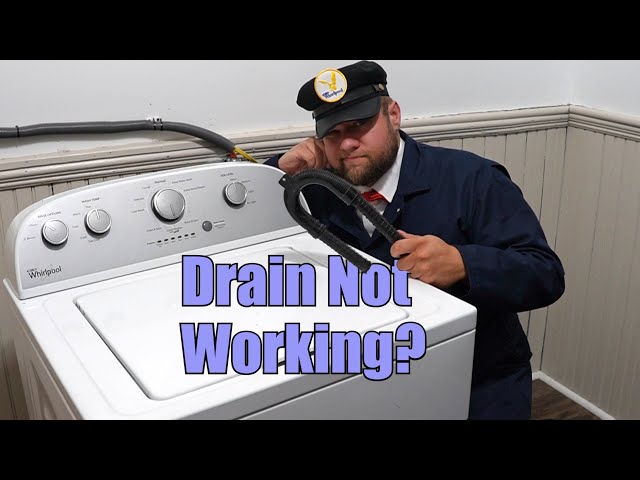
A frustrating problem: your Whirlpool top load washer is full of water and won’t drain.
Introduction
Finding a pool of water sitting in your Whirlpool top load washer after a wash cycle is never a pleasant surprise. It means your clothes are still soaking wet, and the washer isn’t doing its job! This problema washer that won’t draincan happen for a few different reasons. Sometimes it’s a simple fix, and sometimes it needs a little more investigating. Addressing this quickly is important to prevent mold and mildew growth in your washer and to avoid damage to your clothing and floors. Let’s get your washer back in working order!
Common Causes of Top Load Whirlpool Washer Won’t Drain
Here are some of the most common reasons why your Whirlpool top load washer might refuse to drain:
- Clogged Drain Hose: A kinked or blocked drain hose prevents water from exiting the washer.
- Clogged Drain Pump Filter: Many washers have a filter to catch lint, hair, and small objects. If it’s full, it’ll stop the water flow.
- Obstructed Drain Pump: Small objects, like socks or coins, can get past the filter and jam the drain pump.
- Kinked or Blocked Tub-to-Pump Hose: This hose connects the washer tub to the drain pump, and can become clogged.
- Faulty Drain Pump: If the pump motor itself fails, it won’t be able to push the water out.
- Lid Switch Problems: The lid switch tells the washer that the lid is closed. If it’s malfunctioning, the washer might not spin or drain.
- Control Board Issues: In rare cases, the washer’s electronic control board might be sending the wrong signals, preventing the drain cycle from starting.
- Air Lock: Sometimes, air can get trapped in the drain system, preventing water from flowing properly.
Symptoms Checklist
Here are some signs that indicate your Whirlpool top load washer isn’t draining properly:
- The washer tub is full of water after a wash cycle.
- The washer makes a humming or buzzing noise during the drain cycle, but no water is exiting.
- The washer displays an error code related to draining (check your owner’s manual).
- The drain hose is kinked or visibly blocked.
- The washer simply stops mid-cycle and won’t proceed to the drain or spin cycle.
How to Fix Top Load Whirlpool Washer Won’t Drain Step-by-Step Guide
Follow these steps to troubleshoot and fix the draining issue:
- Unplug the Washer: Safety first! Always unplug the washer from the electrical outlet before starting any repairs.
- Check the Drain Hose: Inspect the drain hose for kinks, bends, or blockages. Straighten any kinks and detach the hose from the drainpipe (usually behind the washer).
- Clear the Drain Hose: Hold the detached end of the drain hose over a bucket and see if any water drains out. If not, try gently flushing the hose with a garden hose or running water to dislodge any obstructions.
- Locate and Clean the Drain Pump Filter: Consult your owner’s manual to find the location of the drain pump filter (it’s often at the bottom front or side of the washer).
- Prepare for Water Spillage: Place a shallow pan or towels underneath the filter access panel to catch any spilled water.
- Open the Filter Access Panel: Carefully open the access panel and remove the filter.
- Clean the Filter: Remove any lint, hair, coins, or other debris from the filter. Rinse it thoroughly under running water.
- Inspect the Drain Pump Area: While the filter is removed, use a flashlight to look into the drain pump area. Check for any visible obstructions that might be blocking the pump impeller (the spinning part of the pump).
- Reinstall the Filter: Carefully reinsert the cleaned filter into its housing and close the access panel securely.
- Check the Tub-to-Pump Hose: This hose is located inside the washer cabinet, so you’ll need to remove the washer’s cabinet to access it. Look for any kinks or blockages in this hose. If you find any, remove the hose and clear the obstruction. (This step is more advanced.)
- Check the Lid Switch: Locate the lid switch (usually near the lid hinge). Make sure it’s not damaged or loose. If it appears faulty, it might need replacement. (This step is more advanced.)
- Reset the Washer: Sometimes a simple reset can resolve electronic glitches. Unplug the washer for 1-2 minutes, then plug it back in and try running a drain/spin cycle.
- Run a Drain/Spin Cycle: Select the drain/spin cycle on your washer’s control panel and start the cycle. Observe if the washer drains properly.
- Check for Error Codes: If the washer still doesn’t drain and displays an error code, consult your owner’s manual to understand the code’s meaning and troubleshooting steps.
Fix the Issue Without Buying Parts
Before considering replacements, try these free methods:
- Washer Reset: Unplugging the washer for a few minutes can sometimes clear error codes and reset the system.
- Cleaning Cycles: Run a washer cleaning cycle with a washing machine cleaner to remove buildup and potential drain blockages.
- Recalibration: Some models have a recalibration mode to reset the motor and sensors. Consult your owners manual.
- Inspect for Kinks: Thoroughly check the drain hose for any hidden kinks that are restricting water flow.
- Regular Maintenance: Clean the lint filter after each load or regularly, and occasionally run a cleaning cycle to prevent buildup.
When Replacement Might Be Necessary
If you’ve tried all the troubleshooting steps and the washer still won’t drain, the drain pump might be faulty and require replacement. A replacement drain pump typically costs between $50 and $150 (USD), plus labor if you hire a technician. Other parts that could potentially fail include the lid switch and the control board, but these are less common causes.
Safety Warning
- Always unplug the washer before performing any maintenance or repairs.
- Be careful when handling water near electrical components.
- If you’re not comfortable working with electricity or appliance repair, consult a qualified technician.
- Be mindful of wet floors to prevent slips and falls.
Tools You May Need
- Screwdrivers (Phillips and flathead)
- Pliers
- Bucket
- Towels
- Flashlight
- Garden hose (optional)
FAQ
Here are some frequently asked questions about washer draining issues:
-
Q: Why is my washer making a humming noise but not draining?
A: This usually indicates that the drain pump is trying to work but is blocked by an obstruction. Check the drain pump filter and the drain pump area for debris. -
Q: How do I know if my drain pump is bad?
A: If the pump is making unusual noises, not pumping water, and you’ve already checked for obstructions, it’s likely the pump is faulty. -
Q: What does it mean when my washer shows an error code related to draining?
A: Check your owner’s manual to decipher the specific error code. It will provide specific troubleshooting steps related to that error. -
Q: Can I use a coat hanger to clear a drain hose?
A: While it might work, it’s not recommended as you could damage the hose. Use a garden hose or running water to flush it instead.
Conclusion
Troubleshooting a top load Whirlpool washer that won’t drain can seem daunting, but with a little patience and these steps, you can often resolve the issue yourself. Remember to always prioritize safety by unplugging the washer before starting any repairs. If you’ve exhausted all the troubleshooting options and are still facing problems, don’t hesitate to call a qualified appliance repair technician. Getting the issue professionally solved is better than risking further damage. Good luck!
Youtube Video:
Looking for more useful options?
Check out recommended resources that others find helpful.