
Introduction
Is your Samsung refrigerator with Twin Cooling Plus not keeping your food as fresh as it used to? Or maybe you’ve noticed inconsistent temperatures or unusual noises? These are common signs of problems with the Twin Cooling Plus system. This system is designed to maintain optimal humidity levels in the refrigerator and freezer separately, preventing food from drying out and odors from mixing. When it malfunctions, food spoilage can occur faster, energy bills might increase, and, if left unresolved, it can lead to more costly repairs down the line. Addressing these issues promptly will help you save money and keep your food fresh and safe.
💡 Technical Key Takeaways:
- Core Focus: Diagnostic schematic and terminal connection layout for Samsung Twin Cooling Plus Problems.
- Target Scope: Field technicians, automotive DIYers, and residential/commercial electricians.
- Safety Rule: Always disconnect the primary power source/battery terminal and verify zero voltage with a multimeter before touching wires.
Common Causes of Samsung Twin Cooling Plus Problems
Here are some of the most common reasons why your Samsung Twin Cooling Plus refrigerator might be experiencing problems:. For more related activities, check out our Kenmore Refrigerator Water Dispenser Leaking.
- Frost Buildup: Excessive frost in the freezer can block airflow and affect the cooling performance.
- Dirty Condenser Coils: Dust and debris on the condenser coils hinder heat dissipation, making the refrigerator work harder.
- Faulty Defrost System: A malfunctioning defrost heater, thermostat, or timer can lead to ice accumulation.
- Damaged Door Seals: Worn or cracked door seals allow warm air to enter, causing temperature fluctuations.
- Blocked Air Vents: Obstructions in the air vents between the freezer and refrigerator can restrict airflow.
- Overloaded Refrigerator: Packing too much food into the refrigerator can restrict airflow and affect cooling.
- Incorrect Temperature Settings: Setting the temperature too low can cause excessive cooling and potential icing.
- Faulty Thermistor: This component senses the temperature and relays the information to the control board. If it malfunctions, the temperature regulation can be off.
- Control Board Issues: Although less common, the control board can fail, leading to cooling and defrosting problems.
Symptoms Checklist
Here’s a checklist to help you determine if you are experiencing a Samsung Twin Cooling Plus problem:
- Refrigerator not cooling properly.
- Freezer not freezing correctly.
- Excessive frost buildup in the freezer.
- Water leaks inside or outside the refrigerator.
- Unusual noises coming from the refrigerator.
- Food spoiling faster than usual.
- Temperature fluctuations within the refrigerator or freezer.
- Error codes displayed on the control panel.
How to Fix Samsung Twin Cooling Plus Problems Step-by-Step Guide
Follow these steps to troubleshoot your Samsung Twin Cooling Plus refrigerator:
- Unplug the Refrigerator: For safety, always unplug the refrigerator before starting any troubleshooting or repair work.
- Inspect Door Seals: Check the door seals for any cracks, tears, or gaps. Clean them with warm, soapy water and ensure they are properly sealed when the door is closed.
- Clean Condenser Coils: Locate the condenser coils (usually at the back or bottom of the refrigerator) and clean them with a vacuum cleaner or a brush.
- Check Air Vents: Ensure that the air vents between the freezer and refrigerator are not blocked by food items.
- Adjust Temperature Settings: Verify that the temperature settings are appropriate. A good starting point is 37F (3C) for the refrigerator and 0F (-18C) for the freezer.
- Defrost the Refrigerator Manually: If you suspect frost buildup, manually defrost the refrigerator by unplugging it and leaving the doors open for 24 hours.
- Inspect the Defrost Drain: Locate the defrost drain (usually at the back of the freezer) and clear any clogs with a pipe cleaner or warm water.
- Check the Fan Motor: Listen to the fan motor (located near the compressor). If its not running or making strange noises, it may need to be inspected by a technician.
- Reset the Refrigerator: Some refrigerators have a reset button. Check your user manual. If not, unplug it for 5 minutes and plug it back in.
- Ensure Proper Ventilation: Make sure the refrigerator has adequate space around it for proper ventilation. Refer to your user manual for recommended clearances.
- Avoid Overloading: Do not overpack the refrigerator. Allow for proper airflow around the food items.
- Inspect Food Packaging: Make sure food is properly sealed and wrapped to prevent excessive moisture and odor buildup.
Fix the Issue Without Buying Parts
Before considering replacement parts, try these free and simple fixes:
- Reset: Unplug the refrigerator for at least 5 minutes to reset the system.
- Cleaning: Regularly clean the interior and exterior of the refrigerator, including the door seals and condenser coils.
- Recalibration: Some models allow for temperature recalibration. Check your user manual for instructions.
- Inspection Tips: Regularly inspect the air vents and defrost drain for any obstructions.
- Maintenance Basics: Proper airflow and avoiding overloading are key to maintaining optimal performance.
When Replacement Might Be Necessary
If youve tried all the troubleshooting steps and the refrigerator still isn’t functioning correctly, replacement of certain parts might be needed. Parts that commonly fail include the defrost heater ($30-$70), thermistor ($20-$50), or even the control board ($100-$250). However, before replacing anything, its wise to consult with a qualified appliance repair technician to diagnose the problem accurately. A technician can use diagnostic tools to confirm the faulty component and recommend the best course of action.
Safety Warning
- Always unplug the refrigerator before performing any troubleshooting or repairs.
- Avoid working on the refrigerator if the floor is wet to prevent electric shock.
- Be careful when handling sharp objects or tools.
- If you are not comfortable performing any of these steps, contact a qualified appliance repair technician.
Tools You May Need
- Screwdrivers (Phillips and flathead)
- Vacuum cleaner with hose attachment
- Brush
- Pipe cleaner
- Warm water
- Multimeter (for testing electrical components recommended for advanced users)
FAQ
Here are some frequently asked questions about Samsung Twin Cooling Plus problems:
- Q: Why is my refrigerator warm but the freezer is cold? A: This could be due to blocked air vents, a faulty damper, or a problem with the fan motor.
- Q: How often should I clean the condenser coils? A: It’s recommended to clean the condenser coils every 6 months.
- Q: What does it mean if I see an error code on the display? A: Error codes indicate a specific problem with the refrigerator. Refer to your user manual to understand the code and troubleshoot the issue.
- Q: Why is there ice buildup in my freezer? A: Ice buildup can be caused by a faulty defrost system, damaged door seals, or frequent opening of the freezer door.
Conclusion
Troubleshooting Samsung Twin Cooling Plus problems can often be accomplished with a few simple steps. By following this guide, you can identify and resolve common issues without the need for expensive repairs. However, if you are uncomfortable performing any of these steps or if the problem persists, don’t hesitate to contact a qualified appliance repair technician. Starting with these DIY steps can potentially save you time and money. Good luck!
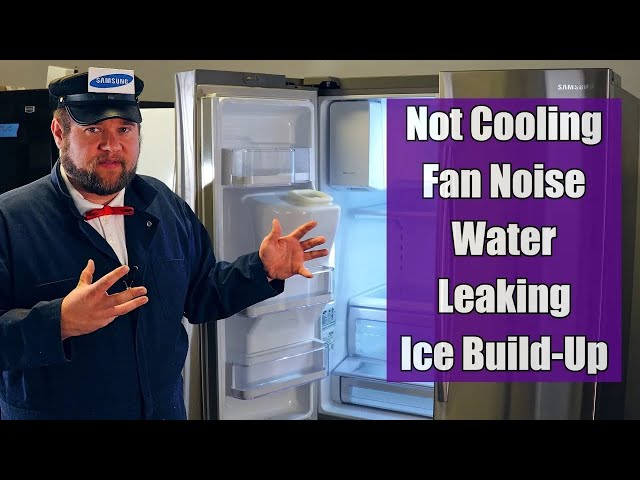
Youtube Video:
Quick Wiring Specifications & Terminal Guide
| Component / Circuit | Standard Wire Gauge | Recommended Protection |
|---|---|---|
| Control & Trigger Signals | 18 – 20 AWG | 5A – 7.5A Inline Fuse |
| Standard Auxiliary Load | 14 – 16 AWG | 15A – 20A Circuit Breaker |
| Main Power Feed / Supply | 10 – 12 AWG | 30A – 40A Heavy-Duty Relay |
Images References
Looking for more diagnostic guides? Explore our complete Refrigerator Problems 1 section for step-by-step troubleshooting solutions.
