
Introduction
Is your Nest thermostat displaying the correct temperature but not actually cooling your home? This is a common problem that many homeowners face, especially during the hot summer months. A malfunctioning thermostat can lead to discomfort, wasted energy, and higher utility bills. Addressing this issue promptly is essential to ensure a comfortable living environment and prevent further damage to your HVAC system.
💡 Technical Key Takeaways:
- Core Focus: Diagnostic schematic and terminal connection layout for Nest Thermostat Not Cooling.
- Target Scope: Field technicians, automotive DIYers, and residential/commercial electricians.
- Safety Rule: Always disconnect the primary power source/battery terminal and verify zero voltage with a multimeter before touching wires.
Common Causes of nest thermostat not cooling
Here are some of the most frequent reasons why your Nest thermostat might not be cooling:
- Incorrect Thermostat Settings: The most common cause is simply an incorrect setting. Make sure the thermostat is set to “Cool” mode and the desired temperature is lower than the current room temperature.
- Wiring Issues: Loose or incorrect wiring can disrupt the communication between your Nest thermostat and your cooling system.
- Tripped Circuit Breaker: A tripped breaker can cut power to your AC unit.
- Dirty Air Filter: A clogged air filter restricts airflow, making it difficult for your AC to cool effectively.
- Frozen Evaporator Coil: Restricted airflow can cause the evaporator coil in your AC unit to freeze up.
- Full Condensate Drain Pan: If the drain pan is full, a safety switch might prevent the AC from running.
- Nest Thermostat Software Glitch: Sometimes, a simple software bug can cause the thermostat to malfunction.
- HVAC System Problems: The issue might not be the thermostat at all, but a problem with your air conditioning unit itself, such as a refrigerant leak or a faulty compressor.
- Nest Compatibility Issue: Certain older HVAC systems may not be fully compatible with Nest thermostats, leading to operational problems.
Symptoms Checklist
Check for these symptoms to confirm the issue:
- The Nest thermostat displays “Cooling” but the air coming from the vents is not cold.
- The AC unit is not turning on at all.
- You hear strange noises coming from the AC unit.
- The air filter is visibly dirty.
- The Nest thermostat is displaying an error message.
- The cooling system worked fine previously, but has suddenly stopped cooling.
How to Fix nest thermostat not cooling Step-by-Step Guide
Follow these steps to troubleshoot and potentially fix your Nest thermostat:
- Verify Thermostat Settings: Ensure the thermostat is set to “Cool” mode and the set temperature is lower than the current room temperature.
- Check the Air Filter: Replace a dirty air filter. A clean filter improves airflow and AC efficiency.
- Inspect the Circuit Breaker: Locate the circuit breaker for your AC unit and make sure it’s not tripped. If it is, reset it.
- Restart the Nest Thermostat: Try restarting your Nest. Go to Settings > Technical Info > Restart.
- Check Wiring Connections: Turn off the power to your HVAC system at the breaker. Carefully remove the Nest from the wall plate and inspect the wiring connections. Make sure all wires are securely connected. Use the Nest app to confirm wire assignments.
- Check the Condensate Drain: Locate the condensate drain line and ensure it is not clogged. You can try clearing it with a wet/dry vacuum.
- Inspect the Outdoor Unit: Check the outdoor AC unit (condenser) for any obstructions, such as leaves or debris. Make sure the fan is spinning freely.
- Run a System Test: Some Nest models have a built-in system test. Consult your Nest manual or app for instructions on how to run this test.
- Update the Nest Software: Ensure your Nest thermostat is running the latest software version. This can often resolve software glitches.
- Factory Reset: As a last resort, try a factory reset of your Nest. This will erase all your settings, so be sure you understand what you’re doing before proceeding. (Settings > Reset > Factory Reset).
- Check for HVAC Compatibility: Verify that your HVAC system is fully compatible with the Nest thermostat. Nest’s website offers a compatibility checker tool.
Fix the Issue Without Buying Parts
You can try these solutions before considering replacement parts:
- Resetting the Thermostat: As mentioned above, restarting or performing a factory reset can sometimes resolve software glitches.
- Cleaning the Thermostat: Use a soft, dry cloth to clean the Nest thermostat’s screen and exterior.
- Recalibrating the Thermostat: While Nest thermostats automatically calibrate, checking and adjusting the temperature settings can help.
- Inspection Tips: Regularly inspect your AC unit for any signs of damage or wear and tear. Early detection can prevent more significant issues.
- Maintenance Basics: Perform regular maintenance tasks, such as changing the air filter and clearing the condensate drain.
When Replacement Might Be Necessary
If you’ve tried all the troubleshooting steps and your Nest thermostat still isn’t cooling, replacement might be necessary. Common parts that fail include the thermostat itself (especially if it’s old) or components within the AC unit like the compressor or fan motor. Expect to pay between $200-$500 for a new Nest thermostat installed. AC component replacements can range from $300 to $2000+ depending on the part and complexity of the job.
Safety Warning
- Always turn off the power to your HVAC system at the circuit breaker before working on any electrical components.
- Do not attempt to repair the AC unit yourself if you are not comfortable working with electricity or refrigerant.
- Avoid touching any wet surfaces while working with electrical appliances.
- If you suspect a refrigerant leak, evacuate the area and contact a qualified HVAC technician.
Tools You May Need
Here are some tools that might be helpful:
- Screwdriver (Phillips and Flathead)
- Wire Strippers/Cutters
- Multimeter (for testing voltage)
- Vacuum cleaner (for cleaning dust)
- New air filter
FAQ
Here are some frequently asked questions:
- Q: My Nest thermostat says it’s cooling, but the air is not cold. What should I do? A: First, check the air filter. A dirty filter can severely restrict airflow. If that doesn’t solve it, it could be a problem with your AC unit itself.
- Q: How do I know if my Nest thermostat is compatible with my AC system? A: Check the Nest website for a compatibility checker tool. You’ll need to know the make and model of your HVAC system.
- Q: The screen on my Nest thermostat is blank. What’s wrong? A: Check the circuit breaker to make sure the thermostat is receiving power. Also, ensure the wiring connections are secure.
- Q: How often should I change my air filter? A: It depends on the type of filter and the air quality in your home, but generally, you should change it every 1-3 months.
- Q: Can a low battery in the Nest thermostat cause cooling issues? A: Yes, a low battery can sometimes cause the thermostat to malfunction. Ensure the Nest is properly charged or wired.
Conclusion
Troubleshooting a Nest thermostat that’s not cooling can seem daunting, but by following these steps, you can often identify and resolve the issue yourself. Remember to start with the simple solutions first, like checking the settings and air filter. If you’ve exhausted all the troubleshooting steps and are still experiencing problems, it’s best to consult a qualified HVAC technician for professional assistance. Don’t hesitate to seek help when needed to ensure your home stays cool and comfortable!
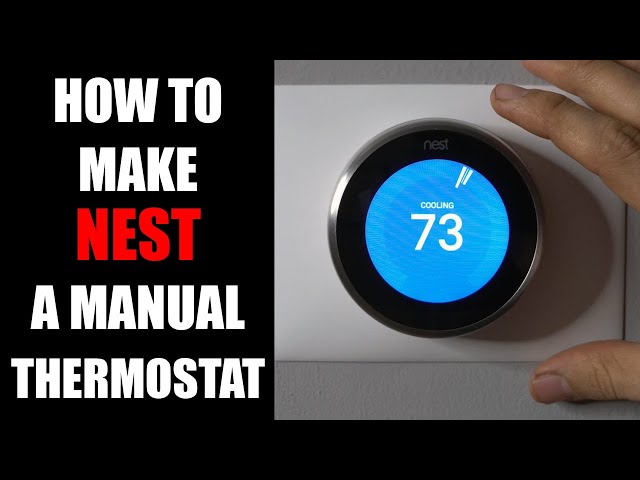
Youtube Video:
Quick Wiring Specifications & Terminal Guide
| Component / Circuit | Standard Wire Gauge | Recommended Protection |
|---|---|---|
| Control & Trigger Signals | 18 – 20 AWG | 5A – 7.5A Inline Fuse |
| Standard Auxiliary Load | 14 – 16 AWG | 15A – 20A Circuit Breaker |
| Main Power Feed / Supply | 10 – 12 AWG | 30A – 40A Heavy-Duty Relay |
Images References
Looking for more diagnostic guides? Explore our complete Air Conditioner Troubleshooting 1 section for step-by-step troubleshooting solutions.
