Introduction
Is your Maytag Neptune washer making a racket during the spin cycle? That loud grinding, banging, or screeching noise isn’t just annoying; it’s a sign that something isn’t quite right with your machine. Ignoring these noises can lead to bigger problems down the road, potentially causing more damage and costly repairs. The spinning cycle puts the most stress on your washer’s components, so any unusual sounds during this phase are worth investigating promptly. Let’s get to the bottom of it!
Common Causes of Maytag Neptune Washer Loud Noise When Spinning
Here are some common reasons why your Maytag Neptune washer might be making a loud noise when spinning:
- Unbalanced Load: Clothes clumped on one side of the drum can cause the washer to shake and make noise.
- Objects in the Drum: Coins, buttons, or other small items trapped between the inner and outer tubs can create a rattling or grinding sound.
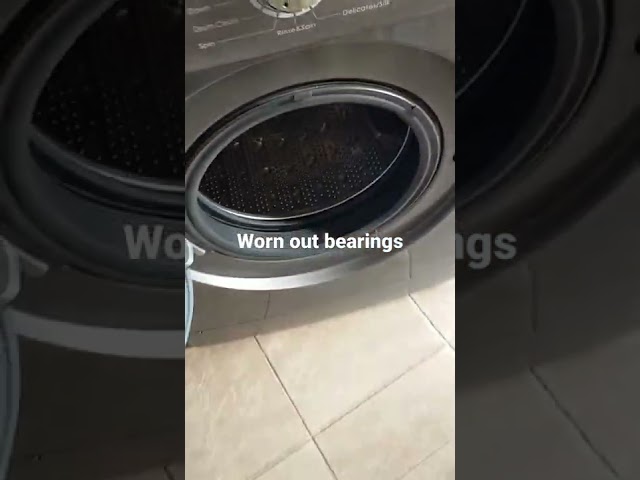
- Worn Drum Bearings: These bearings support the drum and allow it to spin smoothly. When they wear out, they can cause a loud rumbling or grinding noise.
- Damaged Drive Belt: The drive belt connects the motor to the drum. A worn or cracked belt can slip and cause a squealing or slapping sound.
- Failing Motor Coupling: The motor coupling connects the motor to the transmission. If it’s broken, it can cause a loud banging or clunking noise.
- Worn Suspension Rods: These rods help stabilize the washer during the spin cycle. If they are worn, the washer can vibrate excessively and make noise.
- Drain Pump Issues: Sometimes a foreign object stuck in the drain pump causes vibration and noise during spinning.
Symptoms Checklist
Use this checklist to help pinpoint the source of the noise:
- Washer shakes violently during the spin cycle.
- Loud grinding or rumbling noise is present only during the spin cycle.
- A squealing or slapping sound is heard.
- A banging or clunking sound is present.
- The washer struggles to reach full spin speed.
- Water leaks are visible around the base of the washer.
How to Fix Maytag Neptune Washer Loud Noise When Spinning Step-by-Step Guide
Follow these steps to troubleshoot and potentially fix the loud noise:
- Unplug the Washer: Always disconnect the power before working on any appliance.
- Check for Unbalanced Load: Stop the washer, redistribute the clothes evenly in the drum, and restart the spin cycle.
- Inspect the Drum for Foreign Objects: Carefully feel around the inside of the drum and remove any visible objects like coins or buttons.
- Check the Drain Pump: Locate the drain pump (usually at the bottom front of the washer behind an access panel). Clean out any debris or obstructions. Refer to your owner’s manual for pump location and cleaning instructions.
- Inspect the Drive Belt: Access the drive belt (usually at the back of the washer). Check for cracks, wear, or looseness.
- Check the Suspension Rods: Observe the suspension rods while the washer is running (carefully!). Excessive movement of the tub might indicate worn rods.
- Listen Carefully: Try to pinpoint the location of the noise. This can help narrow down the potential causes.
- Level the Washer: Ensure the washer is level on the floor. Use a level and adjust the leveling feet as needed. An unleveled washer will vibrate more.
- Test Spin Cycle with No Load: Run the spin cycle with an empty drum. Does the noise persist? This helps rule out load-related issues.
Fix the Issue Without Buying Parts
Before considering replacements, try these free methods:
- Reset the Washer: Unplug the washer for 5-10 minutes, then plug it back in. This can sometimes reset the control board and resolve minor issues.
- Deep Clean the Washer: Run an empty washer cycle with a washer cleaner product to remove buildup that might be causing the noise.
- Recalibration: Some Maytag Neptune washers have a recalibration mode. Consult your owner’s manual to see if your model has this feature and how to use it.
- Maintenance Basics: Regularly clean the lint filter and wipe down the door seal to prevent buildup.
When Replacement Might Be Necessary
If the noise persists after trying the above steps, replacement of parts might be necessary. Here are some components that commonly fail and their approximate cost ranges (USD):
- Drum Bearings: $50 – $150 (plus labor)
- Drive Belt: $20 – $50
- Motor Coupling: $30 – $70
- Suspension Rods: $50 – $100 (per set)
Replacing the drum bearings is a complex repair and often requires professional assistance.
Safety Warning
- Always unplug the washer before performing any maintenance or repairs.
- Be careful when handling heavy parts, such as the drum.
- Avoid working on the washer if the floor is wet to prevent electric shock.
- If you are not comfortable performing any of these steps, consult a qualified appliance repair technician.
Tools You May Need
- Screwdrivers (Phillips and flathead)
- Pliers
- Wrench
- Level
- Gloves
- Shop towels
FAQ
Here are some frequently asked questions:
-
Q: Why is my washer only noisy during the spin cycle?
A: The spin cycle puts the most stress on the washer’s components, making any existing issues more noticeable. -
Q: Can I still use the washer if it’s making noise?
A: It’s best to address the noise as soon as possible to prevent further damage. Continued use could worsen the problem. -
Q: How do I know if the drum bearings are bad?
A: Bad drum bearings typically cause a loud grinding or rumbling noise that gets worse during the spin cycle. The drum might also be difficult to turn by hand. -
Q: Is it worth repairing a noisy Maytag Neptune washer?
A: It depends on the age and condition of the washer, as well as the cost of the repair. If the repair is minor and the washer is otherwise in good condition, it might be worth fixing.
Conclusion
A loud noise from your Maytag Neptune washer during the spin cycle can be concerning, but with a little troubleshooting, you might be able to identify and fix the problem yourself. Start with the simple solutions like balancing the load and checking for foreign objects. If the noise persists, don’t hesitate to call a qualified technician for assistance. Taking action now can save you from bigger headaches and expenses down the road!
Youtube Video:
Looking for more useful options?
Check out recommended resources that others find helpful.