
Introduction
Hearing unusual noises coming from your LG refrigerator’s freezer can be unsettling. These noises, ranging from clicking and buzzing to grinding and humming, often indicate a problem that, if left unaddressed, can lead to food spoilage and costly repairs. It’s important to address unusual freezer noises promptly to ensure your refrigerator is running efficiently and to prevent more serious issues from developing. Explore more in our Refrigerator Problems 4 collection.
💡 Technical Key Takeaways:
- Core Focus: Diagnostic schematic and terminal connection layout for Lg Refrigerator Noise From Freezer.
- Target Scope: Field technicians, automotive DIYers, and residential/commercial electricians.
- Safety Rule: Always disconnect the primary power source/battery terminal and verify zero voltage with a multimeter before touching wires.
Common Causes of LG Refrigerator Noise from Freezer
Several factors can contribute to noises emanating from your LG refrigerator’s freezer. Here are some common culprits:
- Ice Buildup: Excessive ice accumulation can obstruct moving parts, causing grinding or scraping sounds.
- Defrost System Issues: A malfunctioning defrost heater, timer, or sensor can lead to ice buildup and subsequent noises.
- Freezer Fan Motor: A failing freezer fan motor can produce squealing, grinding, or buzzing sounds.
- Evaporator Fan Obstruction: Items in the freezer can block the evaporator fan, leading to unusual noises.
- Compressor Issues: A failing compressor can generate loud humming, buzzing, or rattling sounds.
- Damper Control Problems: A faulty damper, which regulates airflow, can cause clicking or thumping sounds.
- Icemaker Malfunction: Problems with the icemaker, such as a stuck mechanism, can result in clicking or grinding noises.
- Water Inlet Valve: A failing water inlet valve can create buzzing or humming sounds.
Symptoms Checklist
Use this checklist to help pinpoint the type of noise and potential causes:
- Grinding or Scraping Noise: Often indicates ice buildup around the fan.
- Buzzing or Humming Noise: May suggest a problem with the compressor, water inlet valve, or fan motor.
- Clicking or Thumping Noise: Could be related to the damper control or icemaker.
- Squealing Noise: Frequently points to a failing freezer fan motor.
- Loud Humming That Doesn’t Stop: Likely compressor problem.
- Noise Only During Defrost Cycle: Potentially a faulty defrost heater.
- Noise Stops When Door is Opened: Usually points to a fan issue.
How to Fix LG Refrigerator Noise from Freezer Step-by-Step Guide
Follow these steps to troubleshoot the noise:
- Unplug the Refrigerator: For safety, disconnect the refrigerator from the power outlet before starting any inspection or repair.
- Empty the Freezer: Remove all items from the freezer compartment.
- Inspect for Ice Buildup: Check for excessive ice accumulation on the back panel, around the fan, and in the icemaker area.
- Manually Defrost the Freezer: If ice buildup is present, manually defrost the freezer by leaving the door open for several hours (or use a hairdryer on a low setting to speed up the process never use a sharp object to chip away ice). Place towels inside to absorb water.
- Clean the Freezer: Wipe down the interior of the freezer with a mild detergent and water solution after defrosting.
- Locate the Evaporator Fan: This fan is usually located behind a panel in the freezer. Consult your refrigerator’s manual if needed.
- Inspect the Evaporator Fan: Check for any obstructions blocking the fan blades, such as ice or food particles.
- Manually Rotate the Fan Blade: Gently rotate the fan blade to ensure it spins freely. If it’s stiff, it might need lubrication (see “Fix the Issue Without Buying Parts” section).
- Check the Damper: Locate the damper control (usually a flap that opens and closes to regulate airflow between the freezer and refrigerator). Make sure its not stuck or blocked.
- Listen to the Compressor: After plugging the refrigerator back in, listen to the compressor at the back of the unit. Does it sound excessively loud or unusual? This might indicate a compressor issue.
- Check the Icemaker: If the noise seems to originate from the icemaker, turn off the icemaker and see if the noise stops. If it does, the icemaker itself might be the problem.
- Observe the Defrost Cycle: Listen closely during the defrost cycle (usually happens every 8-12 hours). If you hear popping or hissing, it’s normal. But excessive sizzling or cracking could indicate a problem with the defrost heater.
- Ensure Refrigerator is Level: An unlevel refrigerator can cause vibrations and noises. Use a level to check and adjust the refrigerator feet as needed.
Fix the Issue Without Buying Parts
Before considering replacement parts, try these solutions:
- Full Defrost: Ensure a complete defrost to eliminate all ice buildup.
- Fan Lubrication: If the fan blade is stiff, apply a small amount of food-grade silicone lubricant to the fan motor shaft (unplug the refrigerator first!).
- Reset the Refrigerator: Unplug the refrigerator for 5 minutes and then plug it back in to reset the system.
- Cleaning: Thoroughly clean the freezer interior and remove any food debris that could be obstructing moving parts.
- Organization: Properly organize items in the freezer to prevent them from blocking the fan.
When Replacement Might Be Necessary
If the noise persists after trying the above steps, component replacement might be necessary. Here are some possible scenarios:. For more related activities, check out our No Frost Fridge Leaking Water.
- Freezer Fan Motor: Replacement cost typically ranges from $50 to $150 (USD).
- Defrost Heater: Replacement cost typically ranges from $40 to $100 (USD).
- Compressor: Compressor replacement is a major repair and can cost between $300 and $700 (USD). Consult a qualified technician.
Safety Warning
- Always unplug the refrigerator before performing any repairs.
- Avoid working with water and electricity simultaneously.
- Be careful when handling sharp objects or tools.
- If you are uncomfortable with any of these steps, consult a qualified appliance repair technician.
Tools You May Need
- Screwdrivers (Phillips and flathead)
- Pliers
- Towels
- Mild detergent
- Water
- Food-grade silicone lubricant (optional)
- Level
FAQ
Here are some frequently asked questions:
-
Q: Why is my freezer making a loud grinding noise?
A: This is often due to ice buildup around the evaporator fan. Try manually defrosting the freezer. -
Q: What does it mean if the noise stops when I open the freezer door?
A: This usually indicates a problem with the freezer fan. -
Q: How often should I defrost my freezer?
A: Manually defrost freezers should be defrosted when ice buildup is more than 1/4 inch thick. Frost-free freezers should defrost automatically, but may occasionally need manual defrosting. -
Q: Is it normal for my refrigerator to make noise during the defrost cycle?
A: Yes, some hissing or popping noises are normal during defrost.
Conclusion
Troubleshooting a noisy freezer can often be resolved with some basic DIY steps. By following this guide, you can confidently diagnose and address common causes of LG refrigerator freezer noises. If the noise persists after attempting these solutions, its time to consider contacting a qualified appliance repair technician for further assistance. Good luck!. Discover more free resources across our collection library.
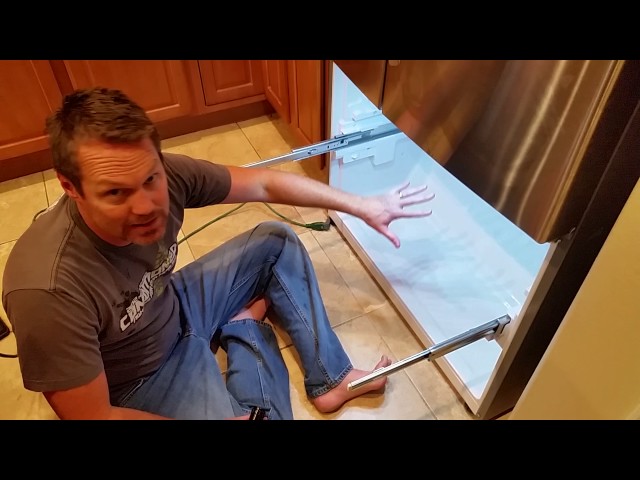
Youtube Video:
Quick Wiring Specifications & Terminal Guide
| Component / Circuit | Standard Wire Gauge | Recommended Protection |
|---|---|---|
| Control & Trigger Signals | 18 – 20 AWG | 5A – 7.5A Inline Fuse |
| Standard Auxiliary Load | 14 – 16 AWG | 15A – 20A Circuit Breaker |
| Main Power Feed / Supply | 10 – 12 AWG | 30A – 40A Heavy-Duty Relay |
