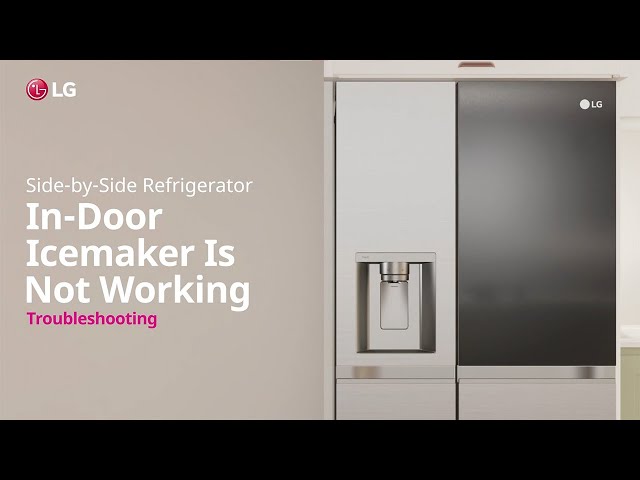
Introduction
The “LG Ice Plus” feature is designed to rapidly freeze items or produce a larger quantity of ice in a short amount of time. When it’s not working, you might notice your ice production is slow, or food isn’t freezing as quickly as it should. This can be frustrating, especially when you need ice for a party or want to preserve food quickly. Addressing this issue promptly can prevent food spoilage and ensure your refrigerator is running efficiently.
Common Causes of LG Ice Plus Not Working
Here are some common reasons why the Ice Plus feature might not be functioning correctly:
- Incorrect Settings: The Ice Plus mode may not be properly activated in the refrigerator’s settings.
- Door Ajar: If the refrigerator or freezer door isn’t closing tightly, cold air escapes, affecting the Ice Plus function.
- Warm Refrigerator Temperature: If the overall refrigerator temperature is too high, the Ice Plus feature will struggle to cool down quickly.
- Dirty Condenser Coils: Dust and debris on the condenser coils can hinder heat dissipation, reducing cooling efficiency.
- Air Circulation Blocked: Overcrowding in the refrigerator or freezer can restrict airflow, impacting temperature regulation.
- Water Supply Issues: If your refrigerator has an ice maker, a blocked or kinked water line can prevent proper ice production.
- Faulty Thermistor: The thermistor measures the temperature inside the refrigerator and freezer. A faulty one can send incorrect readings to the control board.
- Control Board Problems: Although rare, a malfunctioning control board might be unable to activate the Ice Plus function.
- Damper Control Issues: The damper controls the flow of cold air from the freezer to the refrigerator. If it’s stuck, it can affect cooling.
Symptoms Checklist
Check these indicators to help pinpoint the problem:
- Ice production is significantly slower than usual.
- The “Ice Plus” indicator light on the control panel is not illuminating when activated.
- Food in the freezer is not freezing as quickly as expected.
- The refrigerator’s internal temperature seems warmer than usual.
- You hear unusual noises coming from the refrigerator (e.g., a struggling compressor).
How to Fix LG Ice Plus Not Working Step-by-Step Guide
Follow these steps to troubleshoot the problem:
- Check the Ice Plus Setting: Ensure that the Ice Plus feature is actually turned on. Refer to your refrigerator’s user manual for instructions on how to activate it. Usually, it involves pressing a button on the control panel.
- Verify Door Seals: Inspect the door seals (gaskets) for any tears or gaps. Clean them with a damp cloth to remove any debris that might be preventing a tight seal.
- Adjust Refrigerator Temperature: Make sure the refrigerator and freezer temperatures are set correctly. The recommended setting for the refrigerator is typically around 37F (3C) and the freezer around 0F (-18C).
- Clean Condenser Coils: Locate the condenser coils (usually at the back or bottom of the refrigerator). Unplug the refrigerator and use a vacuum cleaner with a brush attachment to remove dust and debris from the coils.
- Improve Air Circulation: Rearrange items in the refrigerator and freezer to ensure proper airflow. Avoid overcrowding shelves.
- Check Water Line (for ice makers): If your refrigerator has an ice maker, inspect the water line for any kinks or blockages. Ensure the water supply valve is fully open.
- Listen for Compressor Operation: The compressor is the heart of your refrigerator. Make sure it is running. You should hear a humming sound. If not, the refrigerator may need professional repair.
- Reset the Refrigerator: Unplug the refrigerator from the power outlet for 5-10 minutes. This can sometimes reset the control board and resolve minor issues.
- Inspect Damper Control: Locate the damper control inside the refrigerator (usually at the top or back). Ensure it’s not blocked or stuck in a closed position.
- Check the Thermistor: The thermistor is difficult to access without taking the refrigerator apart. If you are comfortable and have experience with appliances, you may wish to check the thermistor’s resistance using a multimeter.
- Consult the User Manual: Refer to your LG refrigerator’s user manual for specific troubleshooting tips and error codes related to the Ice Plus feature.
- Consider Recent Power Outages: After a power outage, the refrigerator may need time to return to its normal operating temperature. Give it a few hours to stabilize.
Fix the Issue Without Buying Parts
Many issues with the Ice Plus feature can be resolved without replacing any parts. Regularly cleaning the condenser coils, ensuring proper airflow, and verifying the correct temperature settings are essential maintenance practices. Resetting the refrigerator by unplugging it can also sometimes resolve minor software glitches. Make sure the water line is not blocked, the door seals tightly, and the Ice Plus settings are correctly turned on. This can often solve the problem without spending money on new parts or repairs.
When Replacement Might Be Necessary
If you’ve tried all the troubleshooting steps and the Ice Plus feature still isn’t working, a component failure might be the cause. The most common parts to fail include the thermistor ($20-$50 USD), the damper control ($30-$70 USD), or the control board ($100-$300 USD). Replacing these parts can be complex and might require professional assistance. Getting a qualified appliance repair technician to diagnose the issue and replace the faulty component is the best approach to avoid further damage or injury.
Safety Warning
- Always unplug the refrigerator from the power outlet before performing any maintenance or repairs.
- Avoid working on the refrigerator with wet hands or on a wet floor to prevent electric shock.
- If you are uncomfortable with any of the troubleshooting steps, consult a qualified appliance repair technician.
- Be careful when handling sharp tools or components inside the refrigerator.
Tools You May Need
- Screwdrivers (Phillips and flathead)
- Vacuum cleaner with brush attachment
- Damp cloth
- Multimeter (for testing thermistor)
FAQ
Here are some frequently asked questions about the LG Ice Plus feature:
- Q: How long does it take for Ice Plus to produce ice?
- A: It depends on factors like the initial temperature inside your fridge, but typically you’ll see a noticeable increase in ice production within a few hours.
- Q: Can I use Ice Plus continuously?
- A: While you can, it’s generally recommended to only use it when you need a quick boost in ice production. Running it constantly might increase energy consumption.
- Q: My Ice Plus light is blinking. What does that mean?
- A: A blinking light usually indicates an error. Consult your user manual to identify the specific error code and troubleshoot accordingly.
- Q: Does Ice Plus affect the temperature of my entire fridge?
- A: Yes, when Ice Plus is activated, the whole refrigerator will operate at a lower temperature.
Conclusion
Don’t let a malfunctioning Ice Plus feature spoil your day. By following these troubleshooting steps, you can often resolve the issue yourself and get your refrigerator back to optimal performance. Remember, regular maintenance and proper usage can prevent future problems. If you’ve exhausted all troubleshooting options and the problem persists, don’t hesitate to contact a qualified appliance repair technician for professional assistance.
Youtube Video:
Looking for more useful options?
Check out recommended resources that others find helpful.