
Introduction
Is your LG refrigerator suddenly making a whirring noise? This can be alarming, especially if your fridge is usually quiet. A whirring sound often indicates that a component inside your fridge is struggling or wearing out. While some noises are normal, a persistent or loud whirring needs investigation. Ignoring it could lead to more significant problems and potentially food spoilage. Let’s troubleshoot the issue together!
💡 Technical Key Takeaways:
- Core Focus: Diagnostic schematic and terminal connection layout for Lg Fridge Making Whirring Noise.
- Target Scope: Field technicians, automotive DIYers, and residential/commercial electricians.
- Safety Rule: Always disconnect the primary power source/battery terminal and verify zero voltage with a multimeter before touching wires.
Common Causes of LG Fridge Making Whirring Noise
Here are some of the most common reasons why your LG fridge might be making a whirring noise:. For more related activities, check out our My Fridge Is Not Making Any Sound.
- Condenser Fan Motor: This fan helps cool the compressor. If it’s dirty, obstructed, or the motor is failing, it can produce a whirring sound.
- Evaporator Fan Motor: Located inside the freezer, this fan circulates cold air. Ice buildup or a failing motor can cause it to whir.
- Compressor: The compressor is the heart of your fridge. As it ages, it can become noisy. A failing compressor will often produce a loud, erratic whirring.
- Ice Maker: If your fridge has an ice maker, its motor might be the source of the noise, especially during ice production cycles.
- Water Inlet Valve: This valve supplies water to the ice maker and water dispenser. A faulty valve can vibrate and whir.
- Defrost System: The defrost system melts frost buildup. When it activates, you might hear some unusual sounds, including whirring, which can be related to the defrost fan.
- Start Relay or Overload Protector: These components help start the compressor. A failing relay can cause the compressor to whir loudly.
- Loose Components: Sometimes, the whirring is simply due to a loose panel, fan blade, or other component vibrating.
Symptoms Checklist
Use this checklist to help identify the issue accurately:
- Is the whirring noise constant, or does it come and go?
- Is the noise louder in the freezer or refrigerator compartment?
- Does the noise change when the ice maker is running?
- Has the fridges temperature changed noticeably?
- Is there any ice buildup in the freezer?
- Did the noise start after a power outage or other electrical event?
- Is the fridge still cooling properly?
- Is the noise accompanied by other sounds, such as clicking or buzzing?
How to Fix LG Fridge Making Whirring Noise Step-by-Step Guide
Follow these steps to troubleshoot the whirring noise:
- Unplug the Refrigerator: For safety, always unplug your fridge before working on it.
- Locate the Source: Try to pinpoint where the whirring is coming from. Listen carefully to the back, top, inside the freezer, and inside the refrigerator.
- Check the Condenser Fan: Locate the condenser fan (usually at the back of the fridge near the bottom). Remove the access panel (after unplugging the fridge!). Clean the fan blades with a brush or vacuum. Make sure nothing is obstructing the fan. Spin the fan blade by hand; if it’s stiff or makes noise, the motor may be failing.
- Check the Evaporator Fan: Open the freezer and remove any panels covering the evaporator fan (usually at the back). Check for ice buildup. If theres ice, manually defrost the freezer (unplug it and let it sit with the door open for several hours). Once defrosted, check the fan blades. Clean them and make sure they spin freely.
- Inspect the Compressor: The compressor is usually at the back of the fridge, near the bottom. Listen to it. If the whirring is very loud and erratic, the compressor itself might be failing. Note this may require professional servicing.
- Check the Ice Maker: If the noise occurs when the ice maker is cycling, remove the ice bin and inspect the ice maker mechanism for any obstructions or damage. Clean the ice maker with a damp cloth.
- Examine the Water Inlet Valve: Locate the water inlet valve (usually at the back of the fridge). Check if its vibrating excessively. Tighten any loose screws.
- Inspect for Loose Panels: Check all the panels and covers on the fridge to ensure they are securely attached. Tighten any loose screws.
- Defrost the Fridge: Sometimes, excess frost buildup can cause noises. Manually defrosting the fridge can resolve this.
- Listen After Defrosting: After defrosting, plug the fridge back in and listen carefully. Does the noise persist? If so, continue troubleshooting.
- Check the Fridge Level: An unlevel fridge can cause vibrations. Use a level to make sure the fridge is sitting evenly. Adjust the leveling feet as needed.
Fix the Issue Without Buying Parts
Before considering replacements, try these free methods:
- Reset: Unplug the fridge for 10-15 minutes and then plug it back in. This can reset the system and sometimes resolve minor issues.
- Cleaning: Regularly clean the condenser coils (usually at the back of the fridge). Dust and debris can cause the fridge to work harder and make more noise. Use a vacuum cleaner with a brush attachment.
- Recalibration: Check your LG fridge’s user manual for instructions on recalibrating the temperature settings.
- Inspection Tips: Periodically inspect the fridge’s components (fans, compressor area) for anything unusual.
- Maintenance Basics: Avoid overfilling the fridge, which can restrict airflow and strain the components.
When Replacement Might Be Necessary
If the whirring persists after troubleshooting, it might be necessary to replace a part. Here are some common failing parts and estimated costs (USD):
- Condenser Fan Motor: $50-$150
- Evaporator Fan Motor: $50-$150
- Compressor: $200-$500 (plus professional installation)
- Water Inlet Valve: $30-$80
Consulting with a qualified appliance repair technician is recommended before replacing the compressor, as it involves handling refrigerant.
Safety Warning
- Always unplug the refrigerator before performing any maintenance or repairs.
- Avoid working on the fridge with wet hands or on a wet floor to prevent electric shock.
- If you are uncomfortable working with electrical components, contact a qualified appliance repair technician.
- When handling sharp tools, wear gloves to avoid injury.
Tools You May Need
- Screwdrivers (Phillips and flathead)
- Vacuum cleaner with brush attachment
- Brush
- Level
- Gloves
- Wrench or pliers (for water line connections, if needed)
FAQ
Here are some frequently asked questions about LG fridge whirring noises:
- Q: Why is my fridge suddenly making a loud whirring noise? A: It could be a failing fan motor, compressor issue, or ice buildup.
- Q: Is it normal for my fridge to make some noise? A: Yes, some humming or occasional whirring is normal, but loud or persistent noise needs investigation.
- Q: Can I fix the whirring noise myself? A: Yes, you can try the troubleshooting steps outlined above. If the issue persists, consider contacting a professional.
- Q: How much does it cost to fix a noisy fridge? A: It depends on the cause. Minor fixes like cleaning or defrosting are free. Replacing parts can range from $50 to $500 or more.
Conclusion
A whirring noise from your LG refrigerator can be concerning, but with a systematic approach, you can often identify and resolve the issue yourself. Remember to prioritize safety and follow the steps outlined in this guide. If you’ve exhausted all troubleshooting options and the noise persists, it’s best to call a qualified appliance repair technician for professional assistance. Good luck!
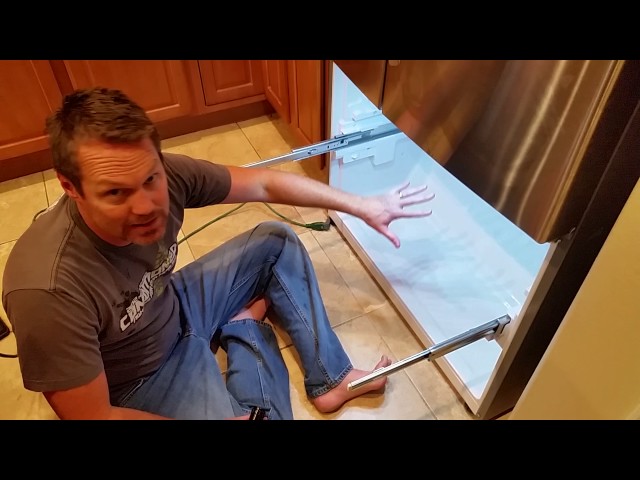
Youtube Video:
Quick Wiring Specifications & Terminal Guide
| Component / Circuit | Standard Wire Gauge | Recommended Protection |
|---|---|---|
| Control & Trigger Signals | 18 – 20 AWG | 5A – 7.5A Inline Fuse |
| Standard Auxiliary Load | 14 – 16 AWG | 15A – 20A Circuit Breaker |
| Main Power Feed / Supply | 10 – 12 AWG | 30A – 40A Heavy-Duty Relay |
Images References
Looking for more diagnostic guides? Explore our complete Refrigerator Problems 4 section for step-by-step troubleshooting solutions.
