
Introduction
Is your LG refrigerator making a buzzing noise? This can be quite disruptive, especially in a quiet kitchen. The buzzing sound usually indicates that one or more components of your fridge are struggling or malfunctioning. While it might not always signal a major breakdown, ignoring it can lead to more serious issues and costly repairs down the line. This guide will walk you through common causes and easy troubleshooting steps you can take before calling a professional.
💡 Technical Key Takeaways:
- Core Focus: Diagnostic schematic and terminal connection layout for Lg Fridge Making Buzzing Noise.
- Target Scope: Field technicians, automotive DIYers, and residential/commercial electricians.
- Safety Rule: Always disconnect the primary power source/battery terminal and verify zero voltage with a multimeter before touching wires.
Common Causes of lg fridge making buzzing noise
Here are some of the most frequent reasons why your LG fridge might be buzzing:
- Loose Components: Vibrations can loosen screws or panels, causing them to buzz.
- Condenser Fan Motor: This fan helps cool the compressor. If it’s struggling or has debris, it can buzz.
- Evaporator Fan Motor: Located inside the freezer, this fan circulates cold air. Ice buildup or a failing motor can cause buzzing.
- Compressor Issues: The compressor is the heart of the fridge. A failing compressor can produce a loud buzzing sound.
- Relay Switch: This switch starts the compressor. If it’s faulty, it can buzz.
- Water Inlet Valve: If your fridge has an ice maker or water dispenser, a faulty water inlet valve might buzz as it tries to open or close.
- Ice Maker Problems: Issues within the ice maker itself, like a stuck motor, can cause buzzing.
- Dirty Condenser Coils: Dust and debris on the coils make the fridge work harder, potentially causing the compressor to buzz.
- Start Capacitor: Helps the compressor start. A weak or failing capacitor can result in a buzzing sound.
Symptoms Checklist
Use this checklist to help narrow down the cause of the buzzing:
- Is the buzzing constant or intermittent?
- Does the buzzing get louder when the compressor is running?
- Does the buzzing seem to be coming from the back, bottom, or inside of the fridge?
- Is the fridge still cooling properly?
- Do you have an ice maker or water dispenser? If so, are they working?
- Have you recently moved the fridge or had any work done on it?
How to Fix lg fridge making buzzing noise Step-by-Step Guide
- Unplug the Fridge: For safety, always unplug the fridge before troubleshooting.
- Locate the Source: Carefully listen to where the buzzing is loudest to pinpoint the general area (back, bottom, inside).
- Check for Loose Panels or Screws: Gently press on the panels around the back and bottom of the fridge. Tighten any loose screws you find.
- Clean the Condenser Coils: Locate the condenser coils (usually on the back or bottom of the fridge). Use a vacuum cleaner with a brush attachment to remove dust and debris.
- Inspect the Condenser Fan: Remove the access panel to the condenser fan (usually on the back of the fridge near the bottom). Check for obstructions (paper, dust). Clean the fan blades and ensure it spins freely.
- Check the Evaporator Fan: Open the freezer and listen for the evaporator fan. If you don’t hear it running, check for ice buildup around the fan. You might need to defrost the freezer to clear the ice.
- Listen to the Compressor: The compressor is usually located at the bottom back of the fridge. Listen closely to it. A loud, struggling buzzing sound might indicate compressor issues.
- Inspect the Water Inlet Valve: If you have an ice maker or water dispenser, locate the water inlet valve (usually on the back of the fridge). Check for any signs of leaks or mineral buildup.
- Test the Door Seals: Make sure the door seals are clean and making a good seal. Poorly sealed doors make the fridge work harder.
- Ensure Proper Leveling: Use a level to ensure the fridge is sitting level. Uneven placement can cause vibrations. Adjust the feet at the bottom of the fridge as needed.
- Check for Items Touching the Fridge: Make sure nothing is touching the fridge that could be vibrating against it (e.g., cabinets, countertops).
- Defrost the Fridge (If Applicable): If you suspect ice buildup is causing the issue, manually defrost the fridge. Turn it off and leave the doors open for several hours or overnight.
- Plug the Fridge Back In: After completing the checks above, plug the fridge back in and listen to see if the buzzing is gone.
Fix the Issue Without Buying Parts
Many buzzing issues can be resolved without buying any new parts:
- Regular Cleaning: Clean the condenser coils every 6 months to prevent dust buildup.
- Proper Ventilation: Ensure there’s adequate space around the fridge for proper ventilation.
- Door Seal Maintenance: Clean the door seals regularly with a damp cloth to maintain a tight seal.
- Defrosting: Manually defrost the freezer regularly to prevent ice buildup, especially if it’s not a frost-free model.
- Resetting: Unplugging the fridge for 10-15 minutes can sometimes reset the system and resolve minor issues.
When Replacement Might Be Necessary
If the buzzing persists after trying the troubleshooting steps above, and especially if it’s coming from the compressor, then a replacement of a part or the entire fridge might be needed. The compressor itself is a complex component and often costly to repair. Other parts that might require replacement include the condenser fan motor, evaporator fan motor, or start capacitor. Repair costs can range from $150 to $500+ depending on the part and labor. If the fridge is old and the compressor is failing, it might be more economical to replace the entire unit. New LG fridges can range from $700 to $3000+.
Safety Warning
- Always unplug the fridge before performing any maintenance or repairs.
- Avoid working on the fridge if the floor is wet to prevent electric shock.
- Be careful when handling sharp objects or tools.
- If you are not comfortable working with electrical appliances, consult a qualified technician.
Tools You May Need
- Screwdriver (Phillips and flathead)
- Vacuum cleaner with brush attachment
- Level
- Wrench or pliers (for tightening connections)
- Multimeter (for testing electrical components optional)
FAQ
- Q: Why is my new LG fridge buzzing? A: Even new fridges can have buzzing issues due to loose components from shipping. Check for loose screws and ensure proper leveling.
- Q: The buzzing only happens when the ice maker is running. What’s wrong? A: This likely indicates an issue with the ice maker motor or water inlet valve. Try cleaning the ice maker and checking for obstructions.
- Q: How can I tell if the compressor is the problem? A: A loud, struggling buzzing noise coming directly from the compressor, especially if the fridge isn’t cooling well, strongly suggests compressor failure.
- Q: Is it safe to ignore the buzzing noise? A: While it might not immediately cause a complete breakdown, ignoring the buzzing can lead to more serious issues and costly repairs. It’s best to investigate and address the problem as soon as possible.
Conclusion
A buzzing LG fridge can be a nuisance, but with a little troubleshooting, you might be able to resolve the issue yourself. Start with the simple checks and cleaning steps outlined in this guide. If the buzzing persists after trying these steps, it’s best to consult a qualified appliance repair technician. Don’t be afraid to attempt some DIY repairs, but always prioritize safety!
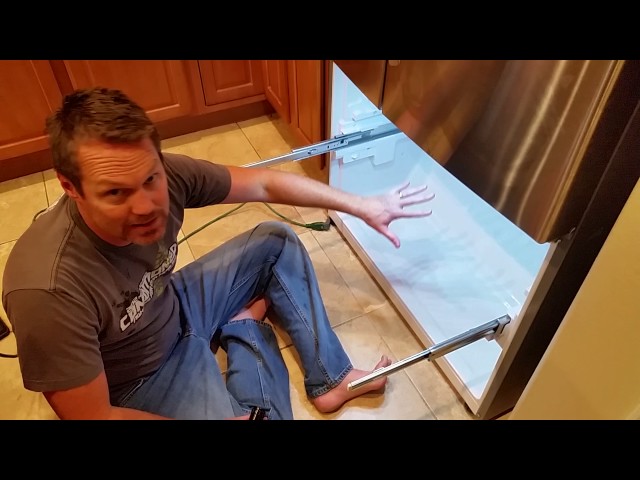
Youtube Video:
Quick Wiring Specifications & Terminal Guide
| Component / Circuit | Standard Wire Gauge | Recommended Protection |
|---|---|---|
| Control & Trigger Signals | 18 – 20 AWG | 5A – 7.5A Inline Fuse |
| Standard Auxiliary Load | 14 – 16 AWG | 15A – 20A Circuit Breaker |
| Main Power Feed / Supply | 10 – 12 AWG | 30A – 40A Heavy-Duty Relay |
Images References
Looking for more diagnostic guides? Explore our complete Refrigerator Problems 4 section for step-by-step troubleshooting solutions.
