Introduction
A beeping LG refrigerator can be incredibly annoying! This beeping is usually a warning signal, indicating that something isn’t quite right. Ignoring it could lead to spoiled food and eventually require more expensive repairs. The beeping often happens after a power outage, when the door is left open, or when the fridge is overloaded. Let’s figure out what’s causing the beeping and how to stop it!
Common Causes of lg fridge keeps beeping
Here are some common reasons why your LG fridge might be beeping:
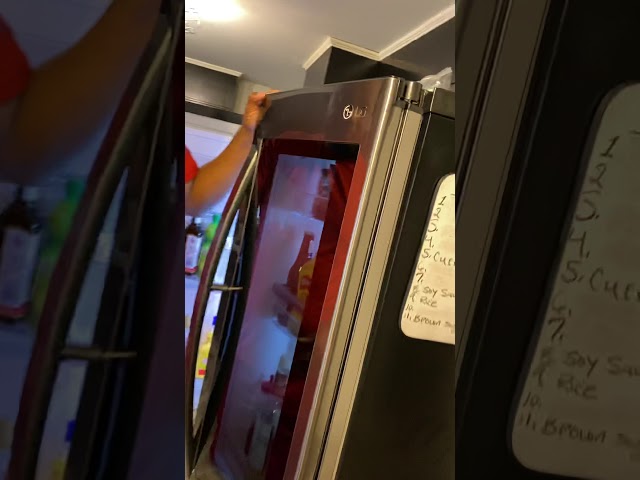
- Door Ajar: The most common culprit! The fridge thinks the door is open, even if it’s just slightly ajar.
- High Temperature Alarm: The fridge’s internal temperature is too high. This can happen after a power outage or if you’ve just loaded a lot of warm food.
- Power Outage: A recent power outage can sometimes trigger the alarm system.
- Overloading the Fridge: Packing the fridge too tightly can block airflow and cause temperature fluctuations.
- Water Filter Needs Replacing: Some LG fridges have an alarm that goes off when the water filter needs replacing.
- Faulty Door Seal: A damaged door seal lets warm air in, causing the temperature to rise.
- Control Panel Issues: In rare cases, the control panel itself can malfunction and cause the beeping.
- Defrost System Malfunction: If the defrost system isn’t working properly, ice can build up and trigger the alarm.
- Child Lock Activated: You might have inadvertently turned on the child lock function.
Symptoms Checklist
These indicators can help you pinpoint the exact cause of the beeping:
- Is the beeping continuous or intermittent?
- Does the beeping stop when you open and close the door?
- Is the temperature display flashing or showing an error code?
- Have you recently had a power outage?
- Have you recently loaded a lot of groceries into the fridge?
- Is the door seal clean and intact?
- Is the “Water Filter” indicator lit up on the display?
How to Fix lg fridge keeps beeping Step-by-Step Guide
- Check the Door: Make sure the fridge door is completely closed. Sometimes a misplaced item can prevent it from sealing properly.
- Clean the Door Seal: Use a damp cloth to clean the rubber seal around the fridge door. Food particles or debris can prevent a tight seal.
- Adjust the Fridge Contents: Rearrange the items inside to allow for better airflow. Don’t overpack the fridge.
- Check the Temperature Settings: Ensure the temperature settings are correct. A recommended setting is usually around 37F (3C) for the fridge and 0F (-18C) for the freezer.
- Reset the Fridge: Unplug the fridge from the power outlet for 5-10 minutes. This can reset the control panel and clear any error codes. Then plug it back in.
- Check the Water Filter Indicator: If the “Water Filter” light is on, try replacing the water filter. Even if it’s not lit up, it might be time to change it based on the recommended replacement schedule.
- Reset the Water Filter Indicator: After replacing the filter, you may need to reset the water filter indicator. Consult your fridge’s manual for specific instructions (usually involves pressing and holding a button for 3-5 seconds).
- Check the Defrost Drain: The defrost drain can sometimes become clogged with ice or debris. Locate the drain (usually at the back of the fridge, near the bottom) and try clearing it with a long, thin object like a pipe cleaner or a straightened coat hanger.
- Look for Error Codes: If the display panel is showing an error code, consult your fridge’s manual or search online for the code to identify the problem.
- Check for Obstructions: Make sure nothing is blocking the vents inside the fridge, especially the vents that circulate cold air between the fridge and freezer.
- Disable Child Lock: Consult your fridge’s manual to find out how to deactivate the child lock function.
- Listen for the Compressor: The compressor is a vital component. If you don’t hear it running, this could mean it is faulty and could cause the unit to beep due to high temperatures.
- Inspect the Condenser Coils: The coils release heat from the fridge. They are typically located at the back of the unit. Clean them regularly with a brush or vacuum cleaner. Dusty coils decrease efficiency and may cause the fridge to work harder, triggering an alarm.
Fix the Issue Without Buying Parts
Often, you can resolve the beeping issue without spending any money:
- Basic Cleaning: Wipe down the interior of the fridge and clean the door seals regularly.
- Proper Loading: Avoid overcrowding the fridge and ensure adequate airflow.
- Temperature Recalibration: If you suspect the temperature settings are off, use a thermometer to verify the actual temperature inside the fridge and adjust accordingly.
- Regular Inspection: Periodically inspect the door seal for damage and clean the condenser coils.
When Replacement Might Be Necessary
If none of the above steps work, the beeping could indicate a more serious problem, such as a faulty control board or a failing compressor. Replacing these parts can be costly, typically ranging from $200 to $500+ depending on the part and model. Common parts that fail include the temperature sensor, the defrost heater, and the control board.
Safety Warning
- Always unplug the fridge from the power outlet before performing any maintenance or repairs.
- Avoid working on electrical components if you’re not comfortable doing so.
- Keep the area around the fridge dry to prevent electric shock.
- Be careful when handling sharp tools or objects.
Tools You May Need
- Damp cloth or sponge
- Mild detergent
- Vacuum cleaner with brush attachment
- Screwdriver (Phillips head and flathead)
- Thermometer
- Pipe cleaner or straightened coat hanger
FAQ
Q: My fridge beeps even after I close the door tightly. What could be wrong?
A: The door seal might be damaged or dirty. Clean it thoroughly and inspect it for tears or cracks. If it’s damaged, it might need to be replaced.
Q: How often should I replace the water filter?
A: Most LG refrigerators recommend replacing the water filter every 6 months. Check your fridge’s manual for specific recommendations.
Q: The beeping started after a power outage. What should I do?
A: Unplug the fridge for 5-10 minutes to reset the control panel. Then plug it back in and see if the beeping stops.
Q: Is it safe to use my fridge while it’s beeping?
A: If the beeping is due to a high temperature alarm, it’s best to avoid storing perishable food in the fridge until the problem is resolved. Otherwise, it’s likely safe to use, but address the problem as soon as possible to prevent further issues.
Conclusion
Don’t panic when your LG fridge starts beeping! By following these troubleshooting steps, you can often identify and fix the problem yourself, saving time and money. If you’ve tried everything and the beeping persists, it might be time to call a qualified appliance repair technician. Good luck!
Youtube Video:
Looking for more useful options?
Check out recommended resources that others find helpful.