
Introduction
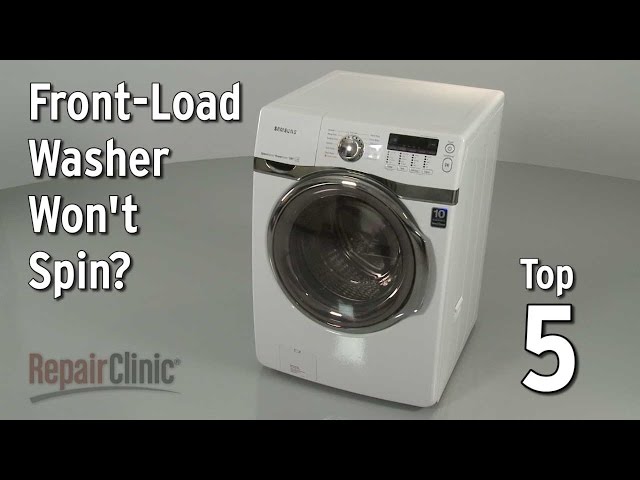
Is your front load washer giving you the silent treatment? A drum that refuses to spin can be a real headache, leaving your clothes sopping wet and your laundry routine in disarray. This issue often crops up mid-cycle, during the spin phase, or even right from the start. Ignoring it can lead to mold growth and potentially damage the washer motor. Let’s get that drum spinning again!
💡 Technical Key Takeaways:
- Core Focus: Diagnostic schematic and terminal connection layout for Front Load Washer Drum Not Spinning.
- Target Scope: Field technicians, automotive DIYers, and residential/commercial electricians.
- Safety Rule: Always disconnect the primary power source/battery terminal and verify zero voltage with a multimeter before touching wires.
Common Causes of Front Load Washer Drum Not Spinning
Here are some of the usual suspects when your front load washer’s drum decides to take a break:. For more related activities, check out our Bush Washing Machine Not Filling With Water.
- Overloading: Cramming too many clothes into the washer strains the motor and can prevent the drum from turning.
- Unbalanced Load: An uneven distribution of clothes can cause the washer to stop spinning to prevent damage.
- Obstructed Drain: If the washer can’t drain water properly, it won’t spin.
- Faulty Door Lock/Latch: The washer won’t spin if it thinks the door is open.
- Worn Drive Belt: The belt that connects the motor to the drum may be loose or broken.
- Motor Issues: The motor itself might be failing.
- Carbon Brush: Over time, this may be worn out.
- Clogged Pump Filter: A blocked filter can prevent draining and spinning.
- Control Board Problems: A malfunctioning control board can prevent the motor from receiving the signal to spin.
- Stuck Items: Small items such as socks, underwire, or coins.
Symptoms Checklist
Does any of this sound familiar?
- The washer fills with water, but the drum doesn’t spin.
- The drum spins during the wash cycle but not during the spin cycle.
- You hear a humming or buzzing sound, but the drum remains still.
- The washer displays an error code related to spinning or motor issues.
- The clothes are soaking wet at the end of the cycle.
- A burning smell can be detected.
How to Fix Front Load Washer Drum Not Spinning Step-by-Step Guide
Follow these steps to diagnose and fix the problem:
- Unplug the Washer: Safety first! Disconnect the washer from the power outlet.
- Check for Overloading: Remove some clothes to see if that helps. Aim for a load that fills about two-thirds of the drum.
- Rearrange the Load: Manually redistribute the clothes inside the drum to ensure they are evenly balanced.
- Inspect the Door Lock/Latch: Make sure the door closes securely and the latch engages properly. If it seems loose or broken, it might need further inspection (see below).
- Check the Drain Hose: Ensure the drain hose isn’t kinked, clogged, or positioned too high. The end of the hose should be lower than the washer’s water level.
- Clean the Pump Filter: Locate the pump filter (usually at the bottom front of the washer, behind a small access panel). Remove the filter and clean out any debris, like lint, hair, or small objects.
- Listen for Motor Sounds: Turn the washer on and listen closely. If you hear a humming or buzzing sound, the motor might be struggling.
- Check the Drive Belt (Advanced): (Unplug the Washer Before Proceeding) Access the back of the washer and remove the access panel. Inspect the drive belt for signs of wear, cracks, or breakage. If it’s loose, try tightening it. If it’s broken, it will need replacement (see below).
- Manually Rotate the Drum: With the washer unplugged, try turning the drum by hand. If it’s difficult to turn, there might be an obstruction or a problem with the motor.
- Check for Items Stuck in the Drum: Look for socks or other small items wedged between the inner drum and the outer tub. You might need to use pliers or a long, thin tool to remove them.
- Run a Drain and Spin Cycle: Select the “Drain and Spin” cycle to force the washer to drain any remaining water and attempt to spin. This might help clear a minor obstruction.
- Check Carbon Brush: Locate the carbon brush for the washing machine. If the brush is less than 1cm long, it must be changed.
- Reset the Washer: Some washers can be reset by unplugging them for a few minutes and then plugging them back in.
Fix the Issue Without Buying Parts
Before you start ordering replacements, try these free fixes:
- Resetting the Washer: As mentioned above, unplugging for a few minutes can sometimes clear minor glitches.
- Cleaning the Washer: Run an empty cycle with a washer cleaner to remove buildup that can hinder performance.
- Recalibration (If Applicable): Some washers have a recalibration mode. Check your owner’s manual for instructions.
- Regular Maintenance: Clean the pump filter regularly and avoid overloading the washer to prevent future problems.
When Replacement Might Be Necessary
If you’ve tried all the above steps and the drum still won’t spin, you might be facing a more serious issue. The following parts may require replacement:
- Drive Belt: A broken belt is a relatively inexpensive fix ($15-$30).
- Door Lock/Latch: A faulty latch can prevent the washer from spinning ($20-$50).
- Motor: A failing motor is a more expensive repair ($100-$300), and it might be more cost-effective to replace the entire washer.
- Control Board: A malfunctioning control board can also be pricey ($150-$400), making replacement of the appliance something to consider.
Safety Warning
- Always unplug the washer before attempting any repairs.
- Avoid working on electrical components if you’re not comfortable with electrical work. Contact a qualified technician.
- Be careful when handling water to avoid slips and falls. Wipe up any spills immediately.
- If a burning smell is detected, turn off the appliance, and unplug it before looking into the cause.
Tools You May Need
- Screwdrivers (Phillips and flathead)
- Pliers
- Wrench
- Gloves
- Shop towel or rags
- Bucket (to catch water when cleaning the pump filter)
- Multimeter (for testing electrical components)
FAQ
- Q: Why does my washer fill with water but not spin? A: This could be due to a faulty door lock, an unbalanced load, or a problem with the motor.
- Q: How do I know if my drive belt is broken? A: Inspect the belt for signs of wear, cracks, or breakage. If it’s loose or broken, it will need replacement.
- Q: What does it mean if I hear a humming sound but the drum doesn’t spin? A: This usually indicates a problem with the motor.
- Q: Can overloading the washer cause it not to spin? A: Yes, overloading can strain the motor and prevent the drum from turning.
- Q: How often should I clean the pump filter? A: It’s recommended to clean the pump filter every 1-3 months, depending on how often you use your washer.
- Q: How do I check carbon brush? A: Locate the carbon brush for the washing machine. If the brush is less than 1cm long, it must be changed.
Conclusion
A front load washer drum that refuses to spin can be frustrating, but with a little troubleshooting, you can often resolve the issue yourself. Start with the easy fixes, like checking for overloading or cleaning the pump filter. If you’re comfortable with more advanced repairs, you can inspect the drive belt or motor. Remember to always prioritize safety by unplugging the washer before starting any work. If you’ve exhausted all your options and the drum still won’t spin, it might be time to call a qualified appliance technician. Don’t give up hope you can conquer this laundry challenge!
Youtube Video:
Quick Wiring Specifications & Terminal Guide
| Component / Circuit | Standard Wire Gauge | Recommended Protection |
|---|---|---|
| Control & Trigger Signals | 18 – 20 AWG | 5A – 7.5A Inline Fuse |
| Standard Auxiliary Load | 14 – 16 AWG | 15A – 20A Circuit Breaker |
| Main Power Feed / Supply | 10 – 12 AWG | 30A – 40A Heavy-Duty Relay |
Images References
Looking for more diagnostic guides? Explore our complete Washing Machine Problems 2 section for step-by-step troubleshooting solutions.
