
Introduction
Is your window AC unit blowing warm air? The most likely culprit is a compressor that isn’t starting up. The compressor is the heart of your AC, responsible for circulating the refrigerant that cools the air. When it fails to kick on, youre left with a fan blowing room-temperature air. This issue can be frustrating, especially during hot weather, and addressing it quickly can prevent further damage to the unit. Before calling a repairman, let’s troubleshoot the common causes together.
💡 Technical Key Takeaways:
- Core Focus: Diagnostic schematic and terminal connection layout for Ac Window Unit Compressor Not Kicking On.
- Target Scope: Field technicians, automotive DIYers, and residential/commercial electricians.
- Safety Rule: Always disconnect the primary power source/battery terminal and verify zero voltage with a multimeter before touching wires.
Common Causes of ac window unit compressor not kicking on
Here are some reasons why your AC’s compressor might not be turning on:
- Dirty Air Filter: A clogged filter restricts airflow, causing the unit to overheat and preventing the compressor from starting.
- Dirty Coils: Dust and debris on the evaporator or condenser coils insulate them, reducing their efficiency and potentially causing the compressor to fail.
- Thermostat Issues: If the thermostat isn’t set correctly or is malfunctioning, it might not be signaling the compressor to turn on.
- Overload Protector Tripped: The overload protector is a safety device that shuts off the compressor if it overheats.
- Capacitor Failure: The capacitor provides the initial jolt of electricity to start the compressor. A weak or failed capacitor can prevent it from starting.
- Power Supply Problems: Insufficient voltage or a tripped circuit breaker can prevent the compressor from receiving power.
- Frozen Evaporator Coil: A frozen coil blocks airflow and can cause the compressor to shut down to prevent damage.
- Refrigerant Leak: Low refrigerant levels can prevent the compressor from operating properly.
- Faulty Compressor: In some cases, the compressor itself may be faulty and require replacement.
Symptoms Checklist
Check for these indicators to identify the issue accurately:
- AC unit turns on, but only blows warm air.
- You hear the fan running, but no humming or buzzing sound from the compressor.
- The unit cycles on and off frequently (short cycling).
- The overload protector keeps tripping.
- Ice forming on the evaporator coil inside the unit.
- Unit is unusually noisy or making clicking sounds.
- Compressor is hot to the touch, but not running.
How to Fix ac window unit compressor not kicking on Step-by-Step Guide
Follow these steps to troubleshoot the issue:
- Unplug the AC unit: Always disconnect the unit from the power source before starting any troubleshooting. This prevents electric shock.
- Check the air filter: Remove the air filter and inspect it. If it’s dirty, clean or replace it. A clean filter improves airflow and prevents overheating.
- Clean the coils: Use a soft brush or vacuum cleaner with a brush attachment to gently clean the evaporator and condenser coils. Be careful not to damage the delicate fins.
- Check the thermostat settings: Make sure the thermostat is set to a cool temperature and the fan is set to “auto.”
- Reset the overload protector: The overload protector is usually located on or near the compressor. Look for a small button and press it to reset the protector. Let the unit cool down for at least 30 minutes before restarting.
- Inspect the capacitor (Caution!): The capacitor is a cylindrical component usually found near the compressor. Warning: Capacitors can hold an electrical charge even when the unit is unplugged. If you are not comfortable working with electrical components, skip this step. Visually inspect the capacitor for any signs of swelling, bulging, or leaking. If you see any of these signs, the capacitor needs to be replaced (best done by a pro).
- Check the power supply: Make sure the unit is plugged into a working outlet and that the circuit breaker hasn’t tripped. Try plugging another appliance into the outlet to verify it’s working.
- Defrost a frozen coil: If you suspect the evaporator coil is frozen, turn off the unit and allow it to thaw completely. You can speed up the process by using a hairdryer on a low setting.
- Clean the Condenser Fins: Use a fin comb to straighten any bent fins on the outside condenser unit. Straight fins improve airflow.
- Listen for the compressor: After doing the above steps, plug the unit back in and listen carefully when you turn it on. Do you hear a humming sound, even if it doesn’t start? That might suggest a capacitor issue.
Fix the Issue Without Buying Parts
Here’s what you can try before buying new components:
- Reset the AC Unit: Unplug the unit for 30 minutes, then plug it back in. This can sometimes reset the internal electronics.
- Thorough Cleaning: A deep cleaning of the filter, coils, and fins can significantly improve performance.
- Ensure Proper Ventilation: Make sure the back of the unit has enough space for airflow. Don’t block it with curtains or furniture.
- Inspect for Obstructions: Check for any obstructions blocking the fan blades or airflow passages.
- Confirm Thermostat Calibration: Ensure your thermostat is accurately reading the room temperature. Adjust the settings accordingly.
When Replacement Might Be Necessary
If the compressor still doesn’t kick on after trying the above steps, or if you noticed a visibly damaged capacitor, replacement of components or even the entire unit may be necessary. A new capacitor might cost between $20-$50, while a compressor replacement can range from $150-$400 (plus labor). If the unit is old (more than 8-10 years) or the compressor itself is faulty, it may be more cost-effective to replace the entire AC unit (ranging from $150-$500 depending on size and features). For more related activities, check out our Air Conditioner Spraying Water.
Safety Warning
- Always unplug the AC unit before performing any maintenance or repairs.
- Never work on electrical components if you’re not comfortable with electrical safety.
- Avoid working on the unit with wet hands or in a wet environment.
- Capacitors can store an electrical charge even when the unit is unplugged. If you are unsure of how to discharge a capacitor safely, consult a professional.
Tools You May Need
- Screwdriver (Phillips and flathead)
- Soft brush or vacuum cleaner with brush attachment
- Fin comb
- Multimeter (optional, for testing voltage)
- Work gloves
- Safety glasses
FAQ
Here are some frequently asked questions:
- Q: Why is my AC blowing warm air even after cleaning the filter? A: The compressor might not be turning on due to a faulty capacitor, overload protector, or other electrical issue.
- Q: How do I know if my AC capacitor is bad? A: Look for signs of swelling, bulging, or leaking on the capacitor. It might also be the issue if the compressor doesnt start with a humming noise.
- Q: What does the overload protector do? A: The overload protector protects the compressor from overheating by shutting it off when it gets too hot.
- Q: Is it safe to clean the AC coils myself? A: Yes, but be gentle and avoid bending the fins. Unplug the unit first.
Conclusion
Troubleshooting a window AC unit with a compressor that won’t kick on can seem daunting, but by following these steps, you can often resolve the issue yourself. Start with the simple checks and cleaning methods before considering more complex repairs. If you’ve exhausted all options and the compressor still isn’t working, it might be time to call a qualified HVAC technician. However, with a little patience and these tips, you can save yourself a service call and enjoy cool air again!
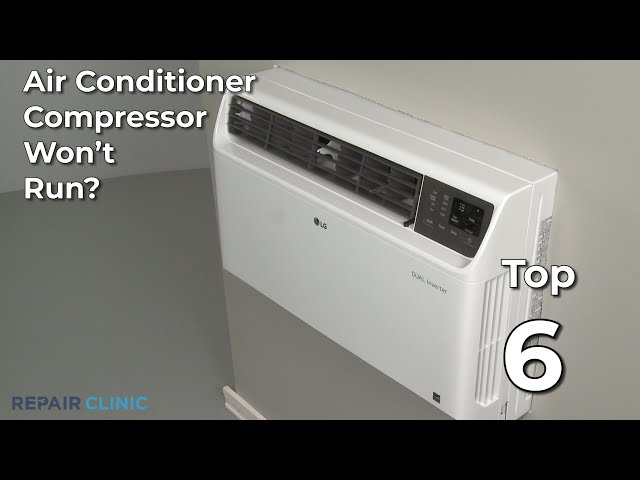
Youtube Video:
Quick Wiring Specifications & Terminal Guide
| Component / Circuit | Standard Wire Gauge | Recommended Protection |
|---|---|---|
| Control & Trigger Signals | 18 – 20 AWG | 5A – 7.5A Inline Fuse |
| Standard Auxiliary Load | 14 – 16 AWG | 15A – 20A Circuit Breaker |
| Main Power Feed / Supply | 10 – 12 AWG | 30A – 40A Heavy-Duty Relay |
Images References
Looking for more diagnostic guides? Explore our complete Air Conditioner Troubleshooting 3 section for step-by-step troubleshooting solutions.
