Introduction
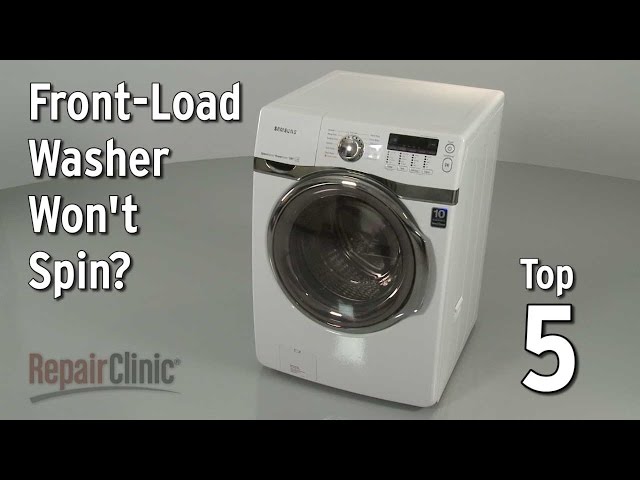
A Whirlpool Duet washer refusing to spin can be a frustrating problem. Imagine pulling out a load of laundry only to find it drenched! A non-spinning washer means wet clothes, longer drying times, and potential mildew growth. Addressing this issue promptly can save you time, energy, and prevent further damage to your washing machine and clothes. This guide provides step-by-step troubleshooting to get your Duet washer spinning again.
Common Causes of Whirlpool Duet Washer Spin Cycle Not Working
Several factors can prevent your Whirlpool Duet washer from spinning correctly:
- Overloaded Washer: Too many clothes can unbalance the load and prevent spinning.
- Unbalanced Load: Even a moderate load can become unbalanced if items are bunched up.
- Drainage Issues: If the washer can’t drain water effectively, it won’t spin.
- Lid Switch Malfunction: The washer won’t spin if the lid switch (or door lock) isn’t properly engaged.
- Belt Problems: A worn or broken drive belt can prevent the motor from turning the drum.
- Motor Issues: A failing motor might not have the power to spin the drum.
- Blocked Drain Pump: Debris clogging the drain pump can prevent water from being removed.
- Control Board Problems: The control board manages the spinning cycle; malfunctions can stop it.
- Pressure Switch Issue: The pressure switch detects the water level. A faulty switch might prevent spinning.
Symptoms Checklist
Here’s a checklist to help pinpoint the issue:
- Washer fills with water but doesn’t drain.
- Washer drains water but doesn’t spin.
- Washer makes a humming or buzzing sound but doesn’t spin.
- Washer displays an error code related to spinning or draining.
- Washer completes the wash cycle, but clothes are soaking wet.
- Washer shakes violently during the attempted spin cycle.
How to Fix Whirlpool Duet Washer Spin Cycle Not Working Step-by-Step Guide
- Unplug the Washer: For safety, always disconnect the power cord from the outlet before troubleshooting.
- Check for an Overloaded Washer: Remove some items to reduce the load size. As a general rule, do not fill the drum over 3/4 full.
- Rearrange the Load: Manually redistribute the clothes inside the drum to create a more balanced load.
- Check the Drain Hose: Ensure the drain hose isn’t kinked, clogged, or bent. Straighten it out and clear any obstructions.
- Inspect the Drain Pump Filter: Locate the drain pump (usually at the bottom front of the washer behind a small access panel). Carefully remove the filter and clean out any lint, coins, or debris. Replace the filter securely.
- Test the Lid Switch/Door Lock: Open and close the lid or door firmly. Listen for a click sound indicating the switch is engaging. If the switch seems loose or damaged, it might need further inspection.
- Check for Error Codes: Consult your washer’s user manual to identify the meaning of any displayed error codes. These codes can provide valuable clues.
- Manually Drain the Washer (if needed): If the washer is full of water and won’t drain, use a wet/dry vacuum or a drain hose to manually remove the water.
- Run a Rinse and Spin Cycle: After addressing potential issues, try running a rinse and spin cycle to see if the washer spins properly.
- Check the Drive Belt (Advanced): Caution: This step involves accessing internal parts. If you’re uncomfortable, skip to the next section. Unplug the washer. Access the drive belt (usually located at the back of the washer behind an access panel). Inspect the belt for wear, cracks, or breakage. A loose or damaged belt will need replacement (See “When Replacement Might Be Necessary”).
- Check the Motor Coupler (if applicable) (Advanced): Some Whirlpool Duet washers use a motor coupler. Check this coupler for damage as it can break and prevent the motor from spinning the drum.
- Listen for Unusual Noises: While the washer is attempting to spin, listen for unusual noises like grinding or squealing. This can indicate motor or bearing problems.
Fix the Issue Without Buying Parts
Before considering replacement parts, try these free troubleshooting steps:
- Reset the Washer: Unplug the washer for 1-2 minutes and then plug it back in. This can sometimes clear minor electronic glitches.
- Cleaning the Washer: Run a cleaning cycle with a washer cleaner to remove detergent buildup and residue that can affect performance.
- Recalibration (If applicable): Some models have a recalibration procedure in the user manual. Follow the steps to recalibrate the washer.
- Regular Maintenance: Clean the lint trap regularly, use the correct amount of detergent, and avoid overloading the washer.
When Replacement Might Be Necessary
If you’ve exhausted all troubleshooting steps, and the washer still won’t spin, some components may need replacement:
- Drive Belt: A worn or broken belt is relatively inexpensive (around $10-$30 USD).
- Lid Switch/Door Lock: If the switch is faulty, replacing it (around $20-$50 USD) is usually straightforward.
- Drain Pump: If the pump is completely clogged or damaged, replacement (around $50-$100 USD) may be necessary.
- Motor: A failing motor is a more expensive repair (around $150-$300 USD).
- Control Board: Control board replacement is generally the most expensive repair (around $200-$400 USD). Consider the age and condition of your washer before opting for this repair.
Safety Warning
- Always unplug the washer before performing any repairs.
- Avoid touching electrical components with wet hands.
- Be careful when handling tools to prevent injury.
- If you’re uncomfortable with any of these steps, consult a qualified appliance repair technician.
- Keep children and pets away from the work area.
Tools You May Need
- Screwdrivers (Phillips and flathead)
- Pliers
- Wet/dry vacuum (optional)
- Towels
- Work gloves
FAQ
Q: My washer drains but doesn’t spin. What could be the problem?A: This could be a faulty lid switch, a broken drive belt, or a motor issue.Q: The washer is making a loud humming noise but not spinning. What does that mean?A: This often indicates a problem with the motor or the motor coupler.Q: How do I know if the drain pump is clogged?A: If the washer doesn’t drain at all, or drains very slowly, the drain pump is likely clogged.Q: My Whirlpool Duet shows an error code related to spinning. What should I do?A: Consult your user manual to identify the meaning of the error code. This will help you pinpoint the problem.
Conclusion
Troubleshooting a Whirlpool Duet washer spin cycle issue can seem daunting, but by following these steps, you can often diagnose and fix the problem yourself. Remember to prioritize safety and take your time. If you’ve tried these steps and your washer still isn’t spinning, it might be time to call a qualified appliance repair technician. However, with a little effort, you can often save yourself time and money by tackling the issue yourself!
Youtube Video:
Looking for more useful options?
Check out recommended resources that others find helpful.