
Introduction
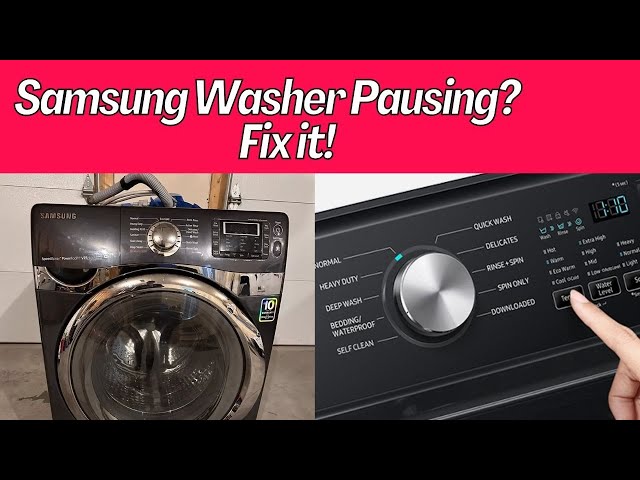
Is your Samsung washing machine suddenly stopping mid-cycle? This can be frustrating, especially when you have a pile of laundry waiting. It means your clothes aren’t getting properly cleaned and you’re stuck with wet clothes. It’s a common problem, and usually, the machine stops with an error code displayed, or simply pauses without any obvious warning. Addressing this issue quickly is important to prevent potential water damage and avoid further inconvenience.
💡 Technical Key Takeaways:
- Core Focus: Diagnostic schematic and terminal connection layout for Samsung Washing Machine Keeps Stopping During Cycle.
- Target Scope: Field technicians, automotive DIYers, and residential/commercial electricians.
- Safety Rule: Always disconnect the primary power source/battery terminal and verify zero voltage with a multimeter before touching wires.
Common Causes of Samsung Washing Machine Keeps Stopping During Cycle
Several things can cause your Samsung washing machine to pause during a cycle:
- Unbalanced Load: Too few or too many items can cause the machine to become unbalanced, triggering a safety stop.
- Drainage Issues: A clogged drain or a kinked drain hose can prevent the machine from draining properly, leading to a pause.
- Water Supply Problems: Low water pressure or a blocked water inlet valve can prevent the machine from filling correctly.
- Lid/Door Switch Malfunction: The machine needs to detect that the lid or door is closed for safety. A faulty switch can cause it to stop.
- Overheating: The motor might be overheating, causing the machine to pause and protect itself.
- Control Panel Issues: A glitch or error in the control panel can interrupt the cycle.
- Faulty Water Level Sensor: The machine might think the water level is incorrect, leading to a stop.
- Clogged Pump Filter: A clogged filter can prevent proper water drainage and circulation.
- Power Supply Fluctuations: A sudden power surge or drop can interrupt the washing cycle.
Symptoms Checklist
Check these indicators to pinpoint the problem:
- The washing machine stops mid-cycle and displays an error code (e.g., 5E, 4E, UE).
- The washing machine stops without any error code displayed.
- The drum is filled with water but not draining.
- The washing machine makes unusual noises during the cycle.
- The cycle starts and seems to progress normally for a while, then suddenly stops.
- The clothes are still soaking wet when the machine stops.
How to Fix Samsung Washing Machine Keeps Stopping During Cycle Step-by-Step Guide
Follow these steps to troubleshoot your washing machine:
- Check for an Error Code: Note the error code displayed on the control panel. Consult your user manual to understand its meaning and recommended solutions.
- Balance the Load: Redistribute the clothes in the drum to ensure an even balance. Try adding or removing items if necessary.
- Inspect the Drain Hose: Check for any kinks, clogs, or obstructions in the drain hose. Straighten any kinks and remove any visible debris.
- Clean the Drain Filter: Locate the drain filter (usually at the bottom front of the machine) and carefully clean it of any lint, hair, or debris.
- Check the Water Supply: Ensure the water supply valves are fully open. Check for any kinks or blockages in the water inlet hoses.
- Inspect the Water Inlet Valves: Disconnect the water inlet hoses and check the screens for sediment or debris. Clean if necessary.
- Test the Lid/Door Switch: Visually inspect the lid/door switch for any damage. If possible, test the switch with a multimeter to ensure it’s functioning correctly (if you are comfortable and knowledgeable in doing so, otherwise skip to the next step).
- Run a Calibration Cycle: Some Samsung washing machines have a calibration cycle. Consult your user manual to learn how to run this cycle, which can help reset the machine.
- Check for Overheating: Allow the machine to cool down for at least 30 minutes before attempting to restart the cycle.
- Restart the Machine: Press the power button to turn off the machine, wait a few minutes, and then turn it back on. Try running the cycle again.
- Check the Power Outlet: Make sure the washing machine is properly plugged into a working power outlet. Test the outlet with another appliance.
- Unplug and Reset: Unplug the washing machine from the power outlet for at least 10 minutes. This can sometimes reset the control panel.
Fix the Issue Without Buying Parts
Before considering replacements, try these free methods:
- Reset the Machine: Unplugging the machine for 10 minutes often resolves minor glitches.
- Cleaning: Regularly clean the detergent dispenser and the rubber door seal to prevent build-up.
- Recalibration: Running the calibration cycle (if available) can help the machine re-learn its settings.
- Inspection Tips: Check the drain hose and water inlet hoses regularly for kinks or clogs.
- Maintenance Basics: Leave the washing machine door slightly ajar after each use to prevent mold and mildew growth.
When Replacement Might Be Necessary
If you’ve tried all the troubleshooting steps and the machine continues to stop, you might need to consider a replacement. Parts that commonly fail and require replacement include the lid/door switch ($20-$50), the water inlet valve ($30-$70), or the control board ($100-$300). Labor costs for professional repair can range from $75 to $200 per hour. If the repair cost is close to half the price of a new machine, replacement might be a better option.
Safety Warning
- Always unplug the washing machine from the power outlet before performing any troubleshooting or repairs.
- Avoid working on the machine with wet hands or standing on a wet floor.
- Be careful when handling water; mop up any spills immediately to prevent slipping.
- If you’re uncomfortable working with electrical components, contact a qualified technician.
Tools You May Need
- Screwdrivers (Phillips and flathead)
- Pliers
- Adjustable wrench
- Bucket
- Towels
- Multimeter (optional, for testing electrical components)
FAQ
Here are some frequently asked questions:
- Q: Why is my washing machine stopping with a “UE” error code? A: The “UE” error code typically indicates an unbalanced load. Redistribute the clothes in the drum and try again.
- Q: My washing machine is stopping mid-cycle with water still inside. What should I do? A: Check the drain hose for kinks or clogs. Also, clean the drain filter to ensure proper drainage.
- Q: How often should I clean the drain filter? A: It’s recommended to clean the drain filter every 1-3 months, depending on how frequently you use the washing machine.
- Q: Is it normal for the washing machine to pause briefly during the cycle? A: Yes, some pauses are normal during certain stages, such as when the machine is sensing the load or switching between wash and rinse cycles. However, prolonged or frequent pauses indicate a problem.
Conclusion
Troubleshooting a Samsung washing machine that stops mid-cycle can seem daunting, but by following these steps, you can often identify and resolve the issue yourself. Remember to prioritize safety and consult your user manual for specific instructions related to your model. If you’ve exhausted all troubleshooting options and the problem persists, consider contacting a qualified appliance repair technician. Don’t hesitate to try these DIY solutions first you might just save yourself a costly service call!
Youtube Video:
Quick Wiring Specifications & Terminal Guide
| Component / Circuit | Standard Wire Gauge | Recommended Protection |
|---|---|---|
| Control & Trigger Signals | 18 – 20 AWG | 5A – 7.5A Inline Fuse |
| Standard Auxiliary Load | 14 – 16 AWG | 15A – 20A Circuit Breaker |
| Main Power Feed / Supply | 10 – 12 AWG | 30A – 40A Heavy-Duty Relay |
Images References
Looking for more diagnostic guides? Explore our complete Washing Machine Problems 5 section for step-by-step troubleshooting solutions.
