Introduction
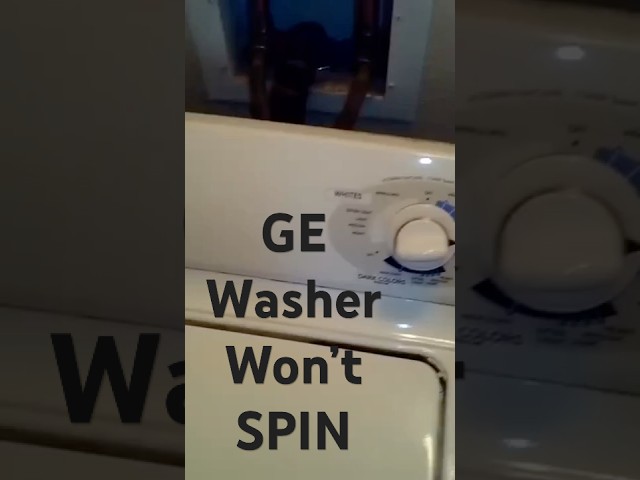
A washing machine that agitates and drains but refuses to spin is a common and frustrating problem. This means your clothes are getting washed, but they’re left soaking wet! This issue often happens because the washer’s spin cycle, which removes excess water, isn’t engaging. Addressing this quickly is essential to prevent mildew and unpleasant odors, and to avoid having to wring out all your clothes by hand.
Common Causes of GE Washer Agitates and Drains but Won’t Spin
Several things can prevent your GE washer from spinning:
- Overloaded Washer: Too many clothes in the drum can prevent the motor from reaching the necessary speed.
- Unbalanced Load: Clothes clumped on one side can trigger a safety mechanism to prevent damage.
- Lid Switch Issues: The lid switch ensures the washer only spins when the lid is closed. If it’s broken, the washer won’t spin.
- Drive Belt Problems: A worn, loose, or broken drive belt can disconnect the motor from the spin basket.
- Motor Coupler Failure: (For some models) This small part connects the motor to the transmission. It can break under stress.
- Drainage Problems: If the washer isn’t fully draining, it may not start the spin cycle. Check for clogs in the drain hose.
- Motor Issues: In rare cases, the motor itself might be failing or have a burned out winding, preventing spinning.
- Electronic Control Board Problems: A faulty control board can disrupt the spin cycle sequence.
- Worn Clutch: (For some models) The clutch engages the spin cycle, and wear and tear can prevent it from working properly.
Symptoms Checklist
Confirm that your washer is experiencing the following symptoms:
- The washer fills with water and agitates normally.
- The washer drains the water completely.
- The washer does not spin after draining.
- You may hear a humming sound during the spin cycle, but the drum doesn’t move.
- The washer may display an error code related to spinning or balancing.
How to Fix GE Washer Agitates and Drains but Won’t Spin Step-by-Step Guide
- Unplug the Washer: Safety first! Disconnect the washer from the power outlet before you begin any troubleshooting.
- Check for an Overloaded Washer: Remove some clothes to reduce the load size. A good rule is to fill the washer about full.
- Rearrange the Load: Redistribute the clothes evenly around the drum to ensure it’s balanced.
- Check the Lid Switch: Open and close the lid firmly. Sometimes, repeated action can make the washer start to spin. If it is still not spinning, the switch could be faulty.
- Inspect the Drain Hose: Make sure the drain hose isn’t kinked, clogged, or blocked. Disconnect it and check for obstructions. Clear any debris you find.
- Check the Washer’s Level: Use a level to ensure the washer is sitting evenly on the floor. Adjust the legs if necessary. An unbalanced washer can have trouble spinning.
- Run a Rinse and Spin Cycle: Select a rinse and spin cycle to see if the washer will spin with a smaller, pre-washed load. This can sometimes help reset the system.
- Inspect the Drive Belt (If Visible): On some older models, you can see the drive belt by opening an access panel on the back of the washer. Look for cracks, wear, or looseness. If it’s damaged, it will need to be replaced, but a simple repositioning might help temporarily.
- Listen for Unusual Noises: During what should be the spin cycle, listen closely. Loud grinding or clunking noises can point to a problem with the motor, transmission, or bearings, suggesting a more serious mechanical issue.
- Check for Error Codes: Many GE washers display error codes. Look up the code in your user manual to understand the specific problem the washer is reporting.
- Try a Hard Reset: Unplug the washer for at least one minute, then plug it back in. This can sometimes clear minor electrical glitches.
- Inspect the Motor Coupler (If Applicable): Some GE models use a motor coupler to connect the motor to the transmission. This is a small, easily replaceable part. (Research how to access and inspect this part for your specific model).
Fix the Issue Without Buying Parts
Before you consider replacing any parts, try these free methods:
- Washer Reset: Try the hard reset method described above (unplug for one minute).
- Drainage Cleaning: Regularly clean the drain pump filter (check your manual for location) to prevent clogs.
- Washer Leveling: Double-check that the washer is perfectly level.
- Avoid Overloading: Be mindful of the load size. Smaller loads are less likely to cause imbalance issues.
When Replacement Might Be Necessary
If you’ve tried all the troubleshooting steps and your washer still won’t spin, it may be time to consider replacing a part or the entire machine. Common parts that fail include:
- Lid Switch: (Replacement cost: $20 – $50 USD)
- Drive Belt: (Replacement cost: $15 – $30 USD)
- Motor Coupler: (Replacement cost: $10 – $20 USD)
- Motor: (Replacement cost: $100 – $300 USD) – Consider this if you can’t find a replacement
- Control Board: (Replacement cost: $150 – $400 USD)
If the repair cost exceeds half the price of a new washer, or if the washer is very old (over 8-10 years), consider purchasing a new machine.
Safety Warning
- Always unplug the washer before attempting any repairs.
- Avoid working on the washer while it’s filled with water.
- Be careful when handling electrical components.
- Wear appropriate safety glasses and gloves when disassembling the washer.
- If you’re not comfortable working with electrical or mechanical components, consult a qualified appliance repair technician.
Tools You May Need
- Screwdrivers (Phillips and flathead)
- Pliers
- Wrench set
- Level
- Multimeter (for testing electrical components – optional)
- Gloves
- Safety Glasses
FAQ
Q: My washer is making a loud noise during the spin cycle. What could it be?
A: Loud noises often indicate a problem with the bearings, motor, or drive system. It’s best to inspect these components or consult a technician.
Q: How do I know if the lid switch is bad?
A: You can test the lid switch with a multimeter to check for continuity. If it doesn’t show continuity when the lid is closed, it’s likely faulty.
Q: My washer displays an error code related to imbalance. What should I do?
A: Redistribute the load, ensure the washer is level, and try running the cycle again. If the error persists, there may be an issue with the suspension system.
Q: Can I replace the drive belt myself?
A: Yes, replacing the drive belt is a relatively simple repair. You can find replacement belts online or at appliance parts stores. Be sure to match the part number to your specific washer model.
Q: The drum moves freely by hand but still won’t spin when it drains, any idea why?
A: That usually mean your clutch assembly is bad. You should replace it.
Conclusion
Troubleshooting a GE washer that agitates and drains but won’t spin can seem daunting, but by following these steps, you can often identify and resolve the issue yourself. Remember to prioritize safety and consult your washer’s manual for specific instructions. If you’ve exhausted these troubleshooting steps and the problem persists, don’t hesitate to call a qualified appliance repair technician. It’s always best to try to fix it yourself before calling a professional. Good luck!
Youtube Video:
Looking for more useful options?
Check out recommended resources that others find helpful.