Introduction
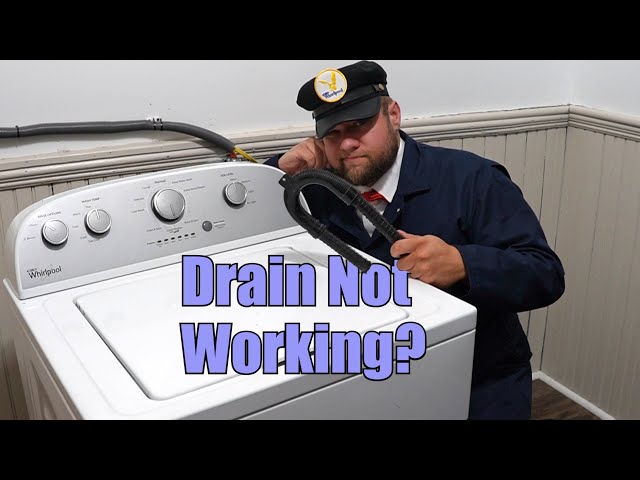
Discovering your washing machine isn’t draining water after a wash cycle can be frustrating and a little alarming! Nobody wants a tub full of soapy water. This issue, usually caused by a blockage, can lead to water damage if left unattended. Addressing it promptly can prevent bigger problems and save you money on potential repairs. Let’s get that water draining again!
Common Causes of Washer Stopped Draining Water
Here are some common reasons why your washing machine might be holding onto water:
- Clogged Drain Hose: The hose that carries water away from the washer can get blocked by lint, small objects, or debris.
- Blocked Drainpipe: The pipe where the drain hose connects to your home’s plumbing can also be clogged.
- Lint Filter Issues: A clogged lint filter (if your machine has one) restricts water flow.
- Faulty Drain Pump: The drain pump pushes the water out. If it’s broken or has a jammed impeller, it won’t work.
- Lid Switch Problems: On some top-loading machines, a faulty lid switch prevents draining. The machine thinks the lid is open.
- Belt Problems (Older Models): Some older machines use a belt to drive the drain pump. A broken or loose belt won’t allow the pump to function.
- Control Panel Malfunction: In rare cases, the control panel might not be sending the signal to drain.
- Standing Water in Drainpipe: Check if your house plumbing is clogged outside of the washing machine.
Symptoms Checklist
Here are some signs that your washing machine isn’t draining properly:
- The washing machine tub is full of water after a wash cycle.
- The machine makes a humming or buzzing sound but doesn’t drain.
- You see error codes related to draining on the machine’s display panel.
- The drain hose appears kinked or blocked.
- Water is leaking from around the base of the washing machine.
How to Fix Washer Stopped Draining Water Step-by-Step Guide
Follow these steps to troubleshoot your washing machine:
- Unplug the Washer: Safety first! Disconnect the washing machine from the power outlet.
- Check the Drain Hose for Kinks: Make sure the drain hose isn’t bent, twisted, or pinched. Straighten it out if needed.
- Inspect the Drain Hose Connection: Ensure the drain hose is securely connected to both the washing machine and the drainpipe.
- Remove the Drain Hose: Carefully detach the drain hose from the drainpipe or standpipe.
- Check for Clogs in the Drain Hose: Hold the hose up and look through it for any visible obstructions. You can also use a flexible wire or a straightened coat hanger to dislodge any clogs.
- Flush the Drain Hose: Connect the drain hose to a faucet and run water through it to flush out any remaining debris.
- Check the Drainpipe: Use a flashlight to look down the drainpipe for any visible clogs.
- Clear the Drainpipe: If you see a clog, try using a drain snake or a wet/dry vacuum to remove it.
- Locate the Lint Filter (if applicable): Consult your owner’s manual to find the lint filter.
- Clean the Lint Filter: Remove the lint filter and clean it thoroughly, removing any accumulated lint or debris.
- Access the Drain Pump (if comfortable): This is a bit more advanced. Usually located behind a panel at the bottom front or rear of the machine. Refer to your owners manual.
- Check the Drain Pump Impeller: Inspect the impeller (the fan-like part) of the drain pump for any obstructions like small items of clothing.
- Reassemble and Test: Reconnect all hoses, replace any panels you removed, plug the washing machine back in, and run a short test cycle.
- Check for Error Codes: Consult your owner’s manual for the meaning of any error codes that appear.
- Run a Test Cycle: Select a small load cycle and run the washer. Observe if the water drains properly.
Fix the Issue Without Buying Parts
Before considering replacing any parts, try these free methods:
- Reset the Washer: Unplug the washer for 1-2 minutes, then plug it back in. This can sometimes reset the control panel.
- Run a Cleaning Cycle: Many washers have a self-cleaning cycle that can help clear out debris. Use a washing machine cleaner.
- Check the Water Level Switch Hose: The hose to the water level switch can get clogged; clearing this hose may help.
- Ensure proper loading: Overloading the machine can sometimes hinder the draining process.
When Replacement Might Be Necessary
If you’ve tried all the troubleshooting steps and your washing machine still isn’t draining, you might need to replace a part. The most common parts to fail are:
- Drain Pump: (Estimated cost: $50-$150 USD)
- Lid Switch: (Estimated cost: $20-$50 USD)
- Drive Belt (older models): (Estimated cost: $10-$30 USD)
Safety Warning
- Always unplug the washing machine before attempting any repairs.
- Be careful when handling water, as wet floors can be slippery.
- If you’re uncomfortable working with electrical components, consult a qualified technician.
- Make sure that the drain hose does not come loose during the draining process.
Tools You May Need
- Screwdrivers (Phillips and flathead)
- Pliers
- Adjustable wrench
- Flashlight
- Drain snake or straightened coat hanger
- Bucket or towels
- Gloves
FAQ
Here are some frequently asked questions:
-
Q: Why is my washing machine making a humming sound but not draining?
A: This usually indicates a problem with the drain pump, such as a clog or a failing motor. -
Q: How do I know if my drain pump is bad?
A: If the pump is making unusual noises, not pumping water, or showing an error code, it may be faulty. -
Q: Can I use a chemical drain cleaner in my washing machine drain?
A: It’s generally not recommended, as these cleaners can damage the washing machine’s components. Physical removal of clogs is safer. -
Q: How often should I clean my washing machine drain hose?
A: It’s a good practice to check and clean the drain hose every 6 months to prevent clogs.
Conclusion
Troubleshooting a washing machine that won’t drain can seem daunting, but by following these steps, you can often resolve the issue yourself. Remember to prioritize safety and consult your owner’s manual for specific instructions. If you’ve exhausted all options and are still experiencing problems, it might be time to call a qualified appliance technician. Good luck!
Youtube Video:
Looking for more useful options?
Check out recommended resources that others find helpful.