Introduction
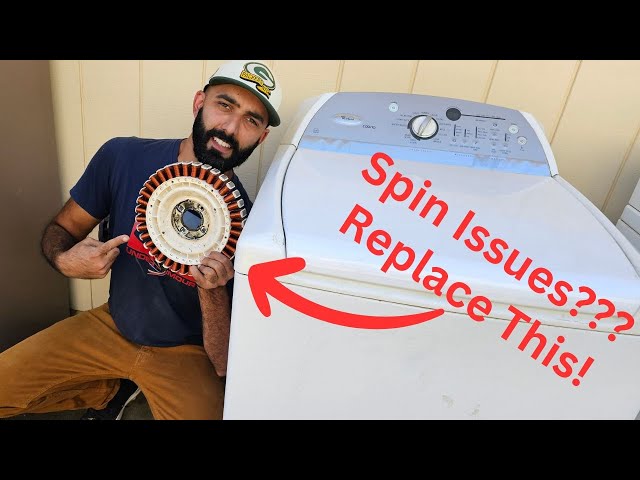
Is your Whirlpool Cabrio washer refusing to spin? This can be incredibly frustrating, leaving your clothes soaking wet and disrupting your laundry routine. When your washer won’t spin, clothes can’t dry properly, leading to mildew smells and the need to re-wash everything. Addressing this issue promptly can prevent further damage to your appliance and get your laundry back on track. It’s a problem that often happens mid-cycle, after washing but before the spin and drain cycles.
Common Causes of whirlpool cabrio washer not spinning
There are several reasons why your Whirlpool Cabrio washer might not be spinning:
- Overloading: Too many clothes in the drum can prevent it from spinning correctly.
- Unbalanced Load: Unevenly distributed clothes can trigger a safety mechanism that stops the spin cycle.
- Lid Switch Malfunction: The lid switch ensures the washer only spins when the lid is closed. If it’s faulty, the washer won’t spin.
- Drive Belt Issues: A worn, loose, or broken drive belt can prevent the motor from turning the drum.
- Motor Problems: A failing motor might not have enough power to spin the drum.
- Drainage Problems: If the washer can’t drain the water, it won’t spin.
- Control Board Issues: Although less common, a malfunctioning control board can disrupt the spin cycle.
- Faulty Clutch: The clutch engages and disengages the spin function. If it’s failing, the washer might not spin.
Symptoms Checklist
Check if you’re experiencing any of these symptoms:
- The washer fills with water but the drum doesn’t spin during the spin cycle.
- The washer makes unusual noises during the spin cycle (or lack thereof).
- The washer displays an error code related to spinning or draining.
- The washer drains slowly or not at all.
- The washer stops mid-cycle and the clothes are soaking wet.
How to Fix whirlpool cabrio washer not spinning Step-by-Step Guide
Follow these steps to troubleshoot your washer:
- Unplug the Washer: For safety, always disconnect the power before working on any appliance.
- Check for Overloading: Remove some clothes to reduce the load size. A good rule is to fill the drum about three-quarters full.
- Rearrange the Load: Manually redistribute the clothes in the drum to ensure they are evenly balanced.
- Check the Lid Switch: Locate the lid switch (usually near the lid hinge) and inspect it for damage. Sometimes a simple cleaning with a damp cloth will fix it.
- Test the Lid Switch: Gently push the lid switch with your finger or a tool. You should hear a click. If not, it might be faulty. (Testing with a multimeter requires experience, so skip that step if you’re not comfortable.)
- Inspect the Drain Hose: Make sure the drain hose isn’t kinked, clogged, or blocked. Disconnect it and check for obstructions.
- Check the Drain Pump Filter: Locate the drain pump filter (usually at the bottom front of the washer, behind a small access panel). Remove the filter and clean out any lint, debris, or small objects.
- Check for Error Codes: Look for any error codes displayed on the washer’s control panel. Consult your owner’s manual to understand the code and its meaning. Some errors can be cleared with a simple reset.
- Run a Rinse and Spin Cycle: After checking the above, try running a rinse and spin cycle to see if the washer will spin with a smaller, balanced load.
- Check the Drive Belt (Advanced): This step requires access to the inside of the washer. Unplug the washer and remove the back panel. Locate the drive belt connecting the motor to the drum. Check for wear, cracks, looseness, or breakage. If it’s loose, try tightening it.
- Listen to the Motor: When the washer is supposed to be spinning (after plugging back in!), listen closely to the motor. Does it hum, click, or make any noise? If so, it might be trying to spin but is being blocked.
- Check the Clutch (Advanced): If you are comfortable with appliance repair, locate the clutch assembly (usually near the motor). Look for signs of wear or damage.
- Attempt a Reset: Unplug the washer for 1 minute, then plug it back in. This can sometimes reset the control board and clear minor errors.
Fix the Issue Without Buying Parts
Before considering replacement parts, try these cost-free solutions:
- Reset the Washer: As mentioned, unplug the washer for a minute.
- Clean the Drain Pump Filter: Regularly cleaning this filter prevents clogs.
- Level the Washer: Ensure the washer is level by adjusting the leveling feet. An unlevel washer can vibrate excessively and trigger the safety mechanism.
- Avoid Overloading: Always follow the manufacturer’s guidelines for load capacity.
- Distribute Loads Evenly: Arrange clothes in the drum to create a balanced load.
When Replacement Might Be Necessary
If you’ve exhausted all troubleshooting steps and the washer still won’t spin, you might need to replace a part. Common parts that fail include the lid switch (around $20-$50), the drive belt (around $15-$30), the drain pump (around $50-$100), or the motor (around $100-$300). Consider the cost of the part and the labor involved (if hiring a technician) when deciding whether to repair or replace the washer.
Safety Warning
- Always unplug the washer before performing any maintenance or repairs.
- Be careful when handling electrical components.
- Avoid working on the washer if the floor is wet to prevent electric shock.
- Wear gloves to protect your hands from dirt and debris.
Tools You May Need
- Screwdrivers (Phillips and flathead)
- Pliers
- Wrench
- Multimeter (for testing electrical components optional, and only if you’re experienced)
- Gloves
- Flashlight
FAQ
Here are some frequently asked questions:
- Q: Why is my washer making a loud noise but not spinning? A: This could be due to a worn drive belt, a failing motor, or something caught in the drain pump.
- Q: How do I know if the lid switch is bad? A: If the washer doesn’t start or spin, and you’ve checked other common issues, the lid switch is a likely culprit. Testing with a multimeter can confirm this.
- Q: Can I fix this myself, or should I call a professional? A: Many common issues can be fixed with basic troubleshooting. If you’re uncomfortable working with appliances or electrical components, it’s best to call a qualified technician.
- Q: What does it mean if my washer has an error code? A: An error code indicates a specific problem. Consult your owner’s manual to understand the code and recommended solutions.
- Q: How often should I clean the drain pump filter? A: Ideally, clean the drain pump filter every 2-3 months to prevent clogs.
Conclusion
A Whirlpool Cabrio washer that won’t spin can be a real headache, but with a systematic approach, you can often diagnose and fix the problem yourself. Start with the simple solutions, like checking for overloading and cleaning the drain pump filter. If those don’t work, proceed with the more advanced troubleshooting steps. Don’t be afraid to call a qualified technician if you’re unsure about any step or if the problem persists. Good luck, and happy laundering!
Youtube Video:
Looking for more useful options?
Check out recommended resources that others find helpful.