
Introduction
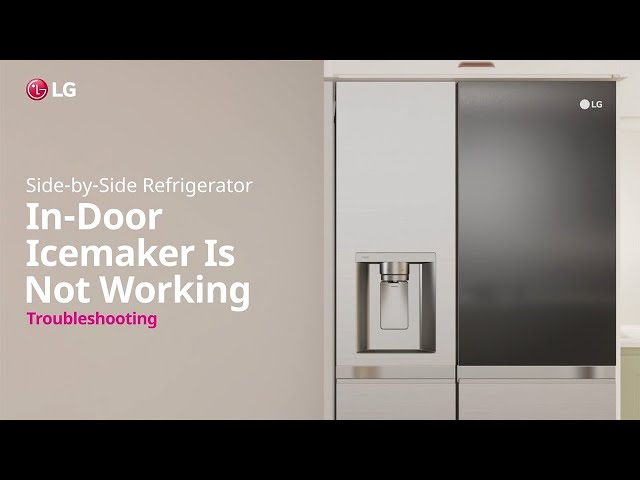
Having an LG side-by-side refrigerator that suddenly stops making ice can be a major inconvenience. Ice is essential for cold drinks, chilling food, and many other everyday uses. When your ice maker quits working, especially during warm weather, it can quickly become a frustrating issue. This guide will walk you through common reasons why your LG refrigerator might not be producing ice and provide simple steps to troubleshoot and fix the problem yourself.
💡 Technical Key Takeaways:
- Core Focus: Diagnostic schematic and terminal connection layout for Lg Sxs Refrigerator Not Making Ice.
- Target Scope: Field technicians, automotive DIYers, and residential/commercial electricians.
- Safety Rule: Always disconnect the primary power source/battery terminal and verify zero voltage with a multimeter before touching wires.
Common Causes of LG Side-by-Side Refrigerator Not Making Ice
Here are some common reasons why your LG side-by-side refrigerator might have stopped making ice:
- Ice Maker is Turned Off: Sometimes, the ice maker can accidentally be switched off.
- Water Supply Issue: The refrigerator needs a steady water supply to make ice. A kinked or frozen water line can stop ice production.
- Water Filter Clogged: A dirty water filter restricts water flow, affecting ice production.
- Freezer Temperature Too High: The freezer needs to be cold enough (ideally around 0F or -18C) for the ice maker to function properly.
- Ice Jam in the Ejector: Ice can sometimes get stuck in the ice maker’s ejector arm, preventing it from dispensing ice.
- Faulty Ice Maker Module: The ice maker module itself might be malfunctioning.
- Defective Water Inlet Valve: This valve controls the flow of water to the ice maker. If it’s faulty, water won’t reach the ice maker.
- Door Switch Issue: If the door switch isn’t working correctly, the ice maker might not operate.
- Frozen Fill Tube: The fill tube that supplies water to the ice maker can freeze up.
Symptoms Checklist
Here’s how to identify the issue accurately:
- No ice being produced at all.
- Ice maker making small or hollow cubes.
- Ice maker making ice very slowly.
- Water dispenser not working.
- Unusual noises coming from the ice maker.
- The ice maker is full of water, but it’s not freezing.
How to Fix LG Side-by-Side Refrigerator Not Making Ice Step-by-Step Guide
Follow these steps to troubleshoot your LG refrigerator’s ice maker:
- Check the Ice Maker Switch: Make sure the ice maker is turned on. The switch is usually located on the ice maker itself or on the refrigerator control panel.
- Verify the Freezer Temperature: Use a thermometer to check the freezer temperature. It should be at or below 0F (-18C). Adjust the temperature setting if necessary. Allow 24 hours for the temperature to stabilize.
- Inspect the Water Line: Check the water line behind the refrigerator for any kinks or damage. Straighten any kinks and ensure the line is properly connected.
- Check the Water Filter: Locate the water filter (usually inside the refrigerator or in the base grille). Replace the filter if it’s been longer than six months or if you notice reduced water flow.
- Reset the Ice Maker: Some LG refrigerators have a reset button on the ice maker. Press and hold the reset button for a few seconds to restart the ice maker.
- Manually Cycle the Ice Maker: Some ice makers have a test cycle. Locate the test button (usually on the bottom or side of the ice maker) and press it. This will force the ice maker to go through a harvest cycle. Watch to see if the ice ejects and if the water valve opens.
- Check the Fill Tube: Look for any ice blockage in the fill tube located at the back of the freezer. Use a hair dryer on a low setting to gently melt any ice buildup.
- Inspect the Ice Ejector: Check the ice ejector arm for any ice jams. Remove any ice obstructing the arms movement.
- Listen for the Water Valve: After manually cycling the ice maker, listen for the water valve to open and fill the ice maker tray. If you don’t hear anything, the water valve might be faulty.
- Check Door Seals: Make sure the freezer door is sealing properly. If the seal is bad, warm air can get in and affect ice production. Clean the seal with a damp cloth or replace it if it’s damaged.
- Unplug and Plug Back in the Refrigerator: Unplug the refrigerator for about 5-10 minutes, then plug it back in. This can sometimes reset the system and resolve minor issues.
Fix the Issue Without Buying Parts
Before resorting to replacing parts, try these free methods:
- Defrost the Freezer: If ice buildup is a recurring problem, manually defrost the freezer. This can help clear any hidden ice blockages.
- Clean the Ice Maker: Periodically clean the ice maker with a mild detergent and water solution to remove any mineral buildup.
- Ensure Proper Ventilation: Make sure the refrigerator is not overcrowded and that air can circulate freely.
- Review User Manual: Consult your refrigerator’s user manual for specific troubleshooting tips and error codes.
When Replacement Might Be Necessary
If you’ve tried all the troubleshooting steps and your ice maker is still not working, you may need to replace a part. Common parts that fail include:
- Water Filter: $15 – $50 USD
- Water Inlet Valve: $30 – $75 USD
- Ice Maker Module: $100 – $250 USD
Consider calling a qualified appliance technician if you’re not comfortable replacing these parts yourself.
Safety Warning
- Always unplug the refrigerator before performing any repairs.
- Avoid working on electrical components if you’re not experienced.
- Be careful when handling sharp objects or tools.
- Dry your hands thoroughly before touching electrical components.
- If you are not comfortable with any of these steps, contact a qualified appliance repair technician.
Tools You May Need
- Screwdrivers (Phillips and flathead)
- Pliers
- Adjustable wrench
- Multimeter (for testing electrical components)
- Thermometer
- Hair dryer
- Towels
FAQ
Here are some frequently asked questions:
-
Q: How long does it take for an ice maker to start making ice after replacing the water filter?
A: It usually takes about 24 hours for the ice maker to start producing ice after replacing the water filter. -
Q: Why is my ice maker making small or hollow cubes?
A: This is often due to low water pressure or a clogged water filter. Check both and replace the filter if necessary. -
Q: How do I know if the water inlet valve is faulty?
A: If you don’t hear the valve opening and filling the ice maker after cycling it manually, the valve might be faulty. A multimeter can be used to test the valve for continuity. -
Q: Can I use a generic water filter instead of an LG brand filter?
A: Yes, you can use a generic water filter as long as it’s compatible with your LG refrigerator model. Refer to your user manual for the correct filter type. -
Q: How often should I replace my LG refrigerator water filter?
A: It is generally recommended to replace your water filter every 6 months, or sooner if you notice a decrease in water flow or a change in water taste or odor.
Conclusion
Troubleshooting an LG side-by-side refrigerator that’s not making ice can seem daunting, but by following these steps, you can often identify and fix the problem yourself. Remember to start with the simplest solutions first, like checking the power and water supply. If you’ve exhausted these troubleshooting steps and are still experiencing issues, it might be time to call a qualified appliance repair technician. Addressing the problem quickly can save you from further inconvenience and potential food spoilage.
Youtube Video:
Quick Wiring Specifications & Terminal Guide
| Component / Circuit | Standard Wire Gauge | Recommended Protection |
|---|---|---|
| Control & Trigger Signals | 18 – 20 AWG | 5A – 7.5A Inline Fuse |
| Standard Auxiliary Load | 14 – 16 AWG | 15A – 20A Circuit Breaker |
| Main Power Feed / Supply | 10 – 12 AWG | 30A – 40A Heavy-Duty Relay |
Images References
Looking for more diagnostic guides? Explore our complete Refrigerator Problems 4 section for step-by-step troubleshooting solutions.
