Introduction
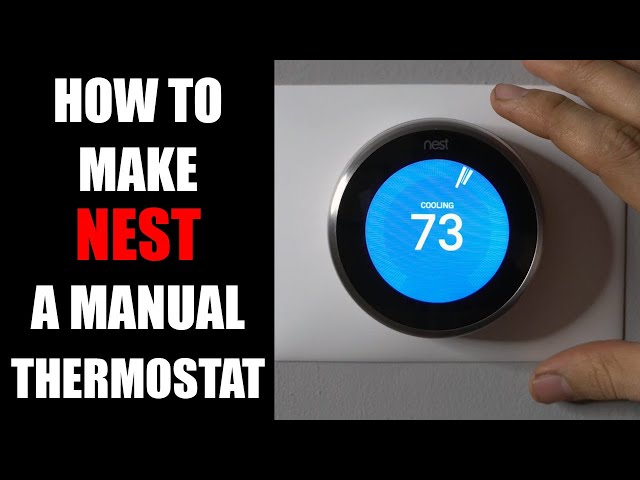
It’s frustrating when your Nest thermostat says it’s cooling, but your home feels like a sauna. This common problem can stem from various issues, preventing your air conditioner from doing its job. A malfunctioning AC system during hot weather can lead to discomfort and even health concerns, especially for vulnerable individuals. Acting quickly to diagnose and address the problem is essential to restore your home’s comfort and prevent potential damage to your HVAC system.
Common Causes of Nest Thermostat On But Not Cooling
Here are some potential reasons why your Nest thermostat is on but not cooling:
- Incorrect Thermostat Settings: The thermostat might be set to “Heat” or “Fan Only” instead of “Cool.”
- Low Batteries: A low battery in the Nest thermostat can cause communication issues with the HVAC system.
- Dirty Air Filter: A clogged air filter restricts airflow, making it difficult for the AC to cool properly.
- Frozen Evaporator Coil: Restricted airflow or low refrigerant can cause the evaporator coil to freeze.
- Tripped Circuit Breaker: The circuit breaker for the AC unit might have tripped, cutting off power.
- Disconnected Wiring: Loose or disconnected wires between the thermostat and the HVAC system can disrupt communication.
- Refrigerant Leaks: Low refrigerant levels prevent the AC from cooling effectively.
- Faulty Condenser Fan Motor: The condenser fan motor helps dissipate heat; if it’s malfunctioning, the AC won’t cool.
- Blocked Condenser Unit: Debris around the outside AC unit can hinder airflow and cooling efficiency.
- Nest Thermostat Software Glitch: Occasionally, a software glitch on the Nest Thermostat itself can cause cooling issues.
Symptoms Checklist
Use this checklist to accurately identify the issue:
- The Nest thermostat display indicates “Cooling.”
- You hear the AC unit turn on, but the air coming from the vents isn’t cold.
- The air filter is visibly dirty or clogged.
- You notice ice buildup on the outdoor AC unit or the copper lines leading to it.
- The outdoor AC unit is making unusual noises.
- The Nest thermostat has a low battery warning.
- Other parts of the house (lights, etc.) don’t have power.
How to Fix Nest Thermostat On But Not Cooling Step-by-Step Guide
Follow these steps to troubleshoot and fix the problem:
- Verify Thermostat Settings: Ensure the thermostat is set to “Cool” mode and the desired temperature is lower than the current room temperature.
- Check Thermostat Battery: Replace the batteries in your Nest thermostat or ensure it is properly charged if it’s a rechargeable model.
- Replace Air Filter: Locate the air filter (usually in the furnace or air handler) and replace it with a new, clean filter.
- Inspect for Ice Buildup: Check the indoor evaporator coil (often inside the furnace/air handler) and the outdoor AC unit for ice buildup. If you see ice, turn off the AC and allow it to thaw for several hours.
- Check Circuit Breaker: Locate the circuit breaker panel and check if the breaker for the AC unit has tripped. If it has, reset it.
- Inspect Wiring Connections: Turn off the power to the HVAC system at the breaker. Carefully inspect the wiring connections at the thermostat and the HVAC unit for loose or disconnected wires. Reconnect any loose wires securely. Make sure no exposed wires are touching each other.
- Check the Outdoor Condenser Unit: Clear any debris (leaves, grass, branches) from around the outdoor AC unit to ensure proper airflow.
- Restart the Nest Thermostat: Disconnect the Nest thermostat from its base for a few minutes, then reconnect it to restart it. This can sometimes resolve software glitches.
- Check Nest Thermostat Wiring Configuration: Ensure the wires are connected to the correct terminals on both the thermostat and the HVAC unit. Refer to the Nest thermostat manual for wiring diagrams.
- Verify Thermostat Power Source: Confirm that the Nest thermostat is receiving adequate power. Some models require a “C” wire for consistent power.
- Restart the HVAC System: Turn off the entire HVAC system at the breaker for 5 minutes, then turn it back on. This can sometimes reset the system and resolve communication issues.
- Check the Condenser Fan: Visually inspect the condenser fan on the outside unit. If it’s not spinning, try to gently spin the fan blade with a stick (power OFF first!). If it spins freely, it’s likely an electrical problem. If it’s stiff, the motor might be failing.
Fix the Issue Without Buying Parts
Many cooling problems can be resolved without buying new parts:
- Resetting the Thermostat: Sometimes, a simple reset can clear minor software glitches.
- Cleaning the Condenser Unit: Regularly clearing debris around the outdoor unit ensures proper airflow.
- Air Filter Maintenance: Regularly changing the air filter is the easiest and most effective preventive maintenance.
- Visual Inspection: Regularly inspect the system for obvious issues like ice buildup or loose wires.
When Replacement Might Be Necessary
If you’ve tried all the troubleshooting steps and the problem persists, replacement of components might be necessary. For example, a faulty condenser fan motor, compressor, or a refrigerant leak may necessitate professional repair or replacement. Estimated costs: Condenser fan motor replacement ($200-$500), Compressor replacement ($800-$2000), Refrigerant leak repair ($300-$800). Parts commonly failing include the condenser fan motor, compressor, and the Nest thermostat itself (though less common).
Safety Warning
- Always turn off the power to the HVAC system at the circuit breaker before working on any electrical components.
- Avoid working on the AC unit in wet conditions.
- If you are uncomfortable working with electricity, contact a qualified HVAC technician.
- Never attempt to repair refrigerant leaks yourself. Refrigerant handling requires specialized equipment and training.
Tools You May Need
- Screwdrivers (Phillips and flathead)
- Pliers
- Wire strippers
- Voltage tester (optional, for advanced troubleshooting)
- New air filter
- Gloves
- Flashlight
FAQ
Here are some frequently asked questions about Nest thermostat cooling problems:
-
Q: My Nest thermostat says it’s cooling, but only warm air is coming out. What should I do?
A: First, check your air filter. A dirty filter is a common cause. If that’s not it, check the outdoor unit for ice and ensure the fan is running. -
Q: How often should I change my air filter?
A: Generally, every 1-3 months, depending on usage and air quality. -
Q: What does it mean if my AC unit is frozen?
A: It usually indicates restricted airflow or a refrigerant leak. Turn off the AC and let it thaw completely. Then, try replacing the air filter and see if the problem returns. -
Q: How do I know if my Nest thermostat is faulty?
A: Try resetting the thermostat. If the problem persists, and you’ve ruled out other issues, contact Nest support.
Conclusion
Troubleshooting a Nest thermostat cooling issue can often be resolved with a few simple steps. By following this guide, you can potentially save money and restore your home’s comfort. If you’ve exhausted these steps and the problem persists, it’s best to consult a qualified HVAC technician for professional diagnosis and repair.
Youtube Video:
Looking for more useful options?
Check out recommended resources that others find helpful.