Introduction
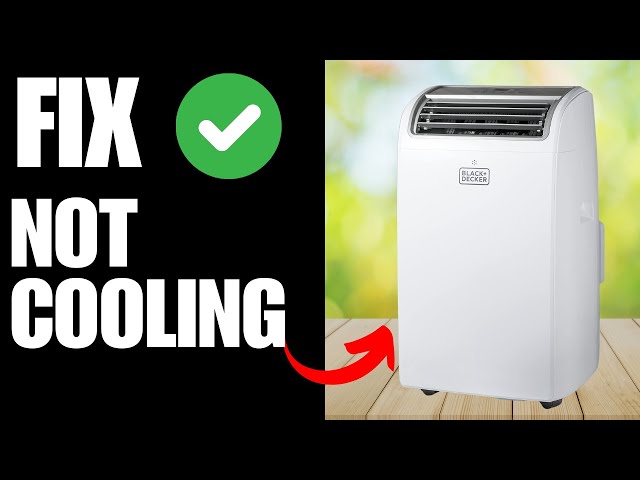
A Black+Decker air conditioner that isn’t cooling properly can be incredibly frustrating, especially during hot weather. You expect a blast of cool air, but instead, you’re met with lukewarm disappointment. This issue is common when filters are dirty, the unit is overworked, or components are simply aging. Addressing this quickly is crucial to prevent further discomfort, potential damage to the AC unit itself, and higher energy bills.
Common Causes of black decker ac not cooling
Here are some of the most frequent reasons why your Black+Decker AC might not be cooling:
- Dirty Air Filter: A clogged filter restricts airflow, making the AC work harder and less efficiently.
- Dirty Condenser Coils: Located on the back of the unit, dirty coils can’t release heat effectively.
- Frozen Evaporator Coils: Restricted airflow or low refrigerant can cause ice to form on the coils.
- Low Refrigerant: Leaks in the refrigerant line reduce the AC’s ability to cool the air.
- Blocked Air Vents: Furniture or curtains blocking vents prevent proper air circulation.
- Improper Size AC: An undersized AC unit may struggle to cool a large room.
- Fan Malfunction: If the fan isn’t working correctly, it won’t circulate air properly.
- Control Panel Issues: Sometimes, the control panel may have a glitch preventing proper operation.
Symptoms Checklist
Check for these symptoms to help pinpoint the problem:
- AC unit turns on, but blows warm air.
- Reduced airflow from the AC unit.
- Ice forming on the coils inside the unit.
- Unusual noises coming from the AC.
- The unit runs constantly without cooling the room.
- Higher than usual energy bill.
How to Fix black decker ac not cooling Step-by-Step Guide
Follow these steps to troubleshoot your Black+Decker AC:
- Unplug the AC: Always disconnect the unit from the power outlet before starting any troubleshooting.
- Inspect the Air Filter: Locate the air filter (usually at the front or side of the unit). If it’s dirty, remove and clean it with warm, soapy water or a vacuum. Let it dry completely before replacing.
- Clean the Condenser Coils: Use a soft brush or vacuum with a brush attachment to gently clean the condenser coils on the back of the unit.
- Check for Frozen Coils: If you see ice forming on the coils, turn off the AC and let the ice melt completely. Once melted, clean the air filter and condenser coils to improve airflow.
- Inspect Air Vents and Registers: Make sure that all air vents and registers are open and not blocked by furniture, curtains, or other obstructions.
- Check the Thermostat Setting: Ensure the thermostat is set to a temperature lower than the current room temperature and that it’s in “Cool” mode.
- Inspect the Fan: Make sure the fan blades are clean and unobstructed. If the fan motor is making unusual noises or not spinning properly, it might need further inspection.
- Reset the AC: Some AC units have a reset button. If not, try unplugging the unit for 15-20 minutes, then plug it back in.
- Check the Power Cord: Ensure the power cord is securely plugged into the outlet and that the outlet is working.
- Inspect the Control Panel: Make sure that no buttons are stuck or malfunctioning. Try cycling through the different modes and fan speeds to see if they respond correctly.
- Ensure Proper Ventilation: If it’s a window unit, make sure the window is properly sealed to prevent warm air from entering the room.
- Check for Refrigerant Leaks (Visual Inspection): Look for any signs of oil or residue around the connections on the back of the unit. This can indicate a refrigerant leak (however, this requires a professional to fix).
- Room Size Suitability: Confirm the BTU rating of your AC is appropriate for the room size. An undersized unit will struggle to cool effectively.
Fix the Issue Without Buying Parts
Many cooling problems can be resolved without replacing parts:
- Regular Cleaning: Clean the air filter every 2-4 weeks and the condenser coils every few months.
- Proper Ventilation: Ensure good airflow around the AC unit and within the room.
- Resetting the Unit: Unplug the unit for a few minutes can sometimes resolve minor software glitches.
- Inspect for Blockages: Check and clear any obstructions around the unit and vents.
- Maintenance Habits: Regularly cleaning and checking the unit can prevent future issues.
When Replacement Might Be Necessary
Sometimes, the problem is beyond a simple fix. If the compressor is failing (indicated by loud, rattling noises), the refrigerant leaks are severe, or the unit is very old (10+ years), replacement might be the best option. Expect to pay between $150-$500 for a new Black+Decker AC unit, depending on the size and features. Common parts that fail leading to replacement include the compressor, fan motor, or control board.
Safety Warning
- Always unplug the AC unit before performing any maintenance or troubleshooting.
- Avoid touching electrical components with wet hands.
- Be careful when cleaning coils, as they can be sharp.
- If you’re uncomfortable with any step, consult a qualified technician.
Tools You May Need
- Screwdriver (Phillips and flathead)
- Soft brush or vacuum with brush attachment
- Warm, soapy water
- Clean cloth
FAQ
Here are some common questions:
- Q: Why is my AC blowing warm air even after cleaning the filter? A: There might be other issues, such as frozen coils or low refrigerant.
- Q: How often should I clean the air filter? A: Every 2-4 weeks, or more often if you have pets or allergies.
- Q: How do I know if my AC needs more refrigerant? A: Signs include weak cooling, ice forming on the coils, and hissing noises. A professional is needed to add refrigerant.
- Q: Can I fix a refrigerant leak myself? A: No, refrigerant repairs require specialized tools and knowledge and should only be done by a certified technician.
Conclusion
Troubleshooting a Black+Decker AC that isn’t cooling can seem daunting, but by following these steps, you can often diagnose and fix the problem yourself. Remember to prioritize safety and take your time. If you’ve exhausted these options and your AC still isn’t cooling, it’s best to call a qualified HVAC technician for professional assistance. Good luck, and stay cool!
Youtube Video:
Looking for more useful options?
Check out recommended resources that others find helpful.